Blog Cybersecurity
WordPress Flaw CVE-2026-119977 Exploited, Update to 7.1.4
On this page· 7 sections
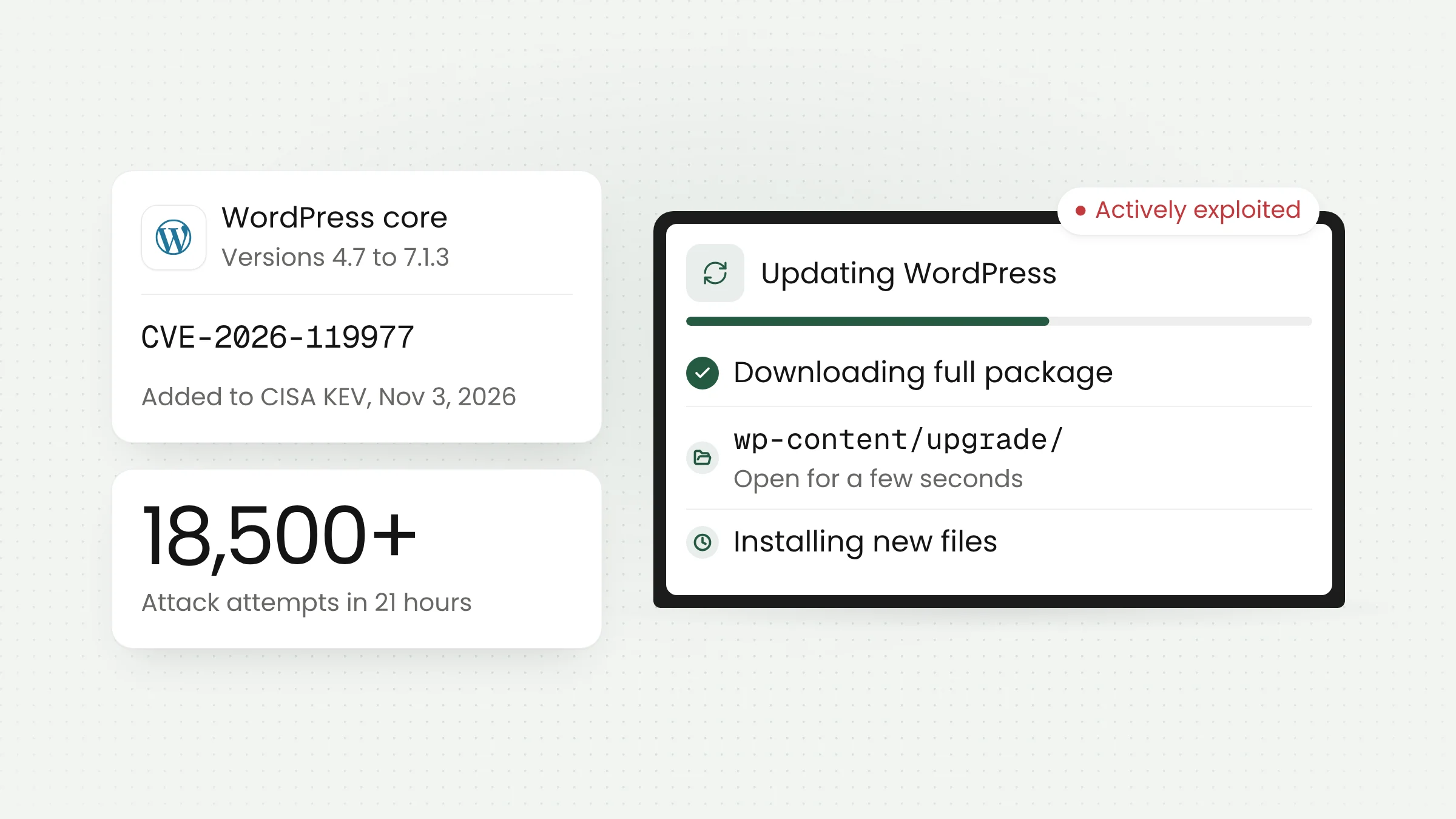
The WordPress flaw CVE-2026-119977 lets an attacker with no account run code on a server during the few seconds when a WordPress core update is being installed. The US Cybersecurity and Infrastructure Security Agency (CISA) added it to its catalog of exploited vulnerabilities on November 3, 2026. Fixes are available in WordPress 7.1.4 and in backports for older branches.
How the update-window flaw works
WordPress shipped version 7.1.4 on October 28, 2026, as a security release and urged site owners to update right away. The release notes describe a weakness in the upgrade process that can lead to remote code execution during the upgrade window. The issue was reported by researcher Umut Bayram.
The problem lies in how WordPress installs a core update delivered as a complete package. According to the WordPress advisory on GitHub, affected versions extracted the new files into a predictable directory inside wp-content/upgrade/, a folder that is reachable over the web.
Patchstack explains that for the few seconds an update takes, a complete copy of WordPress sits at a path that can be guessed and browsed. That copy includes setup-config.php, the installer script normally used only when a site is first created, and the attacks recorded so far target that file. The advisory says an unauthenticated attacker who wins the race against the extraction can achieve remote code execution. This type of bug is called a race condition: the attacker competes with the update process, and the opening exists only while that process runs.
The advisory names full-package core updates as the trigger. According to Patchstack, the vulnerable code path dates back to WordPress 2.8, and the window reopens on every core update, including unattended automatic ones.
The fix in 7.1.4 adds random characters to the temporary folder name, restores the index.php file that stops the folder contents from being listed, and prevents configuration data in the staged copy from being promoted to the live site.
Exploitation status and conflicting severity ratings
Attackers moved quickly. SecurityWeek reported that Wordfence saw the first request matching its new firewall rule nine minutes after deploying it. In the first 21 hours, Wordfence recorded more than 18,500 requests targeting staged setup-config.php paths. Wordfence also noted that an attacker must “hit a very narrow window while WordPress is unpacking a complete Core update.”
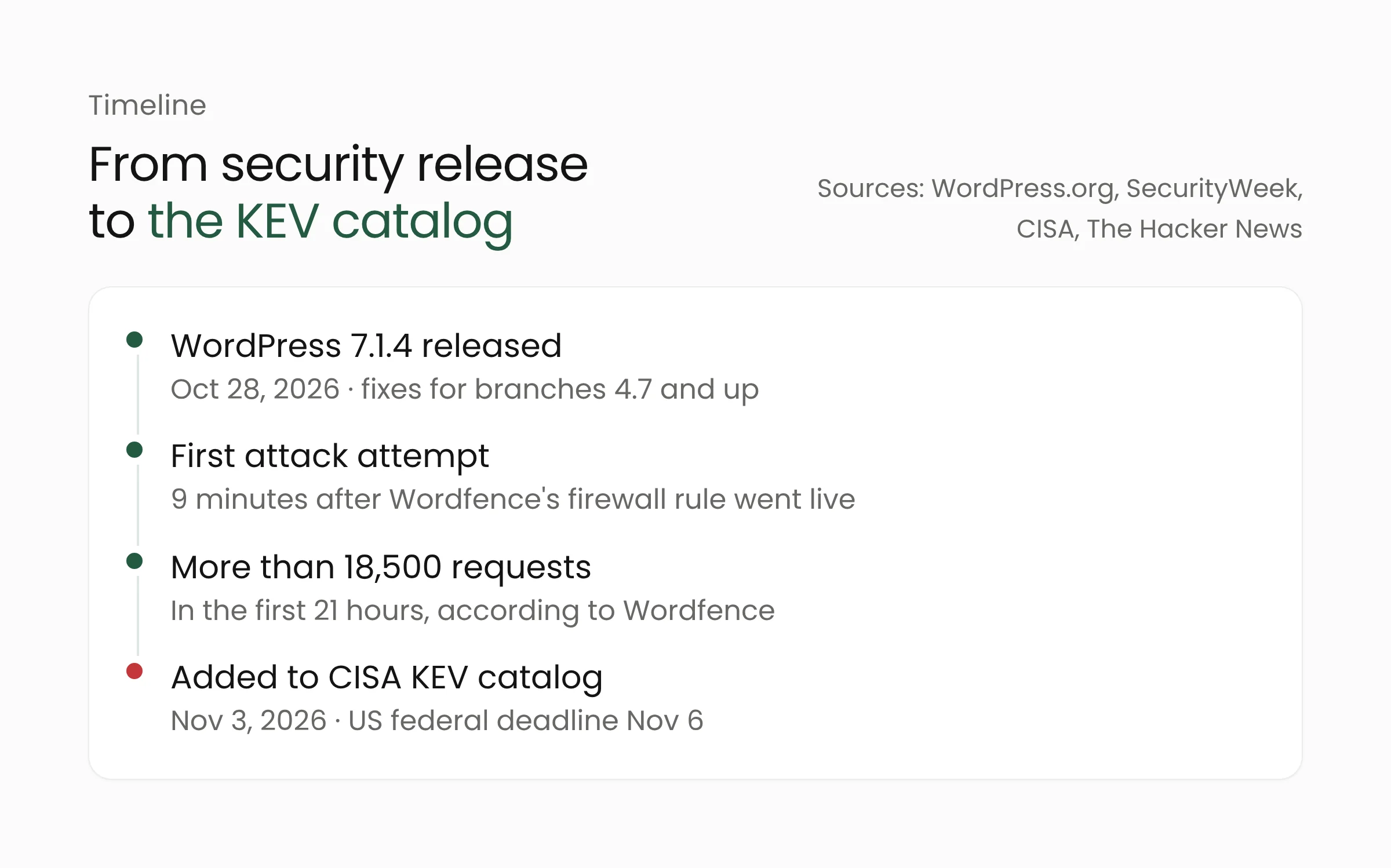
On November 3, 2026, CISA added CVE-2026-119977 to its Known Exploited Vulnerabilities (KEV) catalog under the name “WordPress Core Time-of-check Time-of-use (TOCTOU) Race Condition Vulnerability.” According to The Hacker News, US federal civilian agencies have until November 6, 2026, to apply the fix. The same outlet reported that Wordfence blocked more than 12,600 exploitation attempts in the 24 hours before its story ran.
Attempts and break-ins are different things. The Wordfence figures count blocked requests. As of the SecurityWeek report, Wordfence had not reported any successful compromises. CISA says it adds flaws to the KEV catalog based on evidence of active exploitation.
Severity ratings also differ. The WordPress advisory on GitHub labels the issue Low. The Hacker News lists a CVSS score of 8.1, or High. Patchstack rates the attack complexity as high and does not consider the flaw practical to exploit. For site owners, the gap between these ratings does not change the decision: attackers are actively probing for it, and the fix costs nothing.
Affected versions and fixed releases
The WordPress advisory lists every version from 4.7.0 through 7.1.3 as affected. Fixes were shipped to every branch that still receives security updates, from 7.1.4 down to 4.7.39. Sites on 7.1.x need 7.1.4, the 7.0 branch needs 7.0.8, the 6.9 branch needs 6.9.11, and the 6.8 branch needs 6.8.12.
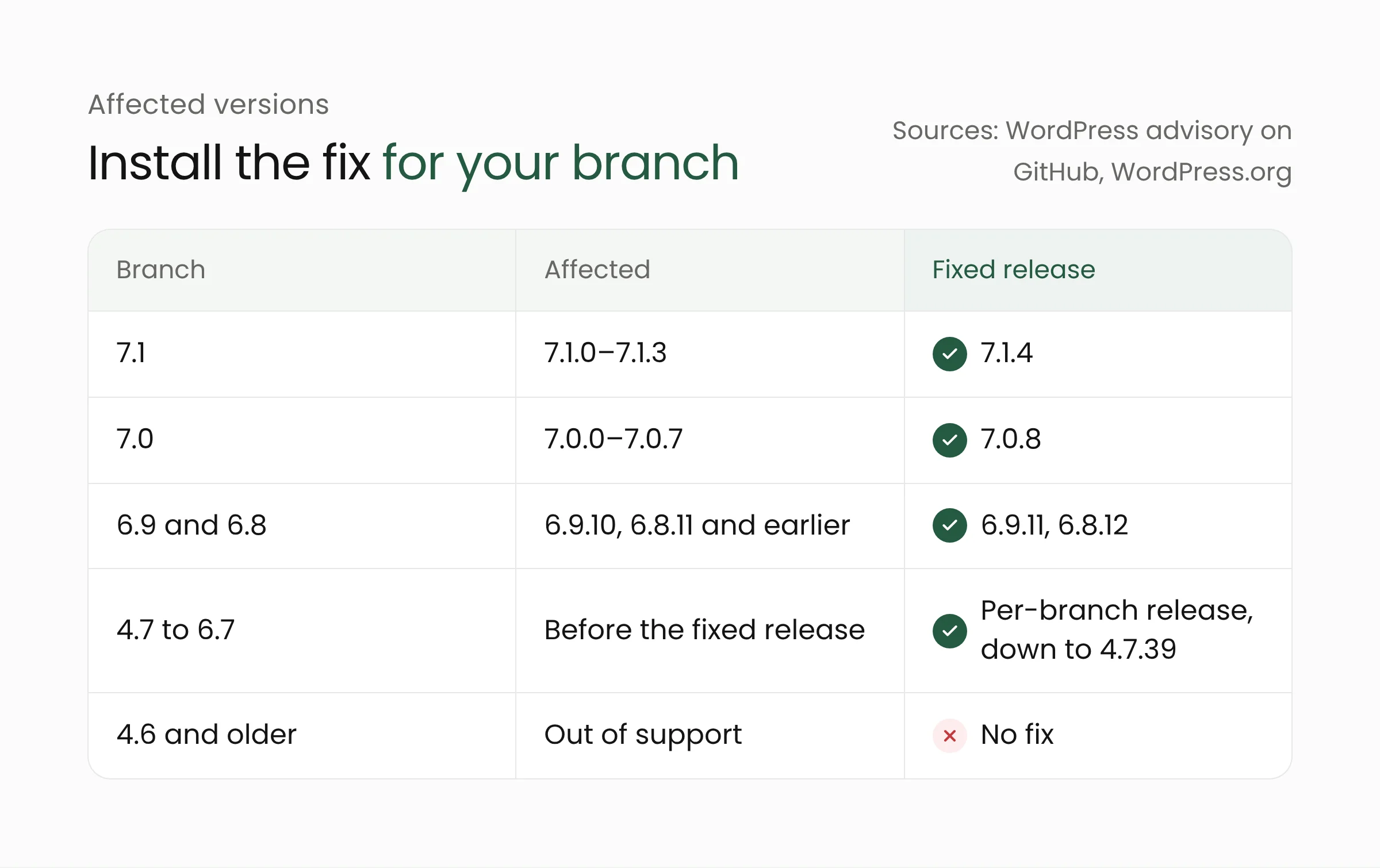
Sites running WordPress 4.6 or older get no fix, so their owners need to move to a supported branch. WordPress.org states that only the latest version is actively supported.
WordPress 7.1.4 fixes other problems as well. The WordPress.org release notes list 12 security items plus an update to the root certificates bundled with WordPress. Patchstack and SecurityWeek count 22 vulnerabilities in total, most of them stored cross-site scripting (XSS) bugs, in which malicious script is saved inside site content. Many of them require an account with the Contributor role or higher.
Sites that support automatic background updates will receive 7.1.4 on their own. Hosting providers or administrators can switch that feature off, though, so the version of every site still needs checking.
What this means for WordPress site owners
WordPress powers a large share of school, university, local government, nonprofit, local media, and small business websites in Indonesia. Many are run by a single person or by a vendor whose contract has ended. Those sites are the most likely to fall behind on updates. The steps below can be done today, ideally in this order.
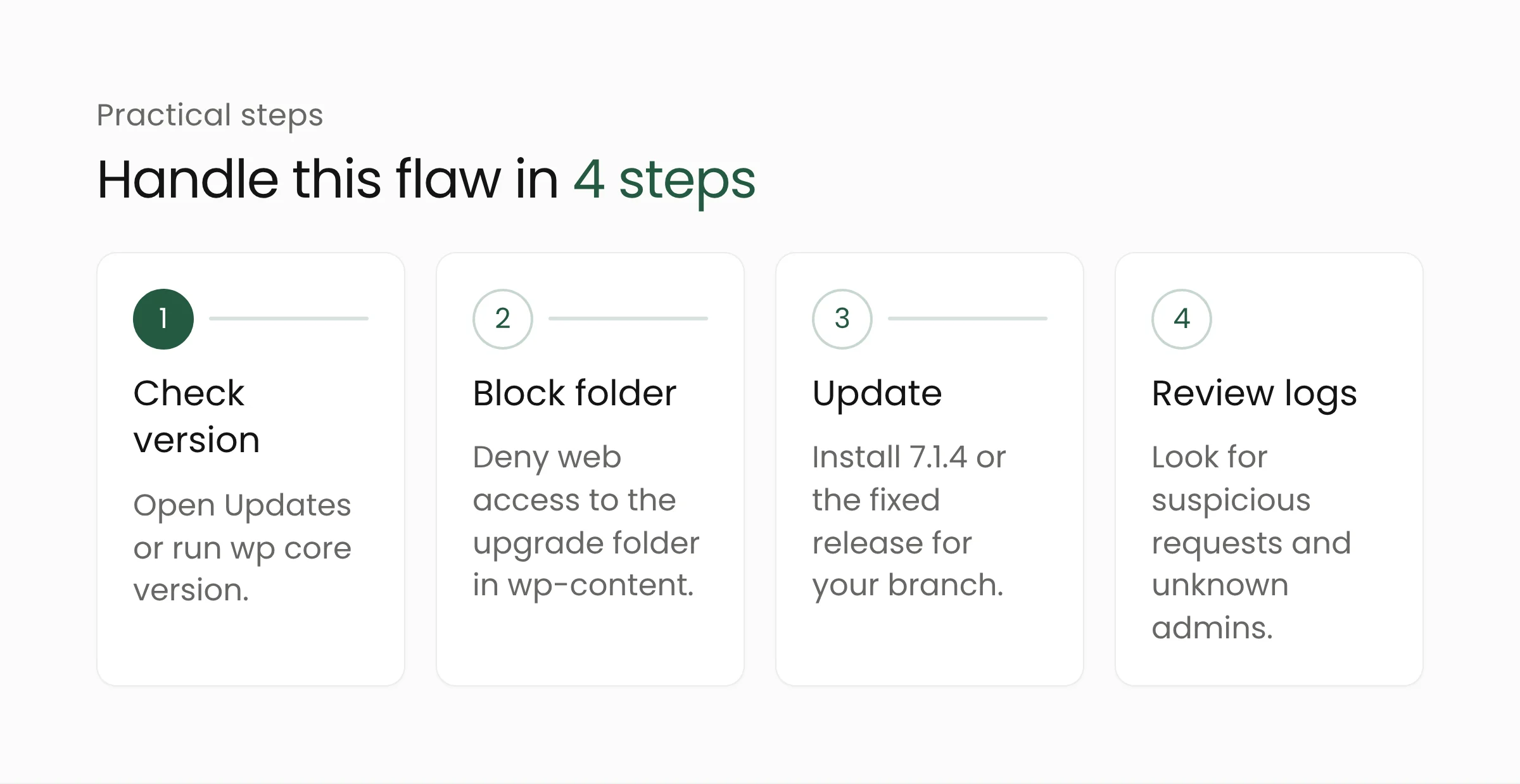
Check the version of every site
Open the WordPress dashboard and go to Updates to see the installed version. Teams that manage many sites can run wp core version with WP-CLI on the server. List every site below the fixed release for its branch, including old sites that rarely get attention, such as event microsites or pages for programs that have ended.
Block web access to the upgrade folder
Patchstack recommends blocking the path at the web server, because a PHP-based firewall plugin cannot stop these requests. The staged copy of WordPress loads its own files, so the main site’s security plugin never runs. On Apache, the line RedirectMatch 403 ^/wp-content/upgrade/ in the main .htaccess file denies access to that folder. On Nginx, add location ^~ /wp-content/upgrade/ { deny all; } before the PHP rules. Also confirm that the folder contents cannot be listed in a browser.
Because the window opens on every core update, including the one that installs 7.1.4, this block is best put in place before you click the update button. The WordPress update itself keeps working, since files are written directly on the server and never need web access to that folder.
Update to a fixed release
Install 7.1.4 or the fixed release for your branch. Back up files and the database first. If the site uses custom themes or plugins, test the update on a staging copy before applying it to the live site. Keeping the folder block in place after updating is worthwhile.
Review logs and admin accounts
Search the web server access logs for requests to paths under wp-content/upgrade/, especially those that mention setup-config.php. Review the list of administrator accounts and installed plugins as well. Unknown admin accounts or plugins are a sign that the site needs a deeper check. Firewalls and updates do not clean a site that has already been compromised.
The case also shows that site security depends on the layers beneath the application. In October, the PHP2Shell flaws hit the PHP engine that runs WordPress. This time the problem sits in WordPress’s own update process. Sound web server configuration, such as denying access to temporary folders, belongs in web development practice from the start.
Frequently asked questions
Has my site been hacked if I have not updated yet?
Not necessarily. The flaw can only be used while a core update is running, and an attacker has to hit that window of a few seconds. Even so, attack attempts have been recorded in large numbers, so sites that have not been updated should have their logs reviewed and the fix applied soon.
Is a security plugin such as Wordfence enough to stop it?
Not on its own. Patchstack says a PHP-based firewall cannot block this attack, because the staged copy of WordPress loads its own files and never runs the main site’s security plugin. Wordfence has deployed a new firewall rule, but such rules only add a layer. Blocking the folder at the web server and installing the fixed release are still needed.
Are WordPress.com sites affected?
The sources we reviewed cover self-hosted WordPress installed on a server or hosting account. Sites on managed services follow their provider’s update schedule. If you do not run your own server, ask your hosting provider directly.
Conclusion
CVE-2026-119977 targets a moment most site owners consider safe: the update itself. Handling it is simple and costs nothing. Block the upgrade folder from web access, install the fixed release, and review the logs. If your organization runs many WordPress sites and wants tighter monitoring and update schedules, Merakit’s cybersecurity services team can help.
Sources
- WordPress 7.1.4 Security Release, WordPress.org, October 28, 2026
- A race condition during core updates that could lead to remote code execution (GHSA-4w3m-c66w-69mg), WordPress on GitHub, October 29, 2026
- WordPress 7.1.4 Security Release, Patchstack, October 28, 2026
- Fresh WordPress Vulnerability in Attackers’ Crosshairs, SecurityWeek, October 30, 2026 (updated November 4, 2026)
- CISA Adds One Known Exploited Vulnerability to Catalog, CISA, November 3, 2026
- CISA Confirms Hackers Exploiting WordPress Core Flaw During Software Upgrades, The Hacker News, November 4, 2026