Blog Cybersecurity
GitLab Flaw Now Exploited: Check Your Ruby Version Too
On this page· 7 sections
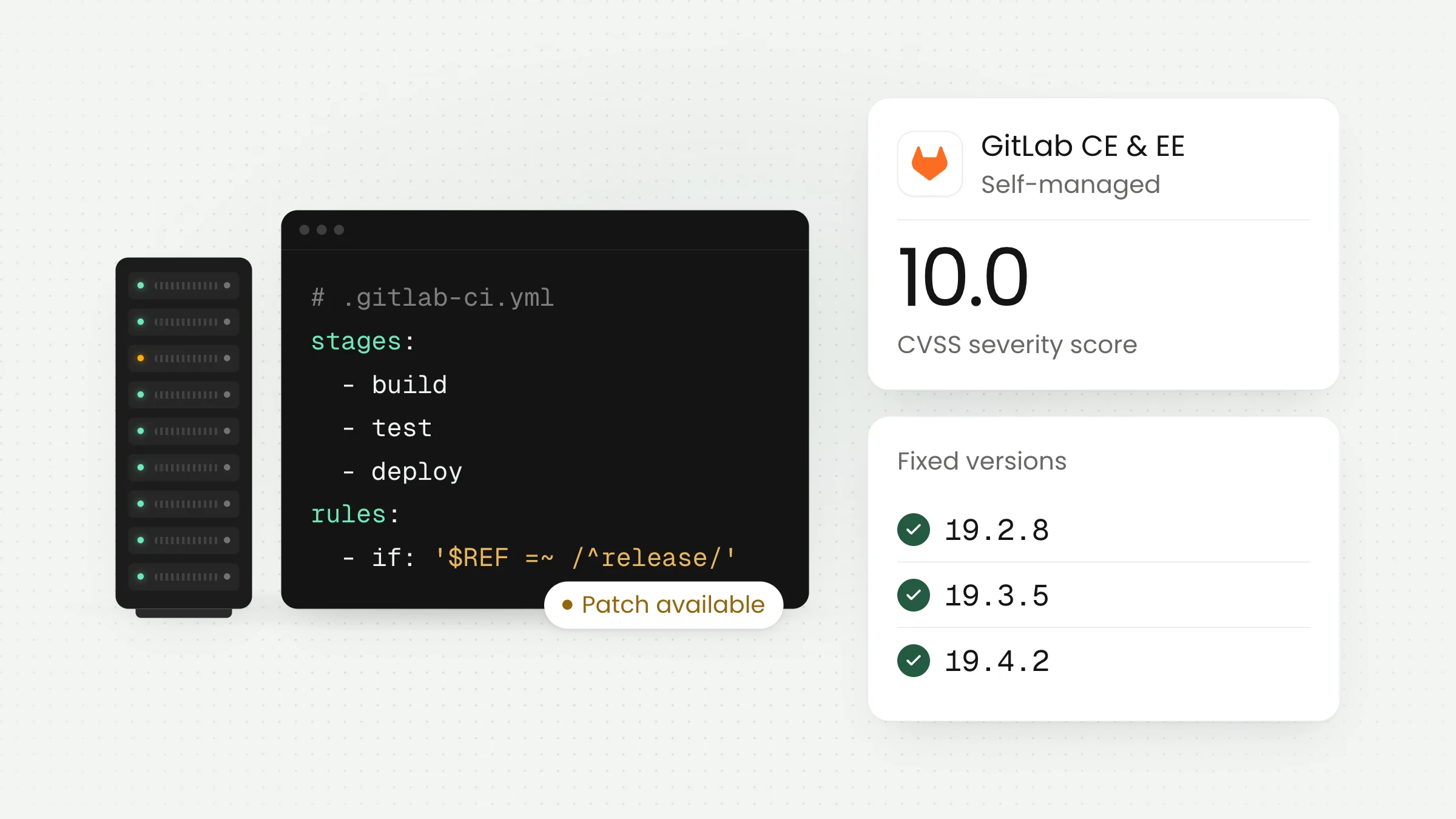
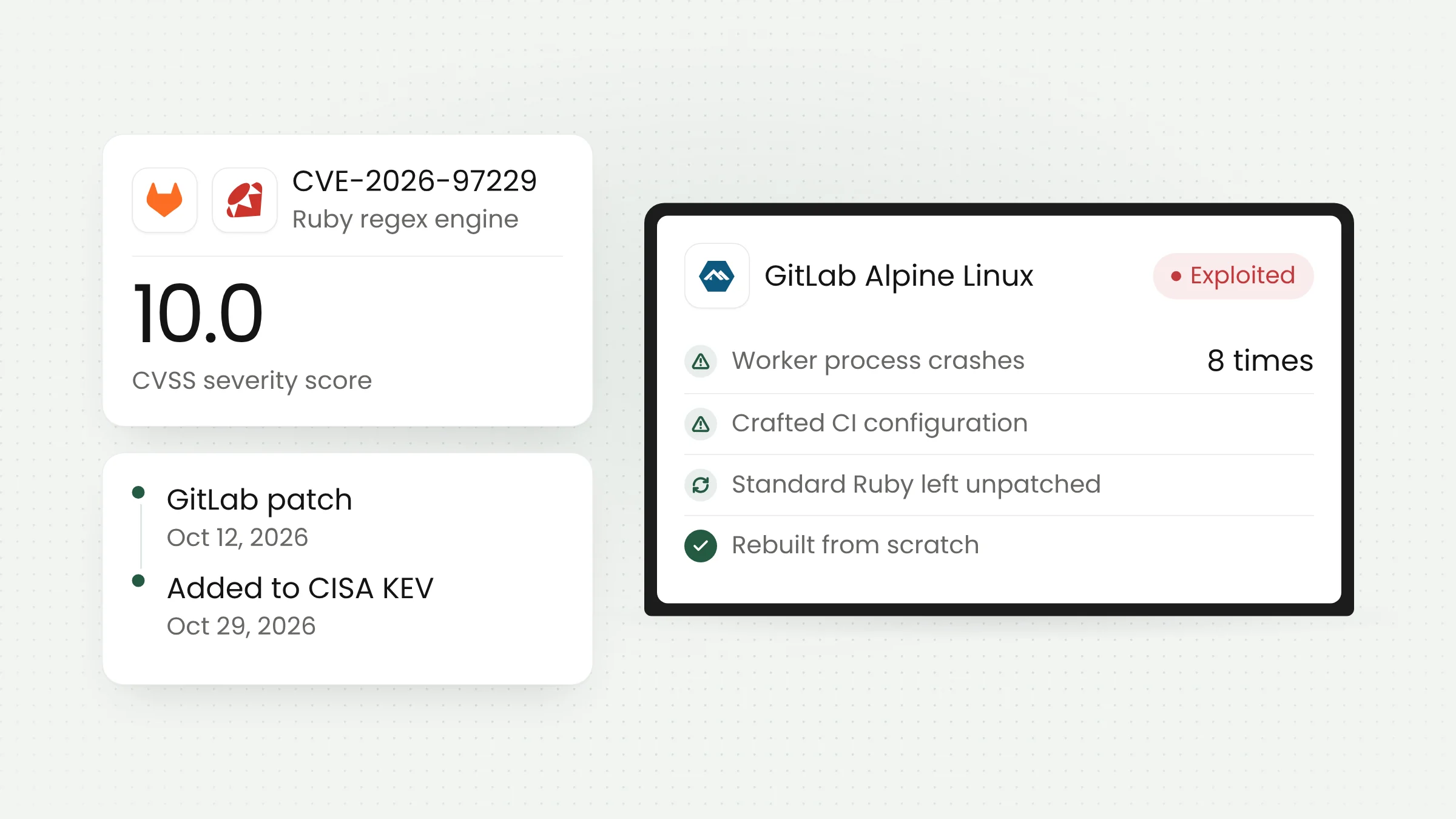
The GitLab flaw CVE-2026-97229, rated CVSS 10.0, is now being used in real attacks. CISA added it to its catalog of exploited vulnerabilities on October 29, 2026, after Alpine Linux disclosed an attack on its own GitLab server. For GitLab built with its own Ruby, upgrading GitLab alone does not close the hole.
From patch to active exploitation
GitLab shipped a fix for CVE-2026-97229 on October 12, 2026, in versions 19.4.2, 19.3.5, and 19.2.8. According to GitLab’s release notes, the bug is an integer overflow in the regular expression (regex) compiler used by CI/CD. An unauthenticated user can use it to run code on the GitLab server. We covered the affected versions and upgrade steps in our article on the critical GitLab flaw rated 10, published October 14.
At that point, no exploitation had been reported. That has now changed. On October 29, 2026, CISA added CVE-2026-97229 to its Known Exploited Vulnerabilities (KEV) catalog, the list of flaws with evidence of use by attackers. According to The Hacker News, US federal civilian agencies are expected to apply fixes by November 1, 2026.
Between those two dates, GitLab released a second fix on October 21 for a related flaw, CVE-2026-110264, also rated 10.0. The 19.5.1 release notes say this second bug affects every version since GitLab 7.0. The fixed versions are 19.5.1, 19.4.3, 19.3.6, 19.2.9, 19.1.9, 19.0.10, and 18.11.13. The safe target today is therefore the October 21 release or later on whichever branch you run.
The root cause sits in Ruby’s regex engine
What sets this case apart is where the bug lives. Alpine Linux explains that the source is Onigmo, the regex engine built into the Ruby programming language. GitLab is written in Ruby, so regexes from CI configuration files are processed by that engine.
The fix is a set of patches to Ruby. GitLab applies those patches to the copy of Ruby bundled in its official packages and images. Organizations that install GitLab from source, or build their own containers on a standard Ruby, do not receive that fix automatically.
The Ruby project shipped its own fix on October 23, 2026, in Ruby 4.0.9, 3.4.12, and 3.3.13, as announced on the oss-security mailing list. According to The Hacker News, Ruby 4.0.8 does not contain every fix, and Ruby 3.2 and older will not be patched because support ended on April 1, 2026.
The exposure reaches other Ruby applications as well. Ruby’s announcement says an application is affected if it compiles regexes from text an attacker can control, for example through Regexp.new or by interpolating user input into a pattern. Applications that only use patterns written by their own developers are not affected. Setting Regexp.timeout or capping pattern length does not reliably prevent these bugs.
Lessons from the Alpine Linux incident
Alpine Linux, a distribution widely used as a base for Docker containers, published an incident report on October 28, 2026. It shows how an organization that was trying to keep up with updates still ended up exposed.
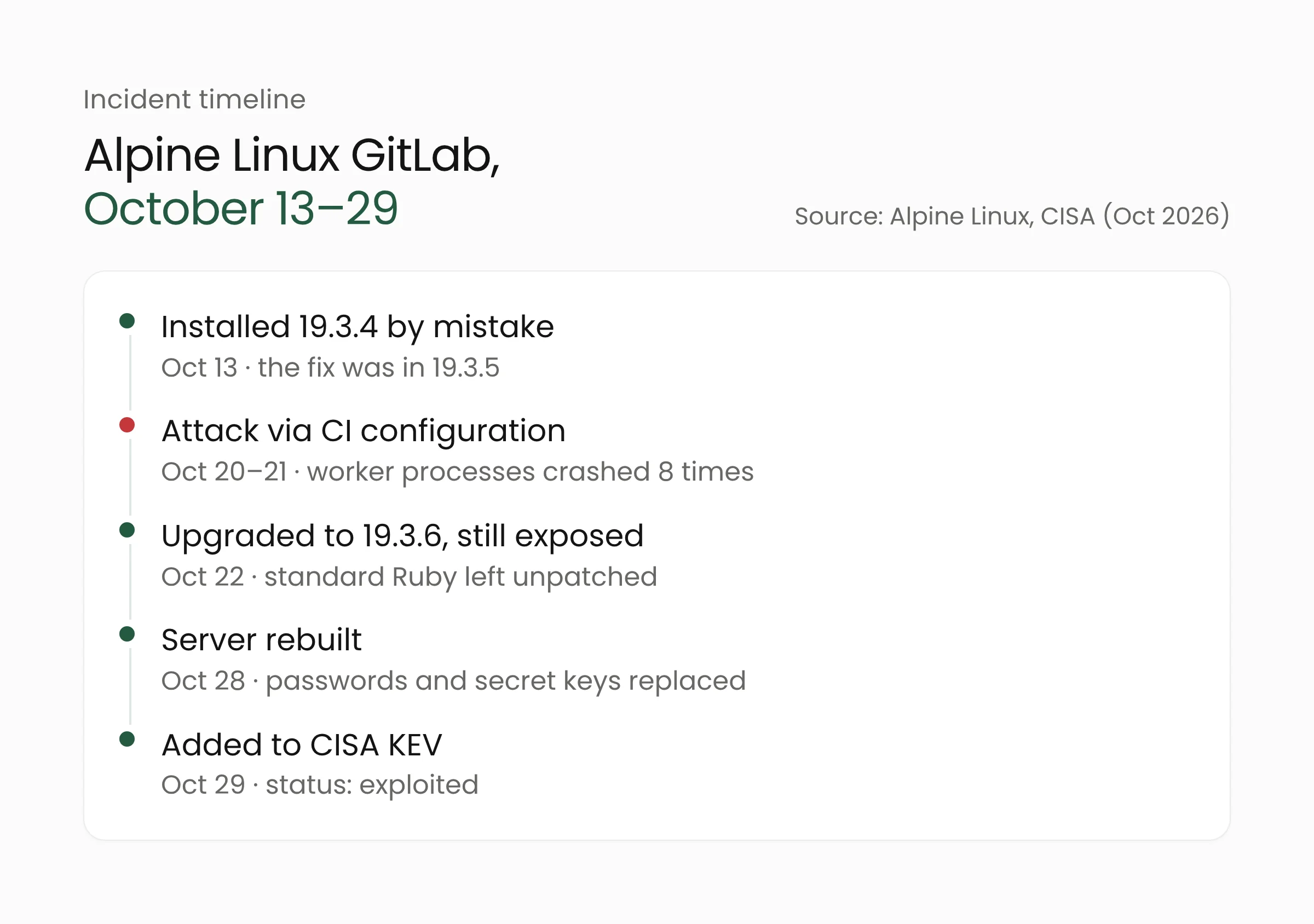
On October 13, the Alpine team mistakenly installed version 19.3.4, while the fix was in 19.3.5. On October 20, an attacker registered a new account and began probing the server. The main attack came on October 21 through specially crafted CI configurations. GitLab worker processes crashed eight times, and in four of those attempts the exploit got past the first stage before failing at the next. The attacker also downloaded Alpine’s GitLab container image, which Alpine reads as an effort to tune the exploit to that exact build.
On October 22, Alpine upgraded GitLab to 19.3.6. That was still not enough, because its image used a standard Ruby without the patches. The team only realized this on October 26, after the attacker came back on October 25 and 26 and failed to get in.
Alpine found no evidence that the attacker managed to run code, but it cannot rule that out. According to the report, a successful exploit would leave no crash and no trace in the web logs. Alpine therefore treated its GitLab server as compromised. It rebuilt the server from scratch, reset every user password, and replaced GitLab’s secret keys on October 28. Alpine’s GitLab later reopened on version 19.3.7.
Alpine also checked what users worried about most: whether its packages and releases had been altered. It compared the aports repository history with a developer’s clone and with all 45 build machines. Packages built from October 20 to 24 and the October 21 releases were found to be unaltered. Package signing keys were never stored on the GitLab server.
The report is candid about the limits of that certainty. Some logs from the day of the attack are gone, and outbound connections from the server were not recorded. Alpine now plans to log outbound connections from the GitLab host and keep logs for longer than 14 days.
What this means for development teams
Many universities, government agencies, hospitals, and software companies in Indonesia run GitLab on their own servers so that source code stays on internal infrastructure. Those servers usually also hold CI/CD variables, runner tokens, and integration credentials. Alpine notes that this kind of data, along with private repositories and password hashes, could have been exposed had the attack succeeded.
The first step is to confirm how your GitLab was installed, because that decides what needs updating.
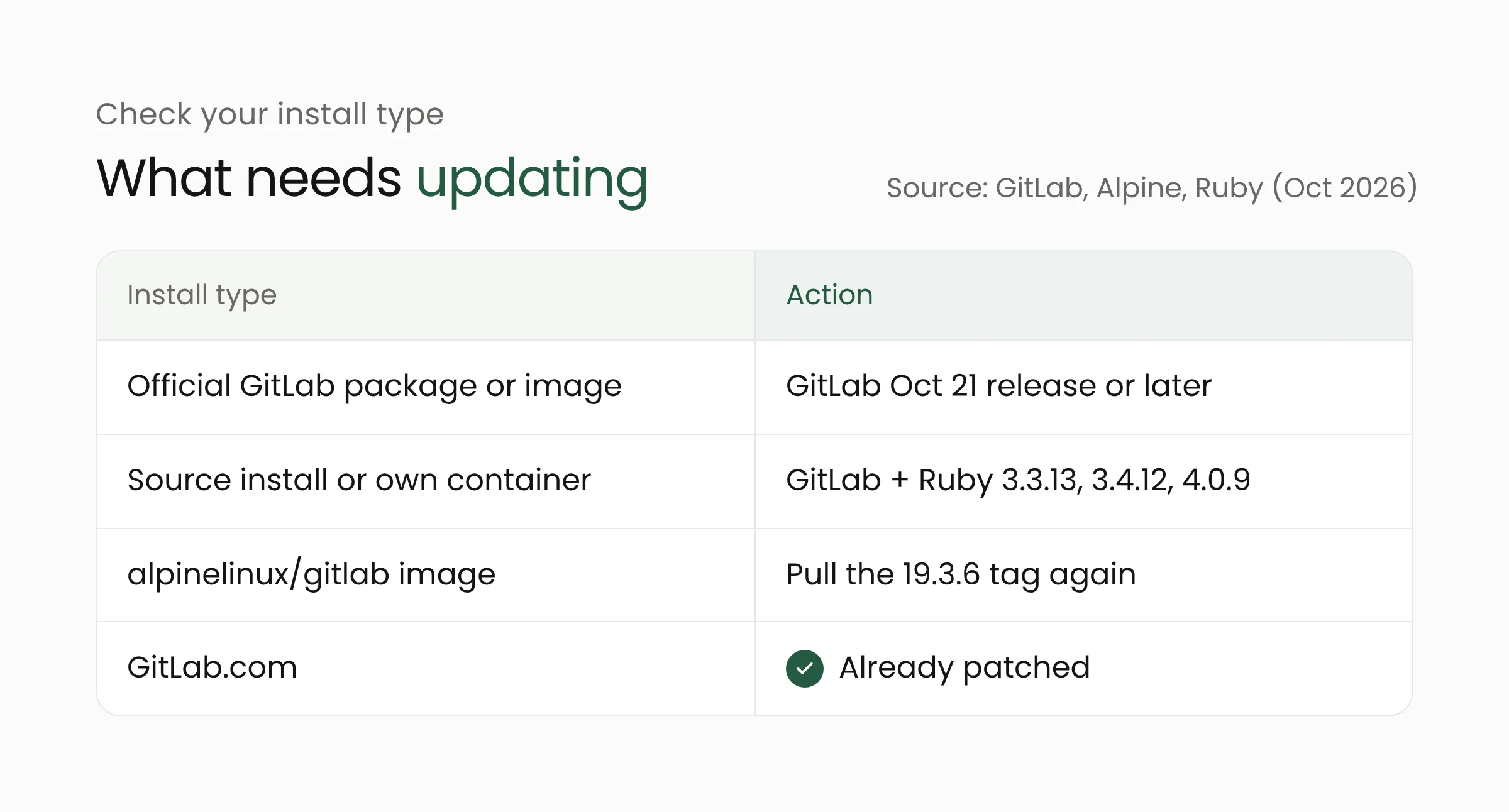
GitLab.com users do not need to act because the service is already patched. For self-managed installations, work through these steps.
- Upgrade GitLab to the October 21 release or later, such as 19.5.1, 19.4.3, or 19.3.6 depending on your branch. Check the version on every application node.
- Check the Ruby version if GitLab was not installed from official packages. Source installs and self-built containers need Ruby 3.3.13, 3.4.12, 4.0.9, or a later release in the same series. Users of the
alpinelinux/gitlabimage should pull the 19.3.6 tag again, because Alpine says images pulled before October 27 are still vulnerable. - Look for signs of exploitation attempts. GitLab published a detection rule called “Onigmo native worker crash” for self-managed instances. Repeated worker crashes, 502 errors, and CI jobs failing for no clear reason from new accounts all deserve a closer look.
- Rotate secrets if the server lagged behind and faced the internet. Start with CI/CD variables, runner tokens, personal access tokens, and webhook and mirror credentials. If you find signs of an attack, consider rebuilding the server as Alpine did.
For the longer term, Alpine recommends installing critical GitLab security releases within a day and checking each release for component patches, such as Ruby, that your own build must also apply. The same lesson holds for any application assembled from many components. Teams that maintain their own Ruby applications should also review code that builds regexes from user input. If your internal team has not yet set up an update routine like this, our cybersecurity services and web development services can help review the servers and pipelines you manage.
Frequently asked questions
Has our GitLab server definitely been compromised?
There is no basis for that conclusion. Alpine itself found no evidence that the attack succeeded. Still, if your server faces the internet and kept running a vulnerable version after October 12, treat the secrets on it as at risk and rotate them in stages.
We already run GitLab 19.3.6. Are we safe?
If GitLab was installed from GitLab’s official packages or images, that version already ships a patched Ruby. The Alpine case shows that 19.3.6 remains vulnerable when it runs on a standard, unpatched Ruby. Check the Ruby version on your server.
Are our Ruby on Rails applications affected?
Only if the application compiles regexes from text that users can control. Applications that only use fixed patterns written by developers are not affected. Updating Ruby to a fixed version is still the safest course.
Closing thoughts
The GitLab and Alpine case shows that an application’s version number does not always describe the security of the whole system. The components underneath, such as the programming language and its libraries, need to be tracked and updated with the same discipline. If you would like to review the readiness of your organization’s development servers, the Merakit team is happy to talk through our contact page.
Sources
- Alpine Linux: GitLab security incident, attempted exploitation of CVE-2026-97229, October 28, 2026 (updated October 30, 2026)
- CISA: CISA Adds Two Known Exploited Vulnerabilities to Catalog, October 29, 2026
- The Hacker News: CISA Adds Actively Exploited GitLab RCE and Cisco Firewall DoS Flaws to KEV, October 30, 2026
- GitLab: Patch release 19.4.2, 19.3.5, 19.2.8, October 12, 2026
- GitLab: Patch release 19.5.1, October 21, 2026
- oss-security: Ruby 4.0.9, 3.4.12, and 3.3.13, October 23, 2026
- The Hacker News: Ruby fixes three regex engine bugs, October 23, 2026