Blog Cybersecurity
Outlook Flaw CVE-2026-124194 Exploited, Update Office Now
On this page· 7 sections
Microsoft fixed Outlook flaw CVE-2026-124194 in its November 10, 2026 Patch Tuesday release, and attackers are already exploiting it. A crafted message file can make classic Outlook contact an attacker’s server without a warning and hand over the user’s NTLMv2 hash. Offices running Microsoft 365 Apps or Office LTSC should confirm the fixed build is installed.
How the CVE-2026-124194 Outlook flaw works
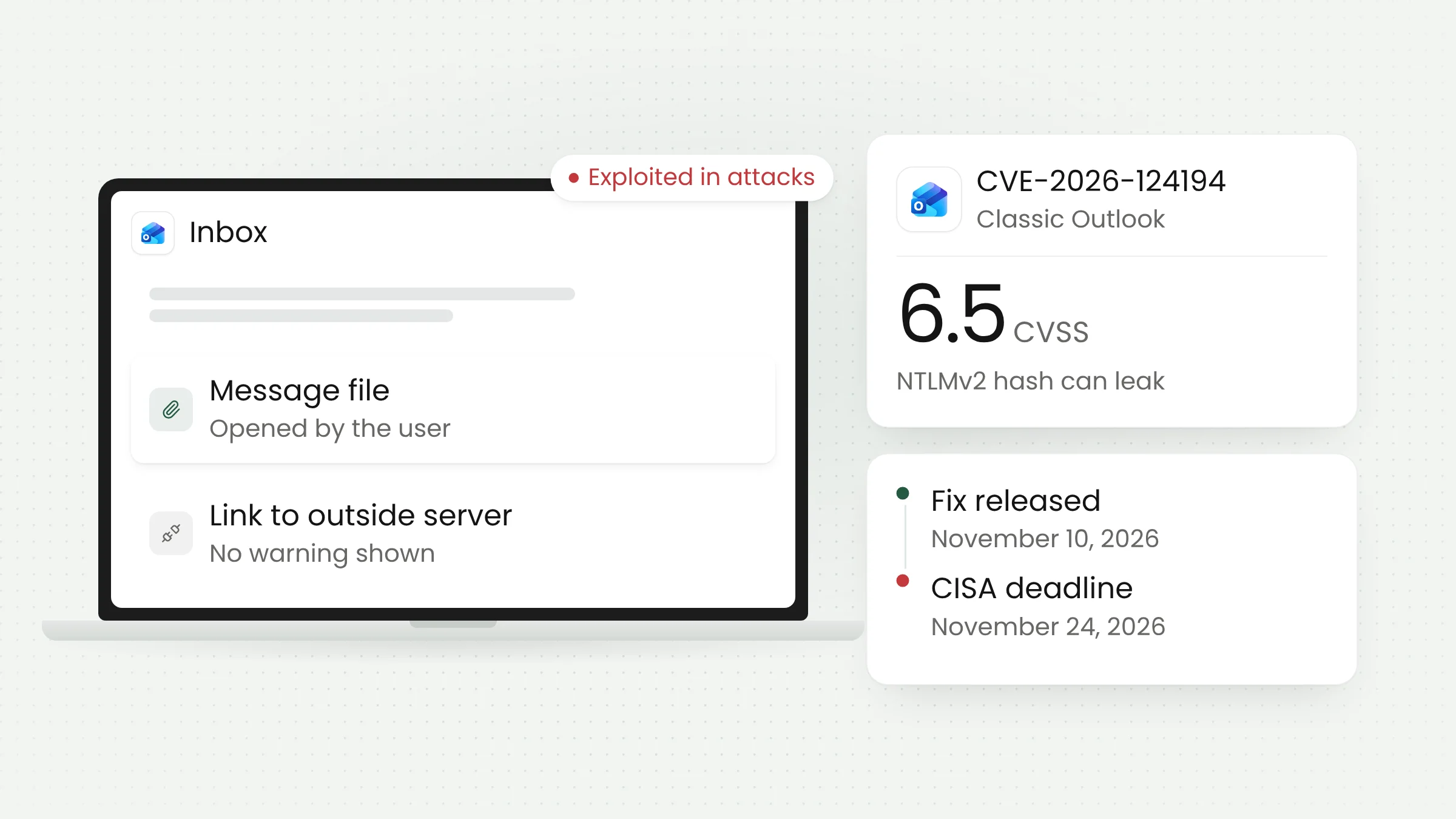
In its official advisory, Microsoft classifies CVE-2026-124194 as a spoofing vulnerability with a CVSS score of 6.5 and a severity rating of “Moderate.” The root cause is an Outlook interface that fails to warn users before carrying out a risky action.
Microsoft describes the attack in some detail. An unauthenticated attacker sends a specially crafted message file and persuades the victim to open it in an affected version of Outlook. Opening the file causes Outlook to connect to a network location controlled by the attacker, without showing the external-content warning that normally appears. That connection carries the user’s authentication data.
What leaks is an NTLMv2 hash. NTLM is an older Windows protocol that proves a user’s identity to servers on a network, and the NTLMv2 hash is a value derived from the user’s password that the computer sends during that exchange. In the FAQ section of its advisory, Microsoft writes: “This vulnerability discloses a user’s NTLMv2 hash to the attacker who could use this to authenticate as the user.” According to Office Watch, an attacker can try to crack the hash offline or relay it to another server.
Two limits matter. Microsoft says the Preview Pane is not an attack vector, so the file has to be opened. The attack also requires network connectivity and user interaction. Those conditions explain the relatively low 6.5 score, but they do little to reduce the risk in offices that handle attachments from outside parties every day.
Exploitation status and an AI-assisted discovery
Microsoft’s advisory marks CVE-2026-124194 as “Exploitation Detected,” and the flaw was not publicly disclosed before the fix shipped. According to SecurityWeek, Microsoft has not shared details about the attacks, including who is behind them or who was targeted.
On the same day, the US Cybersecurity and Infrastructure Security Agency (CISA) added the flaw to its Known Exploited Vulnerabilities (KEV) catalog, the list of flaws confirmed to be used in attacks. US federal agencies have until November 24, 2026, to fix it. The catalog lists its use in ransomware campaigns as “Unknown.”
Microsoft credits two finders: a researcher using the name “nono” and Benoît Sevens. The acknowledgment for Sevens reads “using Claude with Anthropic,” indicating that Anthropic’s Claude model was used in the research. Notebookcheck notes that the advisory does not explain how Claude was used or whether the flaw was found during an active attack.
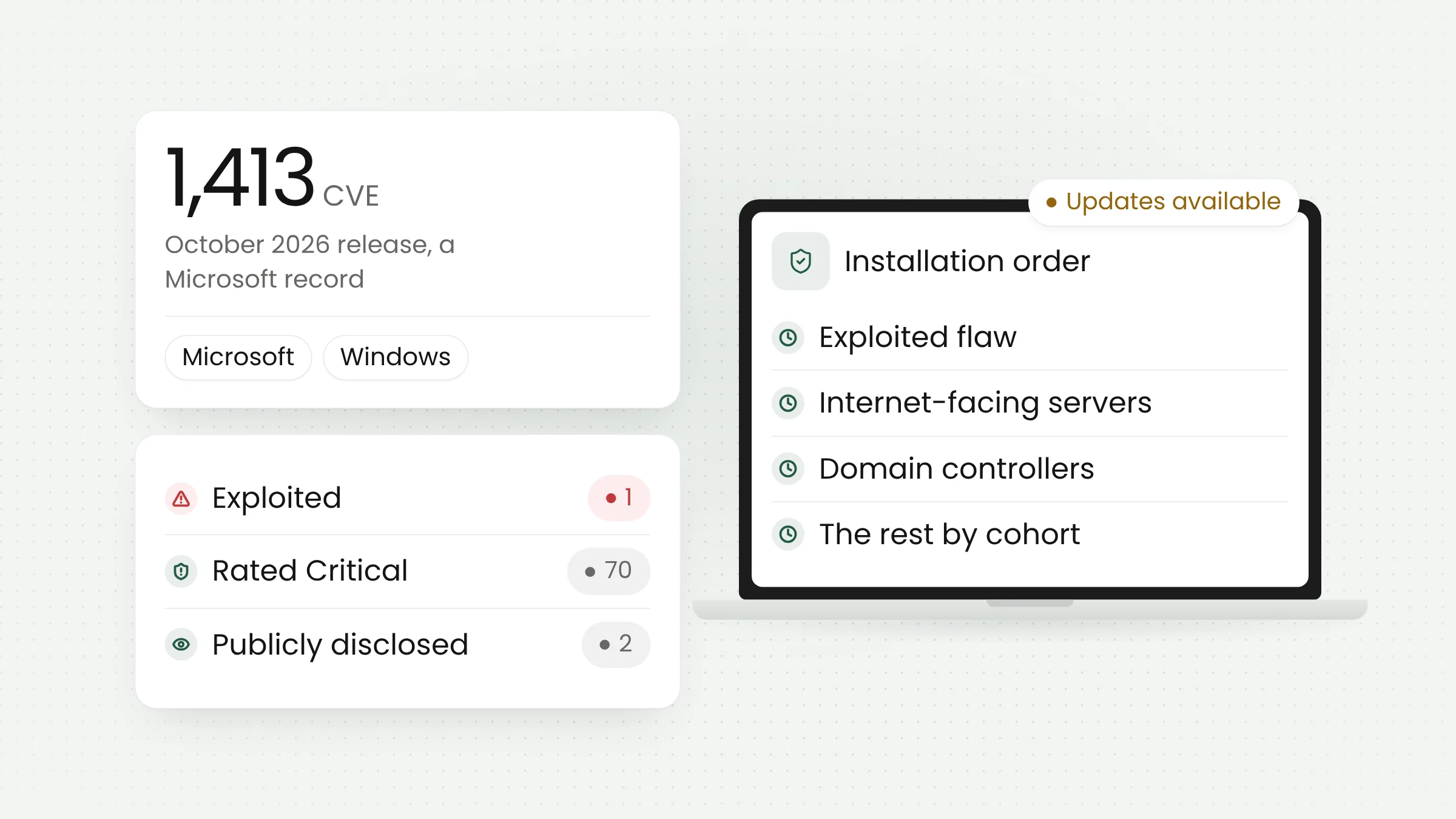
The fix arrived in a large release. SecurityWeek counts 1,094 vulnerabilities patched by Microsoft this month, including 726 in Windows and 174 in Office, while Tenable counts 1,093, according to Notebookcheck. That is below October’s record of 1,413, which we covered in our October 2026 Patch Tuesday report. Of the more than one thousand flaws, CVE-2026-124194 is the only one Microsoft confirms as exploited.
Affected products and fixed builds
Microsoft’s advisory lists Microsoft 365 Apps for Enterprise, Office LTSC 2024, and Office LTSC 2021 as affected, each in 32-bit and 64-bit editions. All of them include classic Outlook for Windows. The new Outlook for Windows, Outlook on the web, Outlook for Mac, and the mobile apps do not appear on that list.
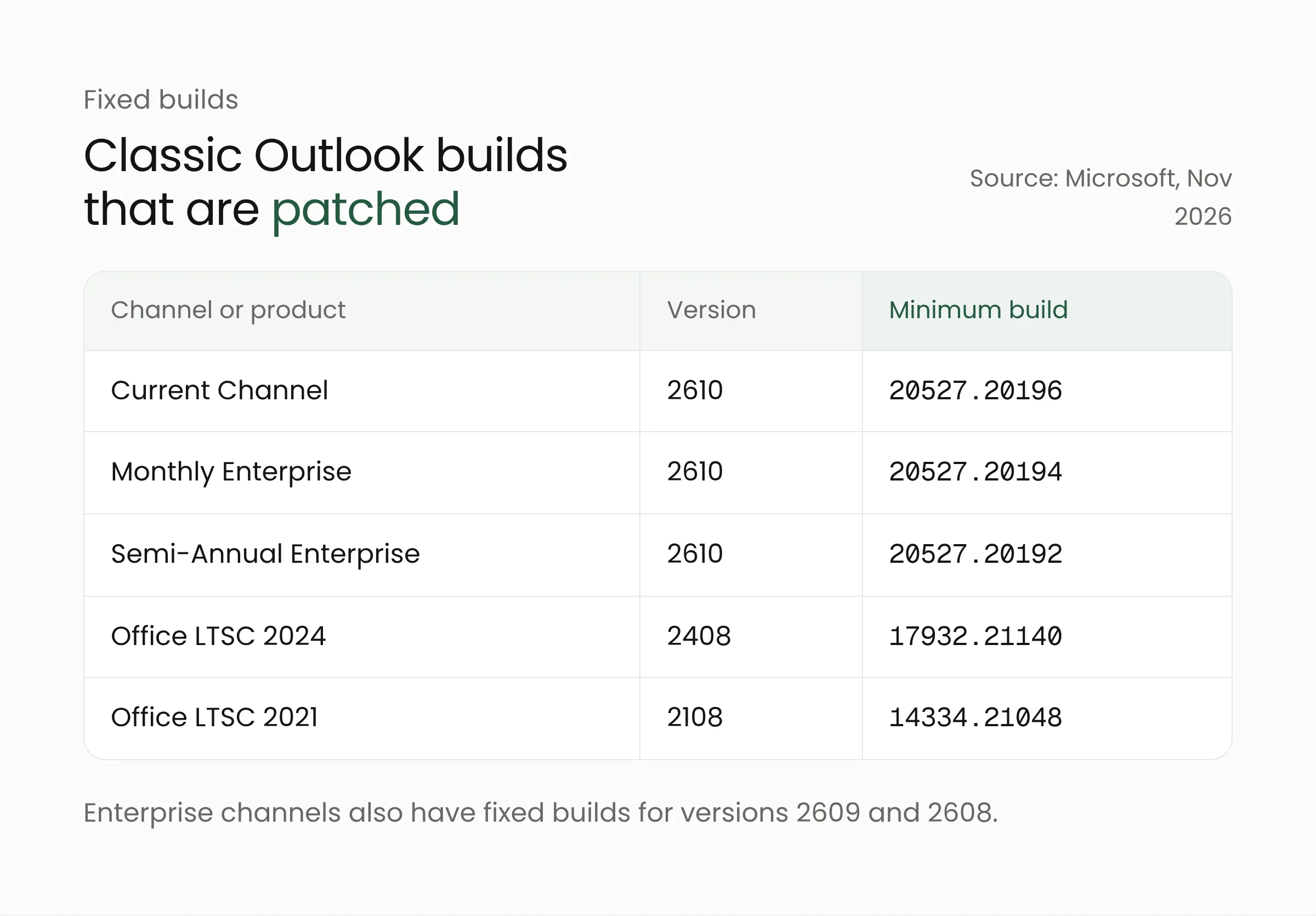
For Office LTSC 2024, the fix is in build 16.0.17932.21140, and for Office LTSC 2021 in build 16.0.14334.21048. Microsoft 365 Apps uses several update channels. According to Microsoft’s release notes for Microsoft 365 Apps security updates dated November 10, 2026, Current Channel receives version 2610, build 20527.20196. Monthly Enterprise Channel receives version 2610 build 20527.20194, 2609 build 20430.20264, and 2608 build 20326.20320. Semi-Annual Enterprise Channel receives version 2610 build 20527.20192, 2609 build 20430.20262, and 2608 build 20326.20318. Retail Office 2024 and Office 2021 follow the Current Channel build.
Office 2016 and Office 2019 are not on the affected list. Support for both ended on October 14, 2025, so their absence from the official list cannot be taken as proof that Outlook in those versions is safe. Machines still running them should be scheduled for an upgrade to a supported version.
The advisory lists no temporary mitigation. Installing the Office update is the only official step. Office Watch stresses that the fix ships through Office updates, so a computer that has just received Windows updates is not necessarily protected.
What this means for government agencies
Local government offices, district administrations, and public service units receive a steady flow of outside files: meeting invitations, reports from partners, and letters from citizens. In that setting, a message file that looks routine is easy to open without suspicion. A leaked NTLMv2 hash could also be used against internal services that still accept NTLM, such as shared folders on an office file server.
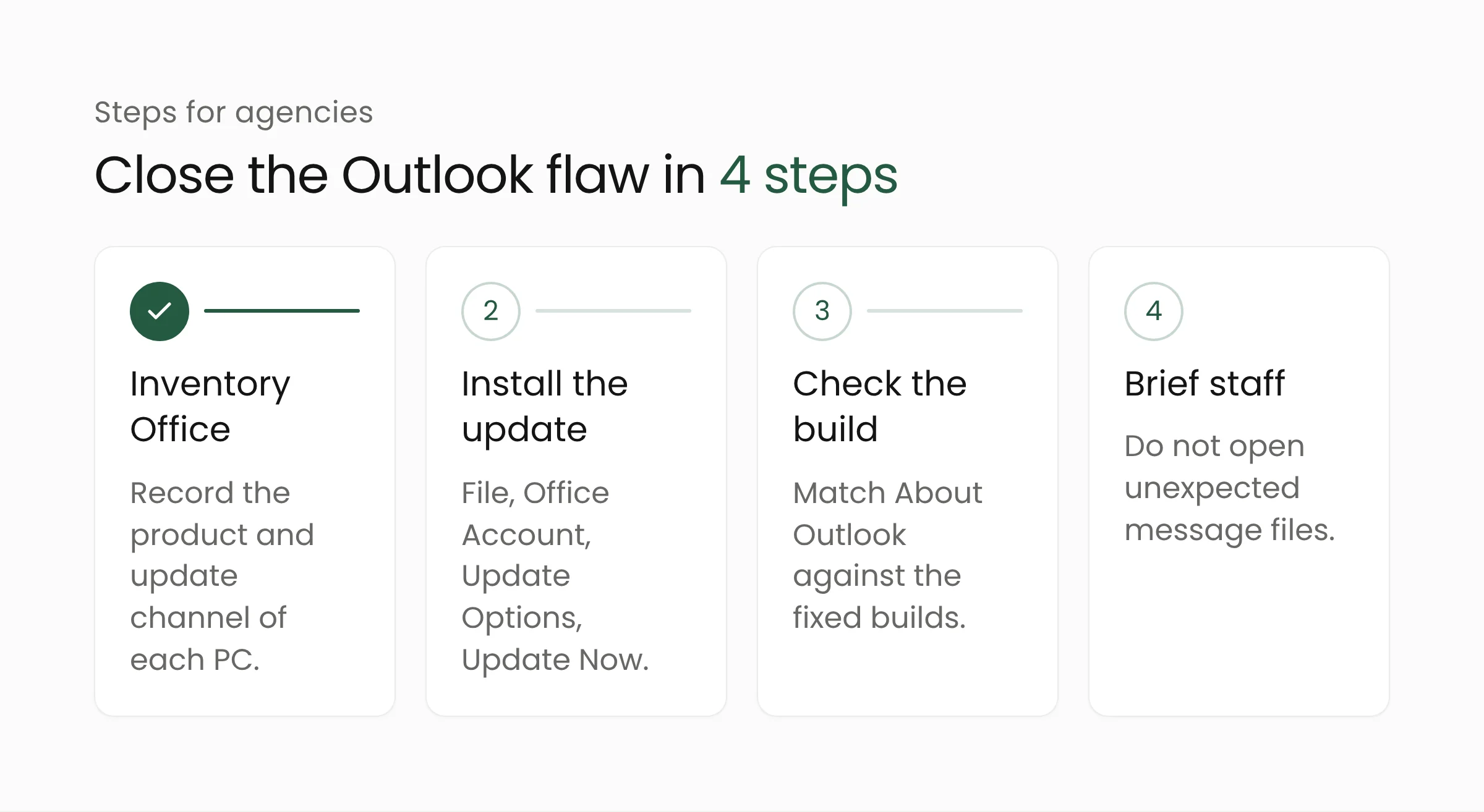
Inventory every computer that runs classic Outlook
Record which machines run Microsoft 365 Apps, Office LTSC 2024, Office LTSC 2021, or an older Office release. Include the update channel, since the fixed build differs by channel. The same list will flag machines still on Office 2016 or 2019.
Install the Office update today
Office normally updates itself, but the process can stall on computers that are rarely restarted. To update manually, open Outlook and go to File, then Office Account, then Update Options and Update Now. Close Office apps when prompted so the installation can finish. If the office uses central management tools, confirm that update policies are not holding back the November release.
Check the build number on every machine
After updating, return to the same page and look under About Outlook. Compare the version and build number with the table above. Any computer on an older build is still exposed and should be handled first.
Brief staff on message attachments
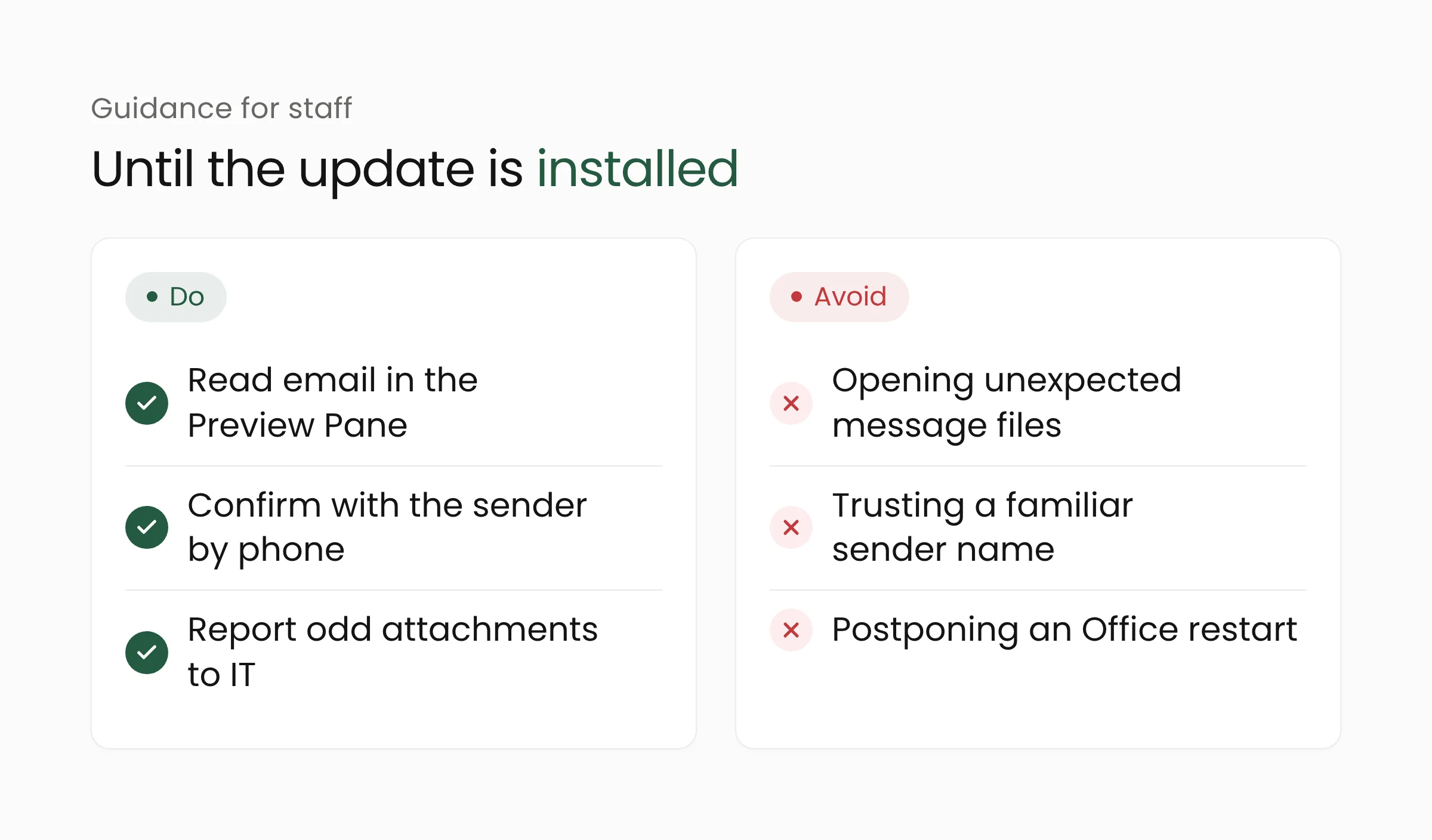
Until every machine is updated, ask staff not to open message files or Office documents from unexpected emails, including ones that appear to come from familiar senders. The Outlook preview remains safe for this flaw, so staff can read the message first before deciding whether to open an attachment.
These steps are easier for agencies that already keep a written asset inventory and a named owner for updates. That habit is a basic part of digital government governance and matters as much as choosing the right software.
Frequently asked questions
Are the new Outlook and Outlook on the web affected?
Microsoft lists only classic Outlook in Microsoft 365 Apps for Enterprise, Office LTSC 2024, and Office LTSC 2021. The new Outlook for Windows, Outlook on the web, Outlook for Mac, and the mobile apps are not on the list of affected products.
Is viewing an email in the Preview Pane dangerous?
No. Microsoft says the Preview Pane is not an attack vector for this flaw. A user has to open the crafted message file for Outlook to connect to the attacker’s server.
Why is the score only 6.5 if the flaw is already exploited?
A CVSS score measures technical severity, including conditions such as the need for user interaction. Exploitation status is separate information. A moderately scored flaw that attackers are already using still deserves priority, which is why CISA added it to the KEV catalog.
Closing thoughts
CVE-2026-124194 shows that a flaw rated moderate can become an entry point once attackers start using it. Installing the Office update, checking the build on each computer, and reminding staff about attachments close most of the risk. If your agency needs help building a device inventory and an update schedule, Merakit’s cybersecurity services team is ready to help.
Sources
- Microsoft Security Response Center, CVE-2026-124194 Microsoft Outlook Spoofing Vulnerability (November 10, 2026)
- Microsoft Learn, Release notes for Microsoft 365 Apps security updates (November 10, 2026 section)
- CISA, CISA Adds Six Known Exploited Vulnerabilities to Catalog (November 10, 2026)
- SecurityWeek, Exploited Outlook Zero-Day Among 1,094 Flaws Patched by Microsoft (November 10, 2026)
- Notebookcheck, Exploited Outlook zero-day was found by a researcher using Claude (November 11, 2026)
- Office Watch, Classic Outlook bug leaks your Windows login: update Office now (November 11, 2026)