Blog Cybersecurity
Chrome Adds Warnings Against ClickFix Copy-Paste Scams
On this page· 7 sections
Google has added ClickFix warnings to Chrome for users who turn on Enhanced Protection. When a user copies a suspicious command, Chrome scrubs the copied text of personal data, sends it to Safe Browsing, and shows a warning if the verdict is dangerous. Google announced the change on its blog on October 20, 2026.
How ClickFix scams work
ClickFix is a scam that gets victims to run a malicious command themselves. According to The Hacker News, victims usually arrive through a legitimate site that has been compromised or through a malicious ad, and are then redirected to a fake page. The page shows a bogus verification prompt styled like Cloudflare or reCAPTCHA, or an error message that does not actually exist.
The page then tells the victim to paste a command into the Windows Run dialog or the macOS Terminal. Once the victim presses Enter, a multi-stage infection chain starts that can install an information stealer or a remote access trojan. The command often relies on tools built into the operating system, such as PowerShell or cmd.exe.
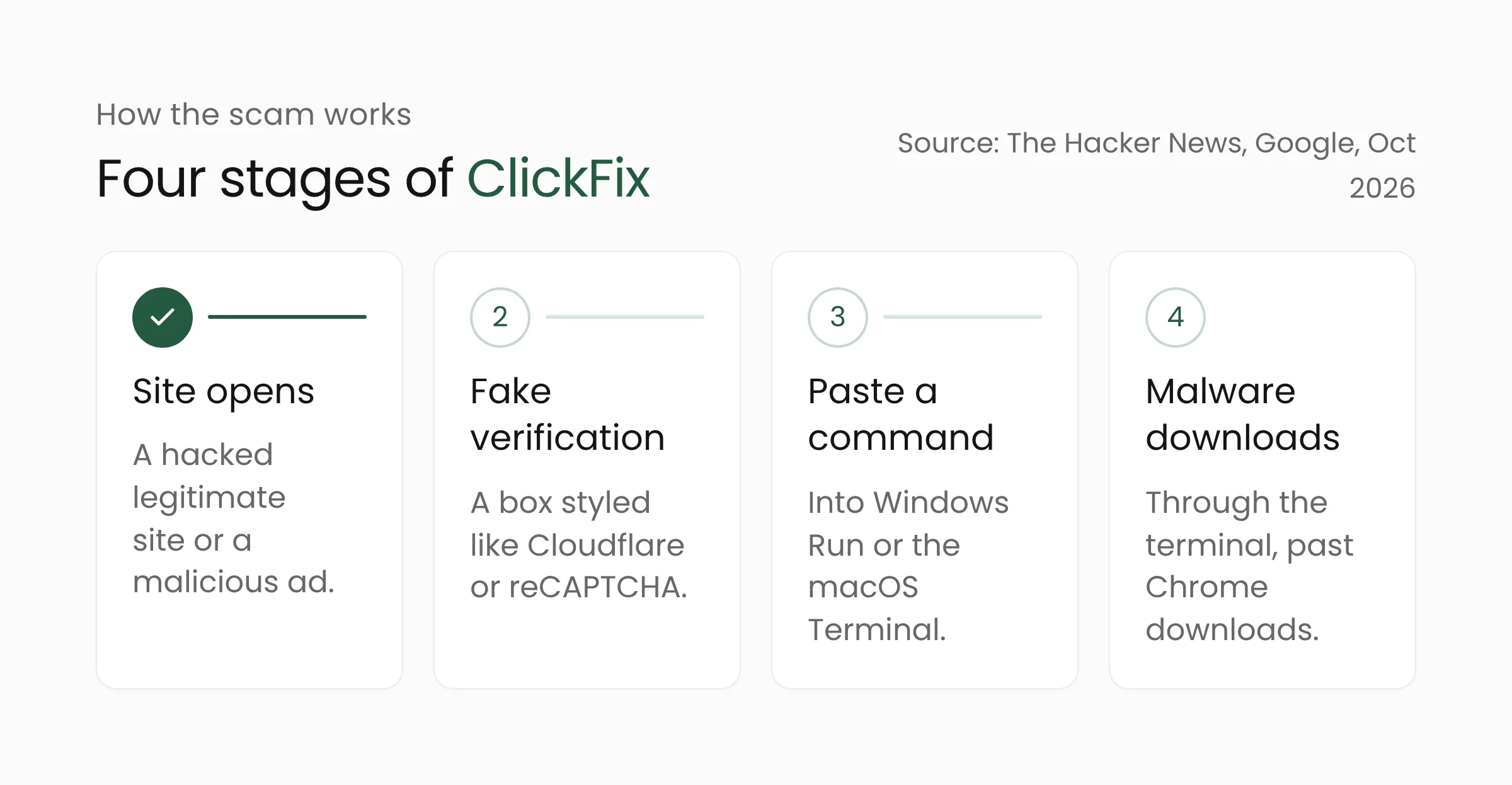
The pattern is hard to catch because the malware is downloaded in the terminal, not through the browser. Google explains that Chrome’s download protections and Safe Browsing therefore never come into play. The victim types or pastes the command, so many automated safeguards see nothing unusual.
What is new in Chrome
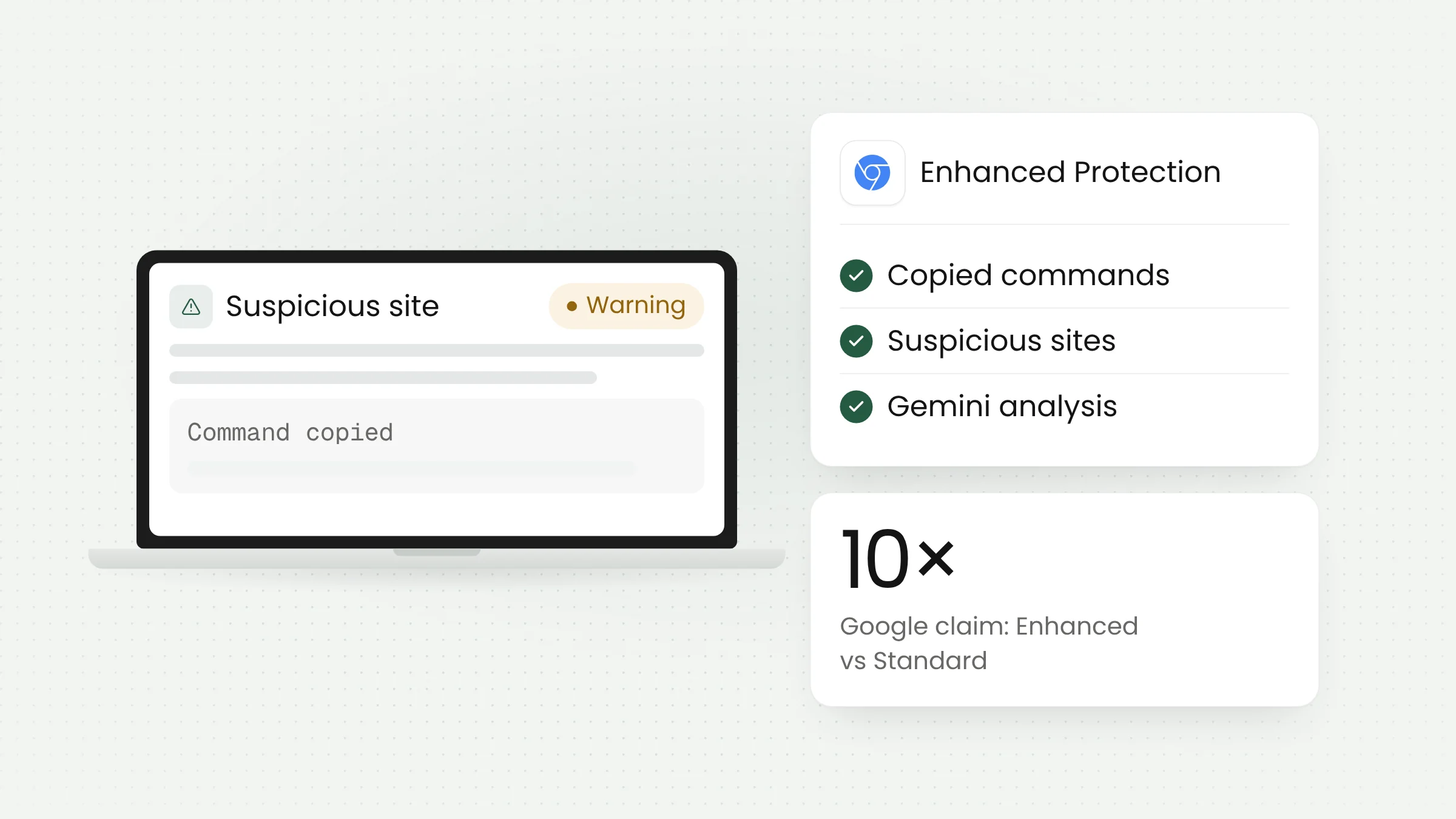
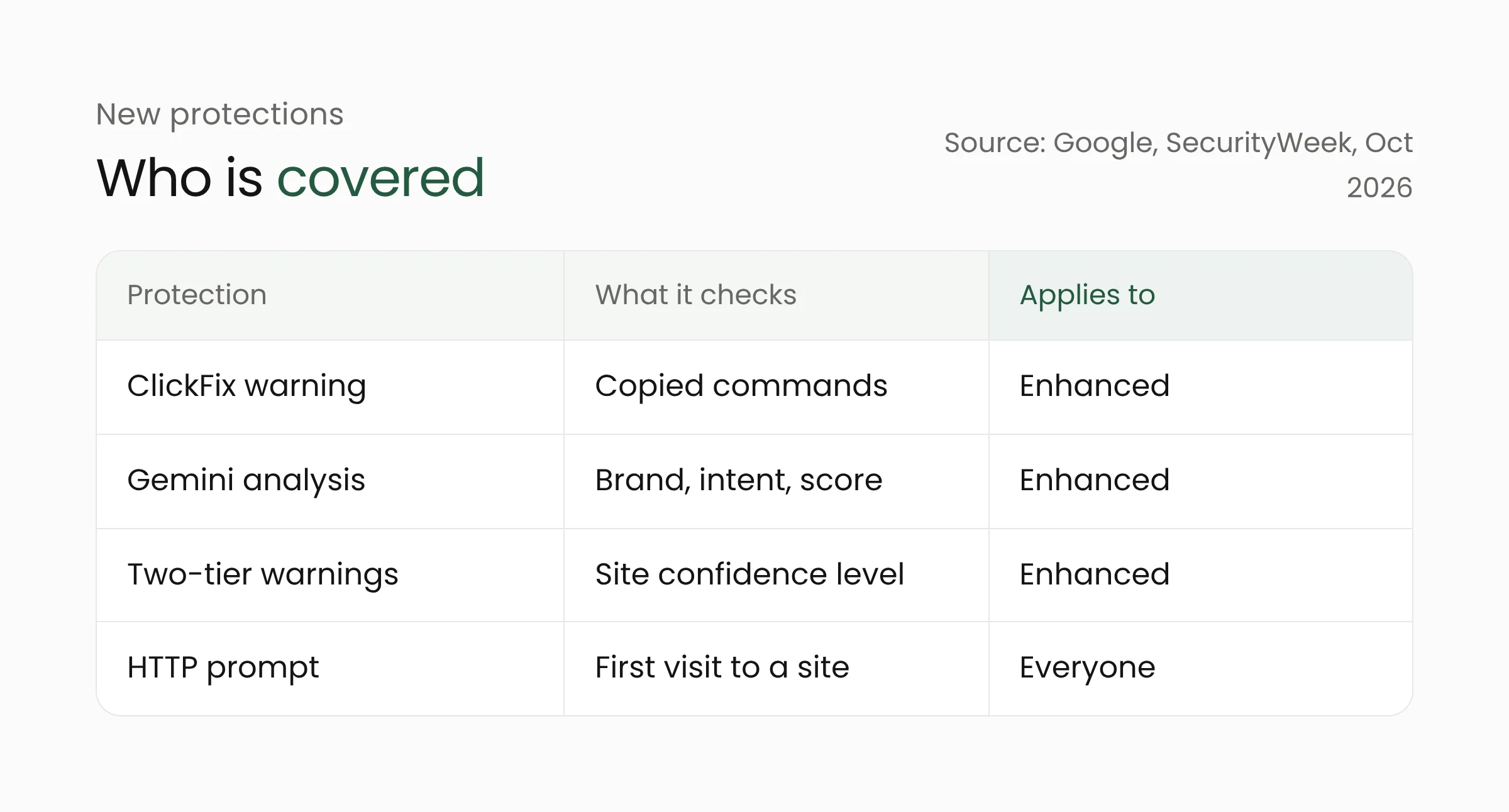
All of the protections below apply to Enhanced Protection users. This is the Safe Browsing mode that users must switch on themselves in Chrome’s security settings. Google says the mode makes users “ten times safer” from phishing, social engineering, notification abuse, and other scams than Standard Protection. The figure compares the average number of safety warnings shown to each group, so it is Google’s claim and not an independent test. Google also says more than 1 billion Chrome users had turned on Enhanced Protection in 2025.
Warnings when you copy a command
Chrome now detects when a user copies a suspicious command. The copied text is scrubbed of personal information and sent to Safe Browsing for analysis, and if the verdict is dangerous, Chrome shows a warning before the command is run. Google says the system is designed for “high precision” so that developers, who copy commands every day, are not disrupted.
Two-tier site warnings
Site warnings now come in two tiers. Dangerous sites, flagged with high confidence, still get the full-page red warning. The new tier, suspicious sites, covers lower-confidence verdicts, such as pages that use deceptive patterns common on malicious sites. Its format, icon, color, and text differ from the red warning, and Google says the design lets it show more warnings safely.
Gemini analysis on the server
Last year Chrome added an on-device Gemini model to detect tech support scams. Google has now moved to a more powerful server-side Gemini model for all Enhanced Protection users, and the scope widens to fake antivirus and fake browser update pages. The model weighs the brand a page displays, the page’s purpose, and a scam-likelihood score. Safe Browsing combines that with domain reputation and other security signals to reach a final verdict. Some coverage describes the model as running on the device, while Google’s blog says server-side, and this article follows Google’s blog.
On privacy, Google says page text is sent only when a site shows high-confidence scam indicators. The content is processed ephemerally and is not logged, retained, or used to train models.
A prompt before opening HTTP sites
SecurityWeek reports another change: Chrome now asks for approval before connecting to a site over unencrypted HTTP, and the setting is on by default for everyone. Enhanced Protection users have had it since earlier in 2026. The prompt appears on the first visit and does not return until the site has gone unvisited for at least two weeks. Hosts such as single-label names and local IP addresses are excluded by default. In Google’s early data, nearly 95% of desktop users saw no HTTP warning in a given week.
Limits and open questions
Google’s blog gives no Chrome version numbers or rollout schedule, so when each user will receive the features has not been announced. The ClickFix warning appears only when Enhanced Protection is on, so users on Standard Protection do not get it. Google has also not published detection rates or false-warning rates, and the “ten times safer” claim has not been tested independently.
The warning is also a Chrome feature. Users of other browsers, such as Firefox or Safari, do not get it from this update. Attackers can change how pages look and how commands are written, so detection will keep being tested by new variations.
What this means for schools and offices
ClickFix targets anyone who uses a computer. On a school computer, a village office, or a government agency workstation, one command run by a staff member can open the way to stolen passwords and data. Personal data about students or residents on those devices falls under Indonesia’s Undang-Undang Nomor 27 Tahun 2022 tentang Pelindungan Data Pribadi (Personal Data Protection Law, UU PDP), so account theft is also a compliance matter. Chrome’s warning helps, but it works best as one layer among several habits.
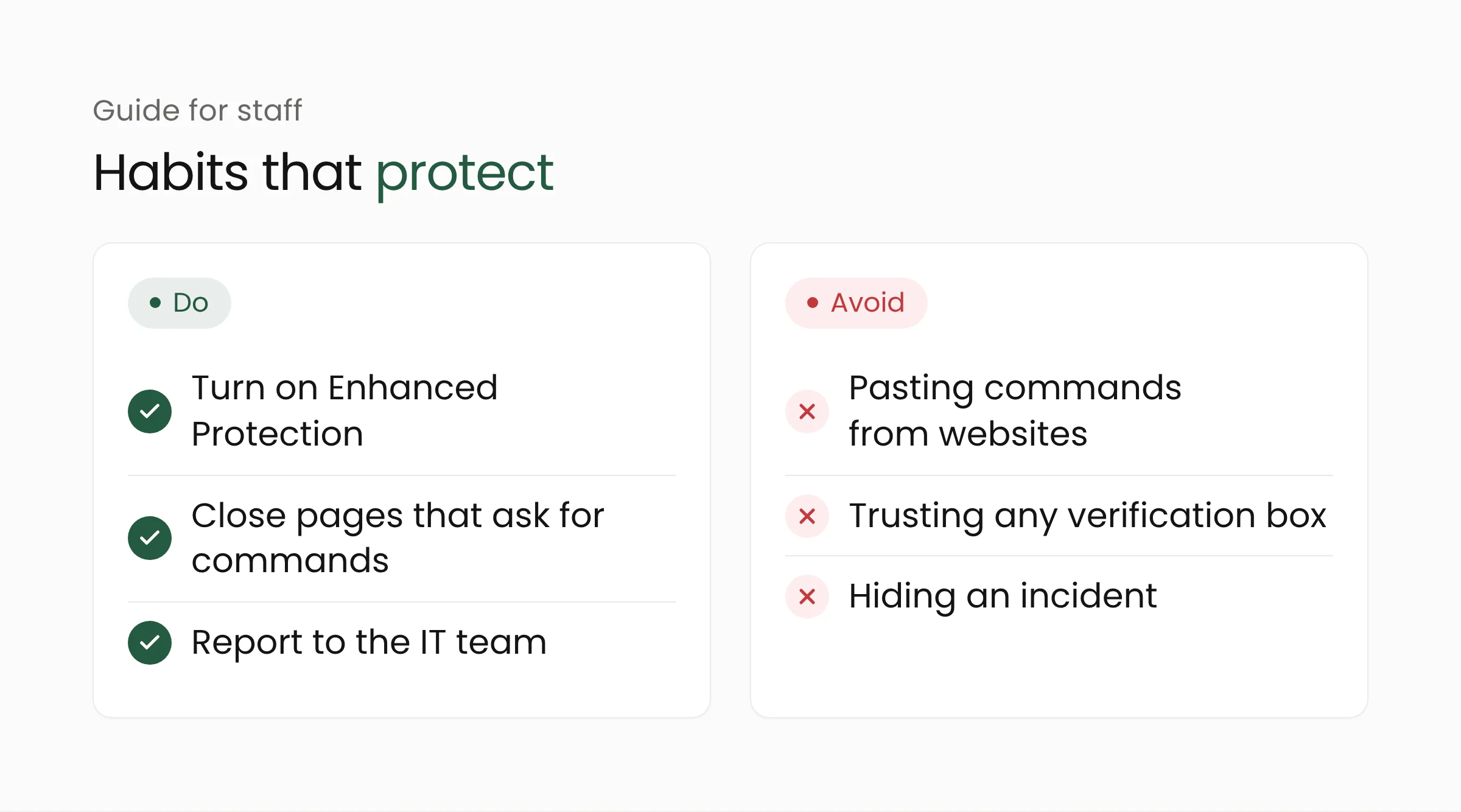
- Turn on Enhanced Protection. Enable it in Chrome’s security settings on computers staff use, especially devices that hold student or resident data.
- Set a simple rule. No legitimate site needs you to paste a command into the Run dialog or Terminal to “fix” a problem. Close such a page and report it.
- Provide a reporting path. Staff who ran a suspicious command need to know whom to tell, and a quick report should never make them feel blamed.
- Limit administrator rights. Daily accounts without administrator rights narrow the damage if a command does run.
- Train with real examples. Show screenshots of fake verification boxes so staff recognize them.
For shops and small businesses the risk is similar, because bank accounts, online checkout tools, and business email are often opened from the same computer. The rule against pasting commands from websites applies just as strongly there.
For schools, a short briefing at the start of the term can be added to the introduction of learning accounts, and the sector is covered on the education technology solutions page. Government agencies can combine it with device policy, as discussed on the digital government solutions page. To assess device readiness and monitoring, Merakit’s cybersecurity services can be a starting point.
Frequently asked questions
What is ClickFix?
ClickFix is a scam that asks victims to copy and run a command to “fix” a fake problem, such as an invented verification step or error. The command then installs malware.
Is the ClickFix warning on by default in Chrome?
No. According to Google, the warning applies only to users who turn on Enhanced Protection, a Safe Browsing mode enabled from Chrome’s security settings.
Does Chrome read everything I copy?
Google says Chrome analyzes suspicious commands, and the content is scrubbed of personal information before it is sent to Safe Browsing. Google’s blog does not spell out what counts as “suspicious,” so the details cannot be confirmed.
Conclusion
This Chrome update closes a gap that download protections have long missed: the command a victim pastes personally. Protection is still limited to Enhanced Protection users, so staff habits remain the main safeguard. If your team wants to draft a device policy and security training, Merakit is ready to talk.
Sources
- Google, “Our latest defenses against evolving web scams” (October 20, 2026)
- SecurityWeek, “Google Hardens Chrome Against ClickFix Attacks, Insecure HTTP Connections” (October 21, 2026)
- The Hacker News, “Google Chrome Adds ClickFix Warnings to Stop Users From Running Malicious Commands” (October 21, 2026)