Blog Smart Glasses
Google Intelligent Eyewear Preorders Open: What Apps Need
On this page· 7 sections
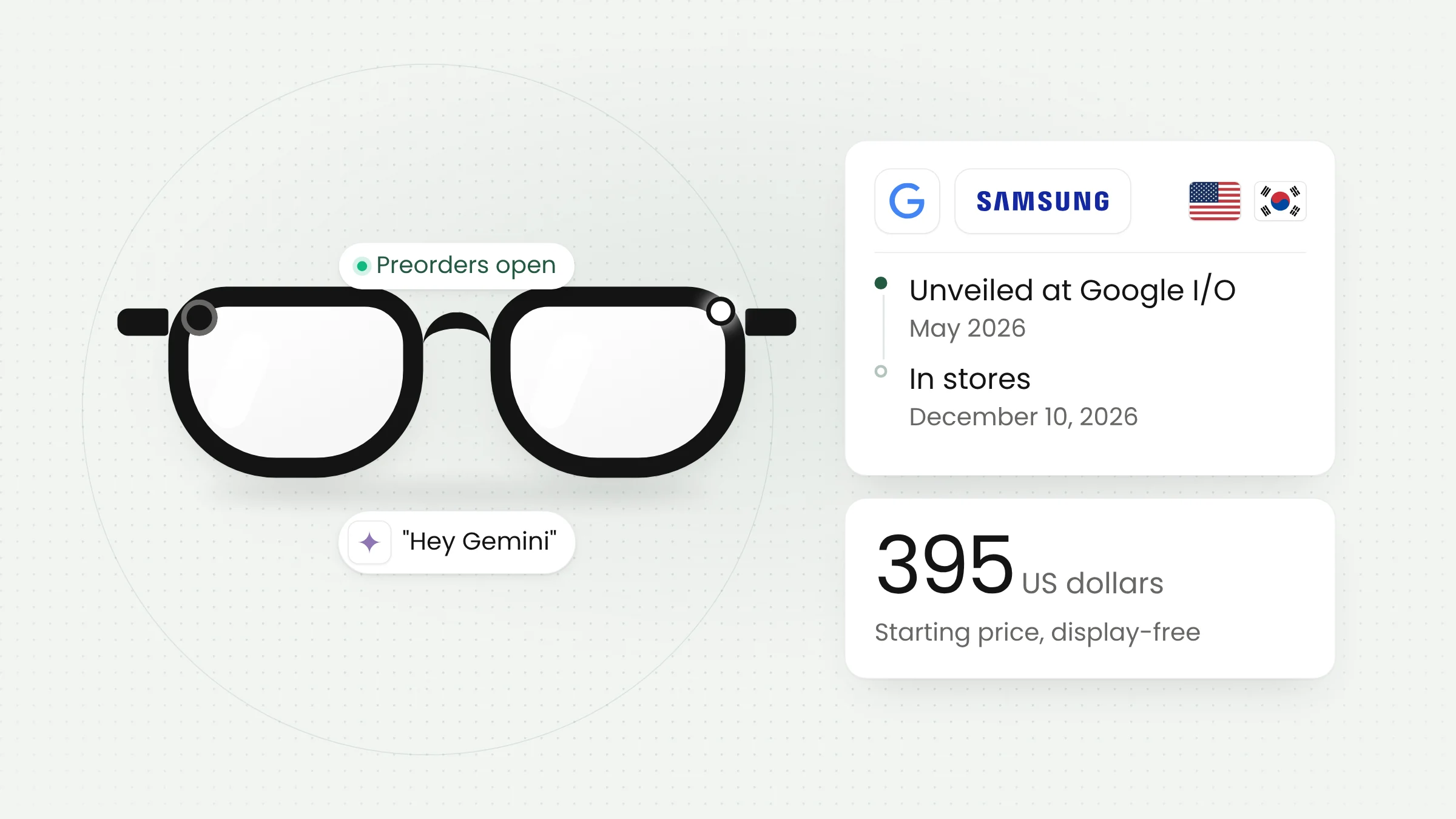
Google’s Intelligent Eyewear, its first Gemini-powered smart glasses, opened for preorder on November 12, 2026. Built with Samsung, Warby Parker, and Gentle Monster, the display-free glasses start at $395 and reach stores on December 10. Existing Android apps can surface on them through notifications.
The launch matters to two groups. Consumers get a new rival to Meta’s glasses, and app developers get a new kind of device that works without a screen.
Nine frames from Warby Parker and Gentle Monster
In a post on Google’s Keyword blog, Shahram Izadi, Google’s VP and GM of XR, said the frames were designed by the two eyewear brands and engineered by Samsung. Warby Parker offers three styles, Alden, Reid, and Wren, in optical or sun versions starting at $395. Gentle Monster offers six boldly colored designs starting at $449.
The Next Web put the Gentle Monster range at $449 to $489. Lens upgrades can push the price much higher. 9to5Google priced one Warby Parker configuration with progressive, polarized, and thinner lenses plus an anti-reflective coating at $1,080.
Google said the Gentle Monster collection is sold in the United States and South Korea, and the Gemini features on the glasses work only with Google accounts in those two countries. For Warby Parker, Android Police listed the United States and Canada, while The Next Web reported a US-only launch. Google has not announced plans or pricing for Indonesia.
The glasses pair with a phone. Google lists the Pixel 7 series or newer on the Android 17 September 2026 update, Galaxy S, S FE, Z Fold, Z Flip, and Z Fold Ultra phones on One UI 9.0 or higher, and the iPhone 13 Pro or newer. Users need a Google Account for people aged 18 and over.
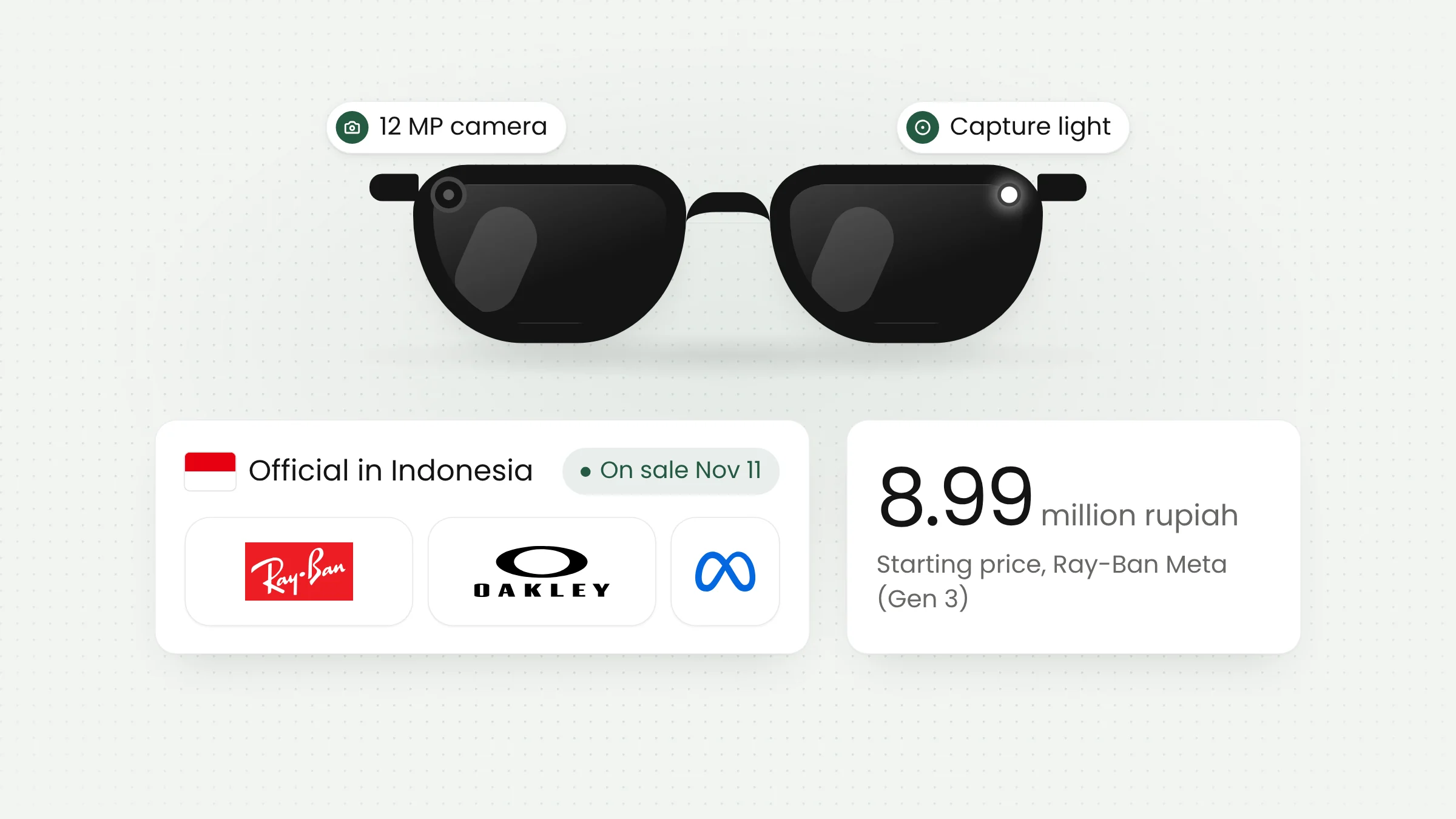
Google first showed the glasses at Google I/O in May 2026, and Samsung showed them again in July. They now enter a market Meta has dominated. The Next Web said Meta shipped 81% of AI glasses in the first half of 2026. In Indonesia, Ray-Ban Meta went on sale officially on November 11, 2026, as we covered in our piece on how exam rooms are preparing for smart glasses.
How display-free smart glasses work
The first Intelligent Eyewear models have no display in the lens. Wearers talk to the glasses by saying “Hey Gemini” or tapping the frame, and answers play through open-ear speakers. Android Police reported that the glasses run on Qualcomm’s Snapdragon AR1 Gen 1 chip.
Google puts the frame weight at about 41 grams, with up to nine hours of battery life depending on use. The charging case can recharge the glasses up to seven times. The 12-megapixel ultra-wide camera supports HDR and image stabilization.
The camera gives Gemini its view of the world. Wearers can ask about a street mural, get book suggestions from a shelf, or check Google Calendar availability from an event poster. Google Maps gives walking directions by audio, and Google Translate handles live conversation translation across more than 70 languages.
Google also built in accessibility features. Guided Vision gives spoken descriptions for people who are blind or have low vision, though Google notes it is not a medical device. The Aira service connects wearers with a human visual interpreter and is Android-only at launch.
Built-in privacy protections
Google said an indicator light turns on whenever the glasses take photos or video, and recording stops if the light is covered or disabled. Bystanders’ faces are blurred automatically before Gemini processes an image.
Izadi described the goal directly: “our focus is on creating helpful experiences that make both wearers and bystanders feel protected.” Google also said camera images sent to Gemini are not saved in Gemini History and are not used to train AI models or target ads, and that data on the glasses is encrypted, including in transit. These are Google’s claims and have not been independently tested. According to The Next Web, users must also agree not to film people without permission, or the glasses can be disabled.
Android apps carry over to the glasses
For developers, the most useful details sit in Google’s documentation. The app quality guidelines for intelligent eyewear sort apps into two tiers of support.
The first tier is called compatible. Existing Android apps work on the glasses with no extra code, as long as they do not depend on unsupported hardware. Their notifications are read aloud on audio glasses or shown as small overlays on display glasses. To qualify, important notifications must use the standard NotificationManager APIs, and ongoing activities such as an order status must use the Live Update framework.
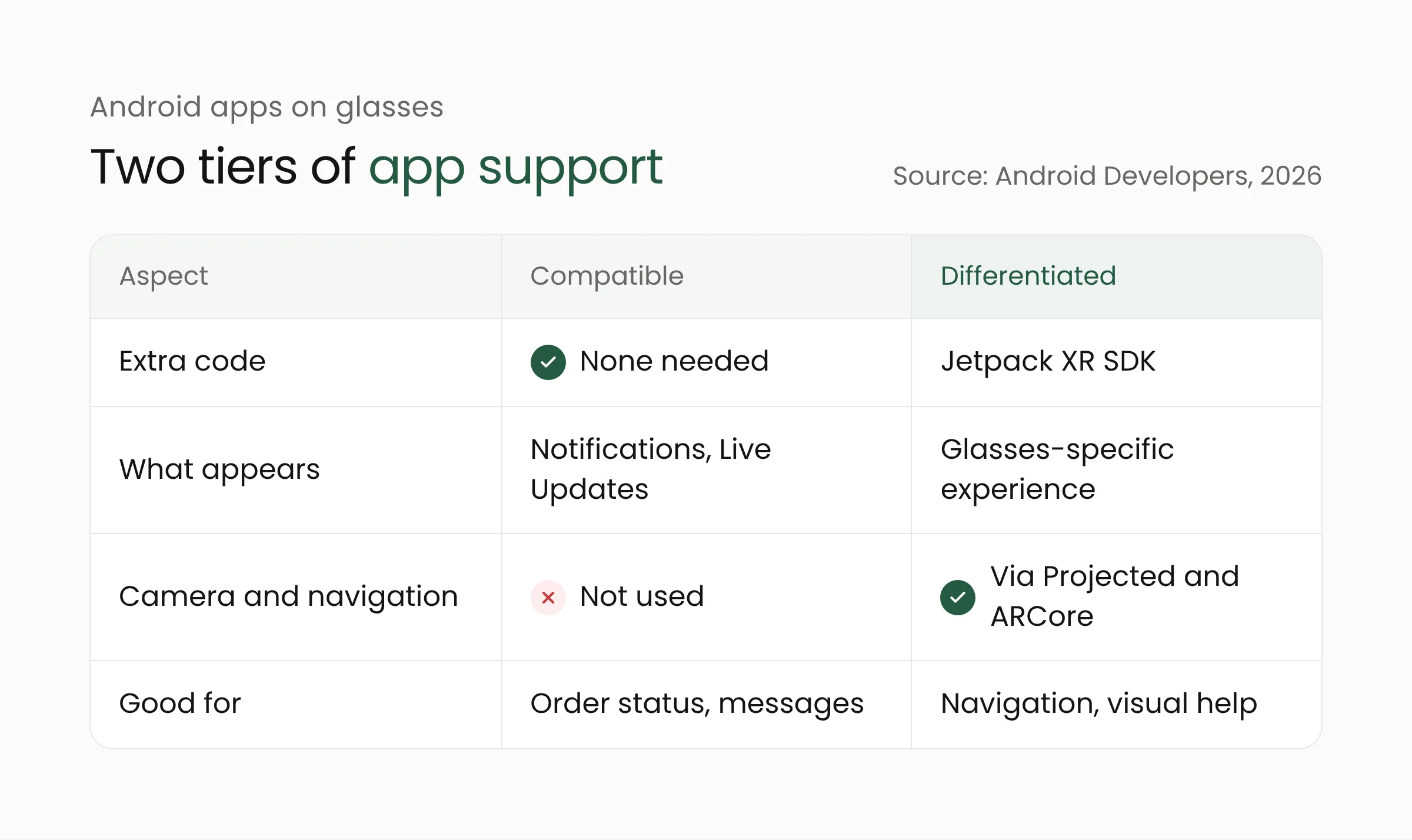
The second tier is called differentiated: apps designed specifically for glasses with the Jetpack XR SDK. Three libraries do the heavy lifting. Jetpack Projected bridges the phone, which acts as the host, and the glasses. Jetpack Compose Glimmer provides UI components for display glasses. ARCore for Jetpack XR adds capabilities such as device tracking for walking navigation.
These libraries arrived with Android XR SDK Developer Preview 3 in December 2025. Android Studio’s AI glasses emulator simulates touchpad and voice input, so developers can test without hardware.
The guidelines also set expectations for app behavior. When a wearer tells Gemini “Open [App]”, the app should skip menus and go straight into a ready-to-use audio state. Voice alerts must be concise, and error alerts should work without an internet connection. Complex setup should still happen in the phone app.
Camera and microphone rules on Google Play
Google sets firm limits for glasses apps. Apps must not facilitate facial recognition or biometric identification, surveillance, or doxxing. The camera can be used for video calls and for understanding the wearer’s surroundings, but not for public live streaming.
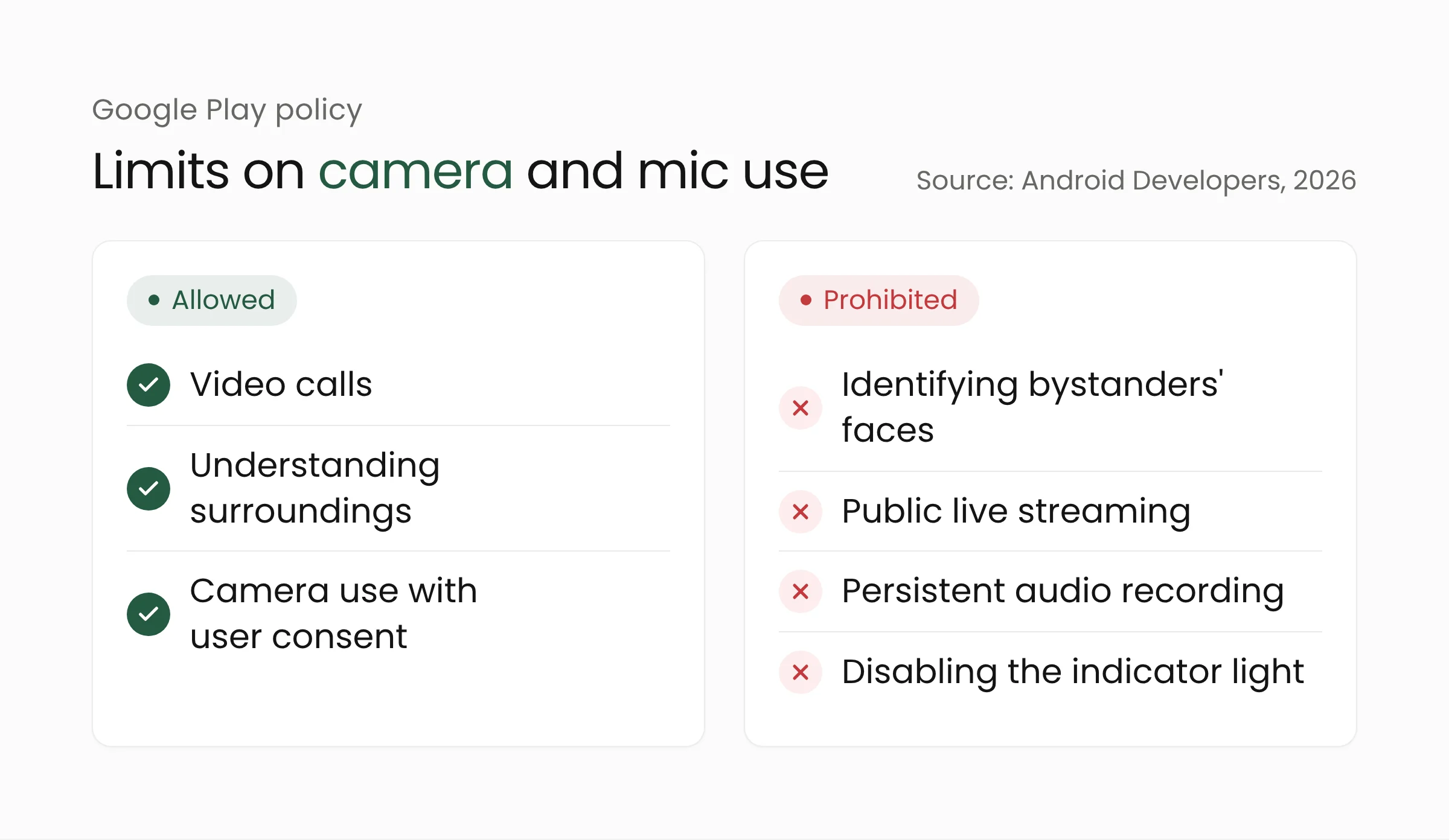
For microphones, apps may not keep recording or transcribing in the background when the wearer is not actively using them, and may not identify the voices of people other than the wearer. Apps cannot dim or disable the camera indicator light, and they cannot interfere with the detection that stops recording when the light is covered.
Camera and microphone permissions on the glasses are also separate from those on the phone. Apps must request glasses-specific permissions, and the wearer grants consent on the phone. If the camera is started from the phone, the wearer should hear a countdown before streaming begins.
What this means for app developers
The glasses are not sold in Indonesia yet, so there are no local users to serve today. Most of the preparation, however, also improves an app on the phone. These are steps a mobile app development team can take now.
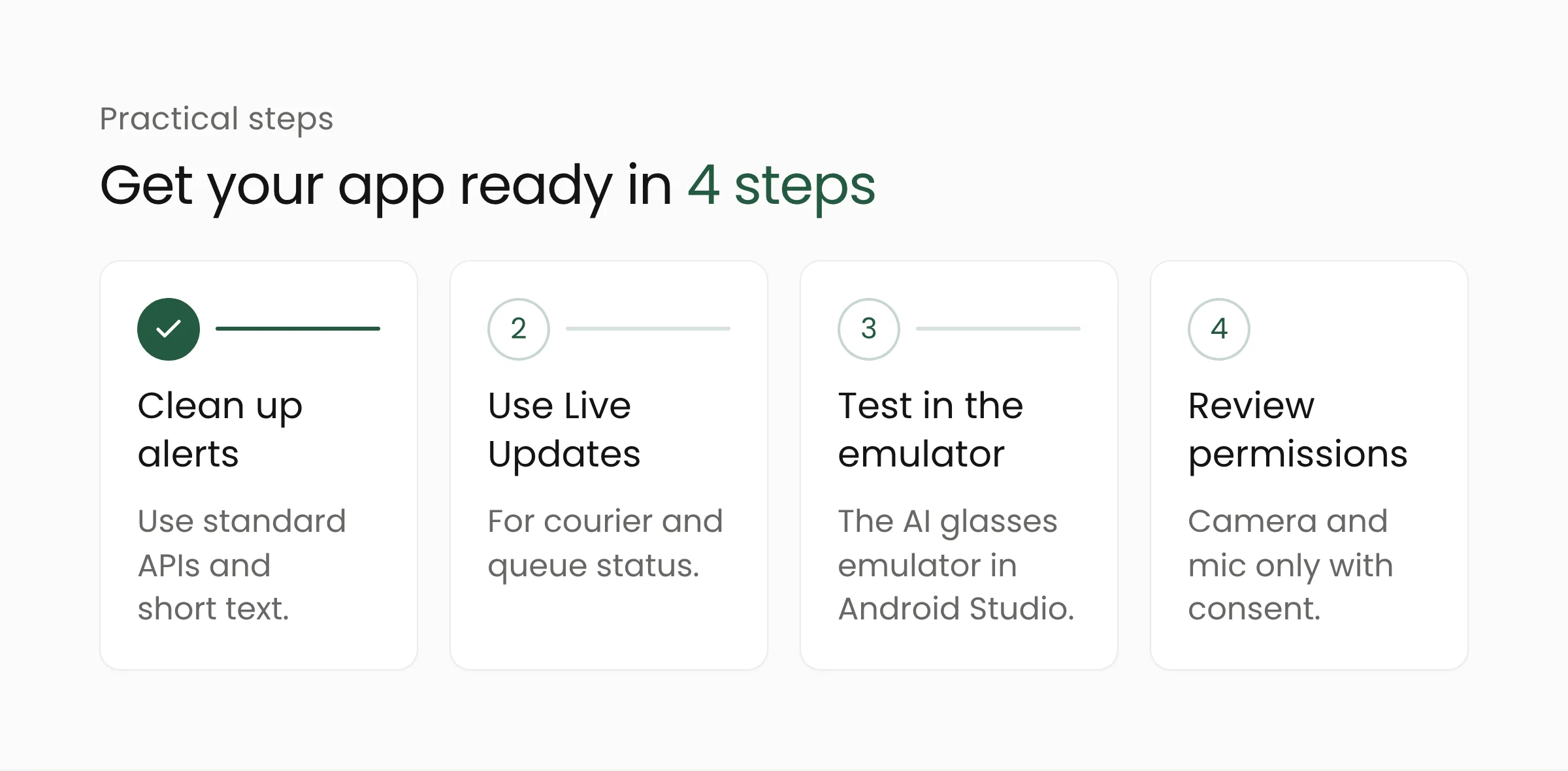
- Clean up notifications. Send important alerts through the standard Android APIs, with short text that still makes sense when read aloud. Delivery apps, online stores, and queue services that rely on custom notification code may not come through on the glasses.
- Use Live Updates for ongoing tasks. Courier status, queue numbers, or upload progress suit a quick glance or a short spoken update without reaching for the phone.
- Test in the emulator. The AI glasses emulator in Android Studio is enough to hear and feel how an app flow works before the hardware is available locally.
- Review camera and microphone plans. Features that recognize faces or record audio continuously will run into Google Play policy. Design camera features around clear user consent from the start.
It is also worth asking where voice beats a screen. A warehouse worker with both hands busy, a traveler looking for directions, or a blind user are all people who benefit from voice-first apps. Features like these usually rely on language models and image recognition, the kind of work covered by Merakit’s artificial intelligence services.
Frequently asked questions
When will Google’s smart glasses be sold in Indonesia?
Google has not announced it. For now, Google names only the United States and South Korea as countries whose accounts can use Gemini on the glasses. In-store sales there start on December 10, 2026.
Does Intelligent Eyewear have a display?
No. The models on preorder rely on a camera, microphones, and speakers. Google has released the Jetpack Compose Glimmer library for display glasses but has not announced a consumer release date for display models.
Do I need to rewrite my app for these glasses?
Not necessarily. An Android app that uses standard notifications already counts as compatible with no extra code. Building with the Jetpack XR SDK is only needed if you want camera access, navigation, or an experience designed specifically for glasses.
Closing thoughts
Intelligent Eyewear adds another way for people to receive information from apps, through a voice in their ear. Apps with clean notifications and flows that work by voice will be better prepared when devices like this arrive in Indonesia. If your team wants to review how ready its mobile apps are for wearables, Merakit can help plan the work.
Sources
- See our intelligent eyewear lineup and pre-order your pair, Google, November 12, 2026
- Samsung and Google’s first Android XR glasses are here, starting at $395, Android Police, November 12, 2026
- The price of your Android XR glasses can quickly skyrocket with add-ons, 9to5Google, November 12, 2026
- Google and Samsung’s Gemini smart glasses go on preorder from $395, The Next Web, November 12, 2026
- Android XR: App Quality Guidelines and Policies for augmented experiences, Android Developers, accessed November 13, 2026
- Build for AI Glasses with the Android XR SDK Developer Preview 3, Android Developers Blog, December 8, 2025