Blog Cloud Computing
Microsoft 365 Outage and BSSN's Advice for Organizations
On this page· 7 sections
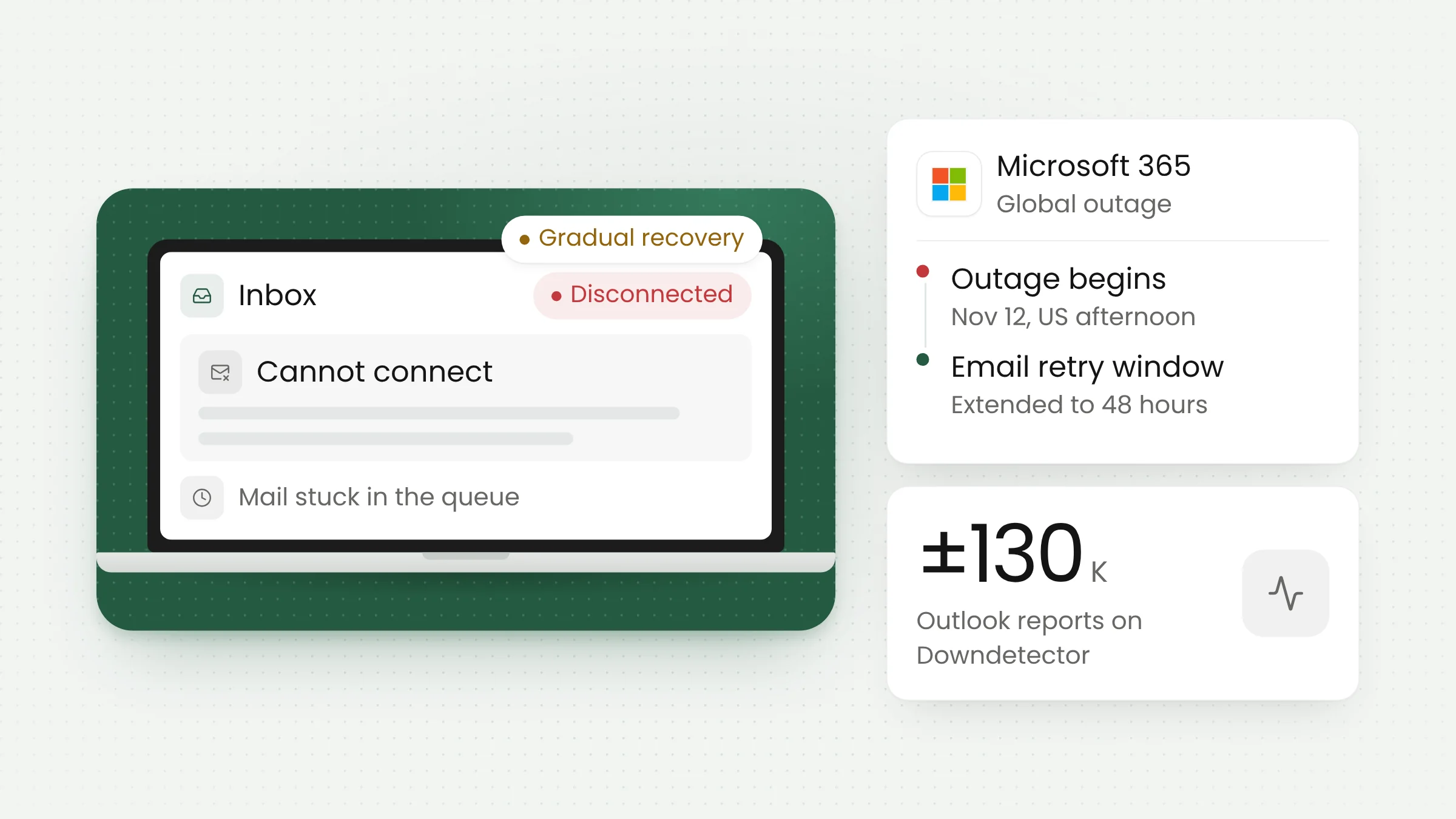
A global Microsoft 365 outage left Outlook, Teams, SharePoint and Copilot hard to reach from Thursday afternoon US time, which was the early hours of Friday, Nov. 13, in Jakarta. Indonesia was affected. Microsoft says it found no sign of a cyberattack, while Indonesia’s cyber agency BSSN has told organizations to watch for phishing.
As of Friday evening Jakarta time, Microsoft had not declared a full recovery. Services were coming back region by region, and some users could still see intermittent problems. This article covers what happened, Microsoft’s early explanation, the impact in Indonesia, and the steps BSSN recommends for system operators and individual users.
Timeline and Microsoft’s early explanation
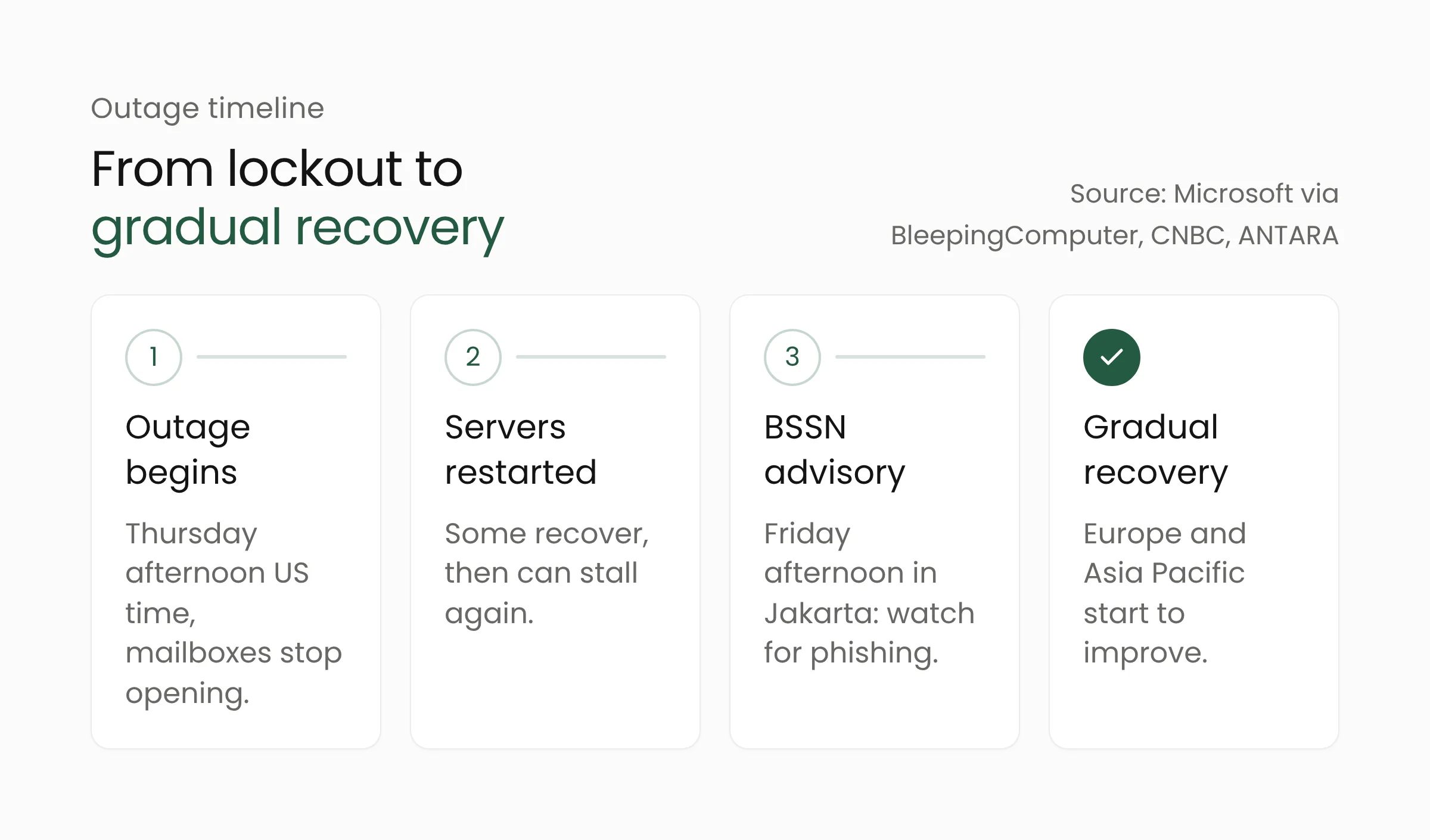
According to BleepingComputer, the incident began at about 1:26 p.m. Eastern Time on Thursday, Nov. 12, or roughly 1:26 a.m. on Friday in Jakarta. CNBC put the start of connection problems shortly before 1 p.m. ET. In advisory MO1550821 in the Microsoft 365 admin center, Microsoft said customers might be unable to connect to Exchange Online, Microsoft Teams, SharePoint Online, Microsoft 365 Copilot and Microsoft Defender XDR.
Exchange Online is the email service behind business Outlook accounts. When it fails, people cannot open their mailboxes on desktop, web or mobile, and mail delivery slows. CNBC reported that Teams calendar access and meeting scheduling were also affected.
Microsoft’s account of the cause shifted as its investigation went on. It first pointed to elevated load across multiple regions. Later it said a number of servers had become unexpectedly unavailable after failing automated health checks, which pushed load onto the remaining infrastructure. Microsoft added that the higher load was not driven by an increase in traffic.
To restore capacity, the company paused all deployments, moved traffic away from affected systems and restarted servers. Some servers came back, but Microsoft warned they could become unresponsive again once they received traffic. Belgian tech outlet ITdaily reported that Microsoft then rolled back a network configuration change that coincided with the start of the disruption. Microsoft has not confirmed that change as the cause.
On the question of an attack, Charles Lamanna, Microsoft’s executive vice president for Copilot, Agents and Platform, said: “There is no indication this is the result of malicious or cyber activity,” as reported by ABC News. An official root cause has not been published, so the final explanation may still differ from these early statements.
Impact in Indonesia and beyond
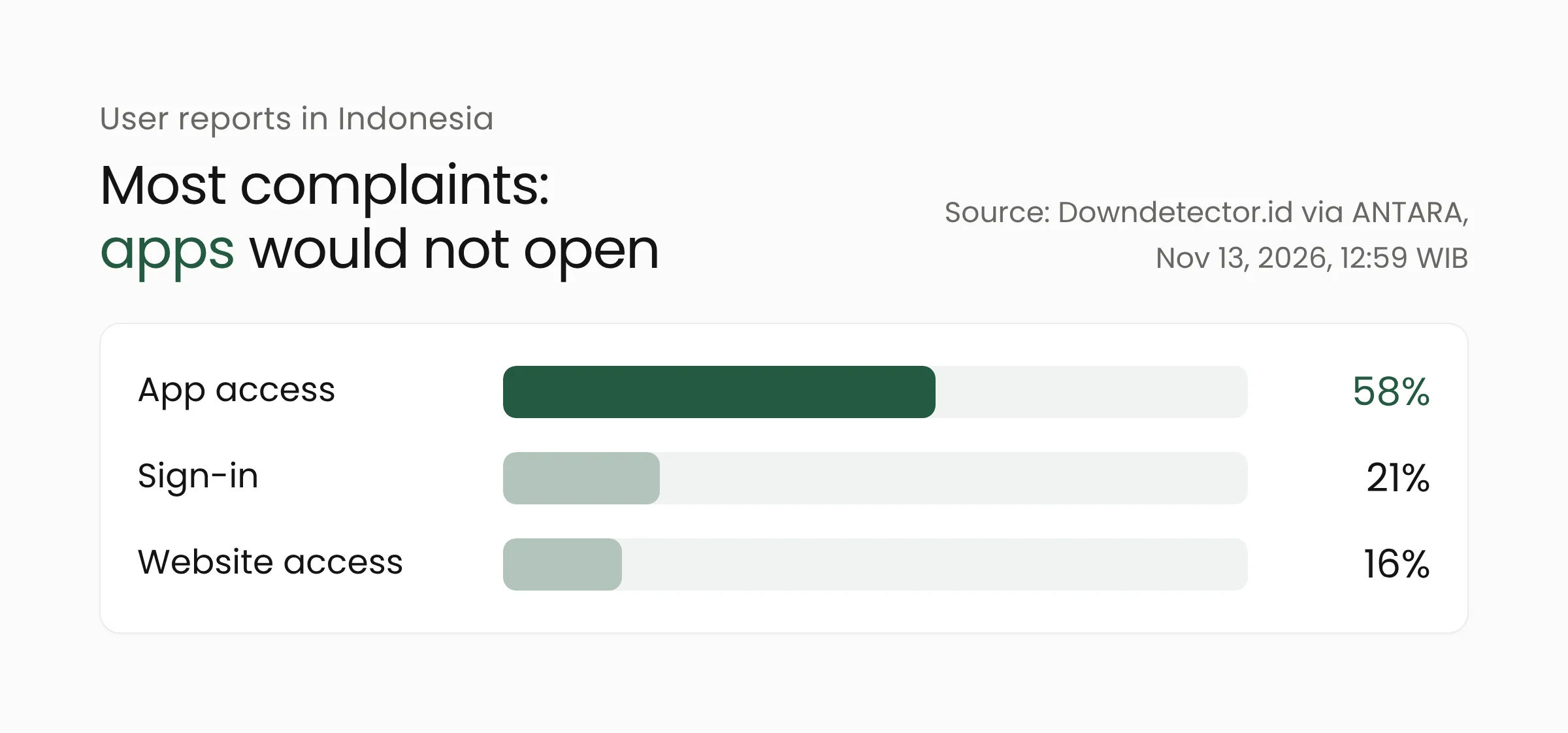
Microsoft confirmed that users in Indonesia were affected. It told ANTARA that it was working to fix the problem and restore services as quickly as possible, with Exchange Online the main service involved. Downdetector.id data cited by ANTARA showed 97 Microsoft 365 problem reports in Indonesia as of 12:59 p.m. Jakarta time.
Of those reports, 58% concerned app access, 21% concerned signing in and 16% concerned website access. That pattern fits a server-side email failure: the app opens, but the mailbox does not load.
Globally, detikInet counted about 130,000 Outlook problem reports on Downdetector from dozens of countries. Singapore’s government email services went down, Japan’s government IT infrastructure was affected, and the Philippine Supreme Court said some operations were disrupted. CNBC added that the UK’s NHS reported some affected services and that Air India temporarily rerouted its email.
Over the course of Friday, Microsoft reported encouraging recovery in Europe, gradual restoration in Asia Pacific and improving conditions in North America. It also extended the email retry window to 48 hours, so messages held in queues may still be delivered.
BSSN’s recommendations for system operators
Indonesia’s National Cyber and Crypto Agency (BSSN) issued a security alert on Friday afternoon, ANTARA reported. The agency noted that many Indonesian government and private institutions rely on Microsoft’s cloud, so the outage could disrupt collaboration, email and data synchronization. It also warned of phishing, the fake messages designed to trick people into handing over their passwords.
For operators of electronic systems, BSSN listed eight steps:
- Issue an official internal notice about the outage and warn staff about possible follow-up phishing.
- Enable and strengthen multi-factor authentication (MFA), preferably phishing-resistant methods such as FIDO2 or passkeys, and review MFA policies.
- Tighten anti-phishing and anti-spoofing email filters, and make sure SPF, DKIM and DMARC are configured correctly.
- Block suspicious domains and URLs that impersonate Microsoft, and watch for newly registered domains that resemble the organization’s own.
- Prepare backup communication and collaboration channels outside the affected services.
- Monitor authentication logs for unusual sign-in attempts, spikes in failed logins and suspicious MFA approvals.
- Reset credentials and revoke sessions and tokens if an account compromise is suspected.
- Prepare a phishing incident response procedure, including containment and account recovery.
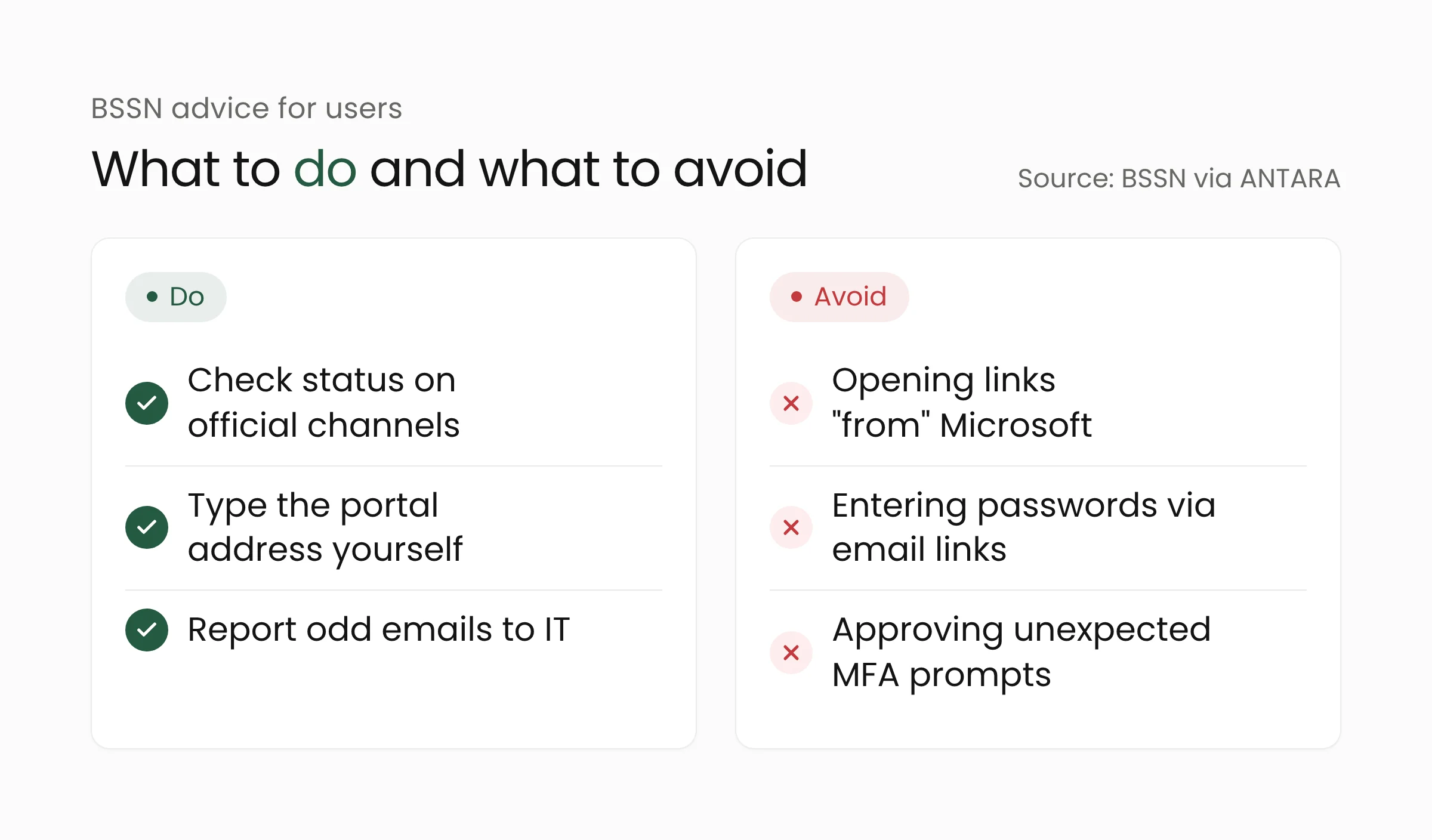
For individual users, BSSN advised checking outage information through Microsoft’s official channel (status.cloud.microsoft) and internal IT announcements. Users should type official portal addresses into the browser themselves, never enter passwords or MFA codes on pages opened from email links, reject MFA approval requests they do not recognize, and report suspicious emails to IT before acting on them.
What this means for your organization
This Microsoft 365 outage sits on the provider’s side, so in-house IT teams cannot fix it. What they can do is limit the damage and close the gaps that scammers exploit while things are not back to normal.
Keep one official source of truth
Administrators can follow advisory MO1550821 under Service health in the Microsoft 365 admin center and pass a short summary to staff through a single internal channel. That keeps employees from chasing updates through links shared in chat groups or emails that claim to come from Microsoft.
Switch urgent work to backup channels
A local government office that takes citizen requests by email, a hospital that sends test results by email, or a bank branch that runs internal approvals through Teams needs a temporary route: phone, the organization’s official messaging app or a form on its own website. It helps to agree on that route before the next outage, including who has the authority to switch it on.
Harden accounts during and after the outage
Scammers tend to exploit confusion with “account recovery” or “mailbox re-verification” emails. Check your domain’s SPF, DKIM and DMARC records, watch sign-in logs for spikes in failures or odd MFA approvals, and remind staff that Microsoft does not ask for passwords through email links. Other recent Outlook incidents, such as the CVE-2026-124194 flaw we covered earlier, show that email remains a favorite way in for attackers.
Map what depends on a single provider
Once services recover, record which workflows stopped during the outage and how long the organization could operate without email. Those notes are the basis for a continuity plan: mailbox data backups, emergency contacts kept outside the email system and fallback architecture options. Merakit’s cloud computing services and cybersecurity services can help map those dependencies.
Frequently asked questions
Was the Microsoft 365 outage caused by hackers?
Microsoft says there is no indication of malicious or cyber activity. Its early explanation points to servers failing automated health checks, which reduced capacity. An official root cause has not yet been published.
Will emails sent during the outage be lost?
Microsoft extended the email retry window to 48 hours, so messages held in queues may still be delivered once service returns. For critical messages, confirm receipt through another channel.
How can I tell whether a message “from Microsoft” is genuine?
Do not open links inside the message. Type the official portal address yourself or visit status.cloud.microsoft, then check with your IT team. BSSN also advises never entering passwords or MFA codes on pages opened from email links.
Closing thoughts
This week’s Microsoft 365 outage showed how much daily work depends on a single cloud service, from official correspondence to meeting calendars. BSSN’s recommendations give a clear checklist for today, while the longer-term task is a continuity plan that has actually been tested. If your organization wants to start building one, the Merakit team is ready to talk.
Sources
- ANTARA: BSSN issues mitigation recommendations on Microsoft service disruption, November 13, 2026
- ANTARA: Microsoft confirms services in Indonesia were affected and are recovering, November 13, 2026
- BleepingComputer: Massive Microsoft 365 outage disrupts Outlook, Teams, Copilot worldwide, November 12, 2026
- CNBC: Microsoft outage continues, Outlook and other 365 services down, November 12–13, 2026
- ABC News: Microsoft Outlook outage updates, November 13, 2026
- detikInet: Microsoft struggles to restore services after hours-long outage, November 13, 2026
- ITdaily: Microsoft 365 still offline, Outlook and Teams struggling, November 13, 2026