Blog Cybersecurity
Nextcloud Collabora CODE Flaw: Update to 26.4.303 Now
On this page· 7 sections
Attackers are using a Nextcloud flaw in the Collabora Online Built-in CODE Server app, tracked as CVE-2026-110447, to plant web shells on servers. The US Cybersecurity and Infrastructure Security Agency (CISA) added it to its catalog of exploited vulnerabilities on October 23, 2026. The fixed version is 26.4.303 or later, and disabling the app does not close the hole.
What went wrong in the Built-in CODE app
Nextcloud is file sharing and storage software that organizations can run on their own servers. Universities, schools, government offices and companies use it to keep documents on infrastructure they control. To edit documents in the browser, Nextcloud relies on Collabora Online, a web-based office suite.
Collabora can be installed in two ways. The recommended route for production is a separate Collabora Online server. The other is an optional app called Collabora Online - Built-in CODE Server (technical name richdocumentscode), which runs a small document server inside Nextcloud itself. It is convenient for small setups, and Collabora says it is not its recommended installation method. The flaw exists only in that second option.
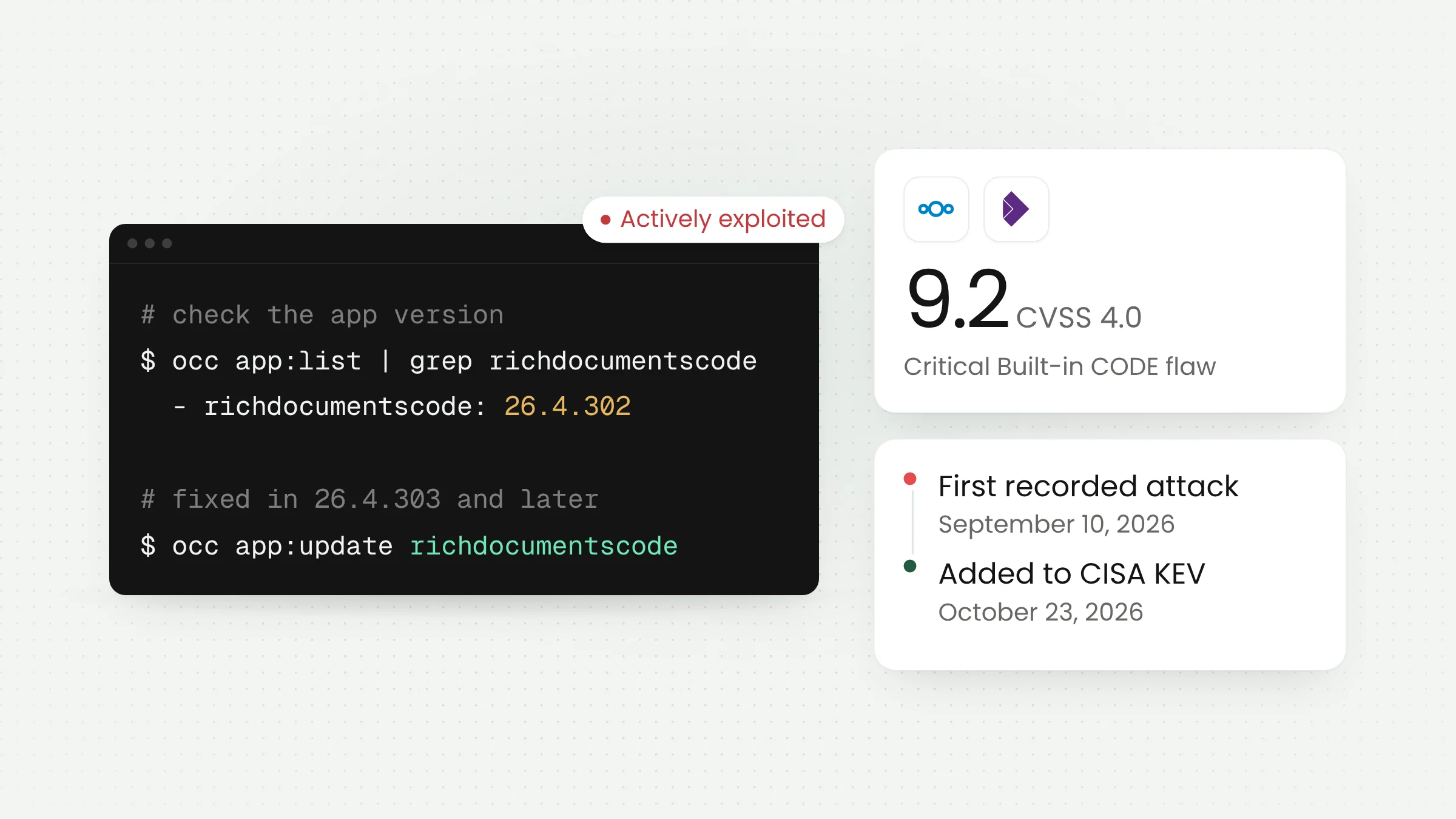
According to Collabora’s official advisory, published October 14, 2026, the problem sits in the app’s proxy.php file. A single request from the internet can make the operating system run a command with the web server account’s privileges, with no Nextcloud login required. This class of bug is called OS command injection. Collabora rates it 9.2 out of 10 under CVSS 4.0, which is critical.
The attack has one precondition. The built-in CODE server must not be running, for example while a container restarts, during an upgrade, or after the document server crashes. Those moments are routine on servers run by small teams, so the condition is no reason to delay the update.
The Hacker News explained the root cause. Text from the request, including the requested path, was passed into a bash command inside double quotes, so fragments such as $(...) in the path were executed as commands. The fix in 26.4.303 hands that command to bash as a single escaped argument.
Affected and fixed versions
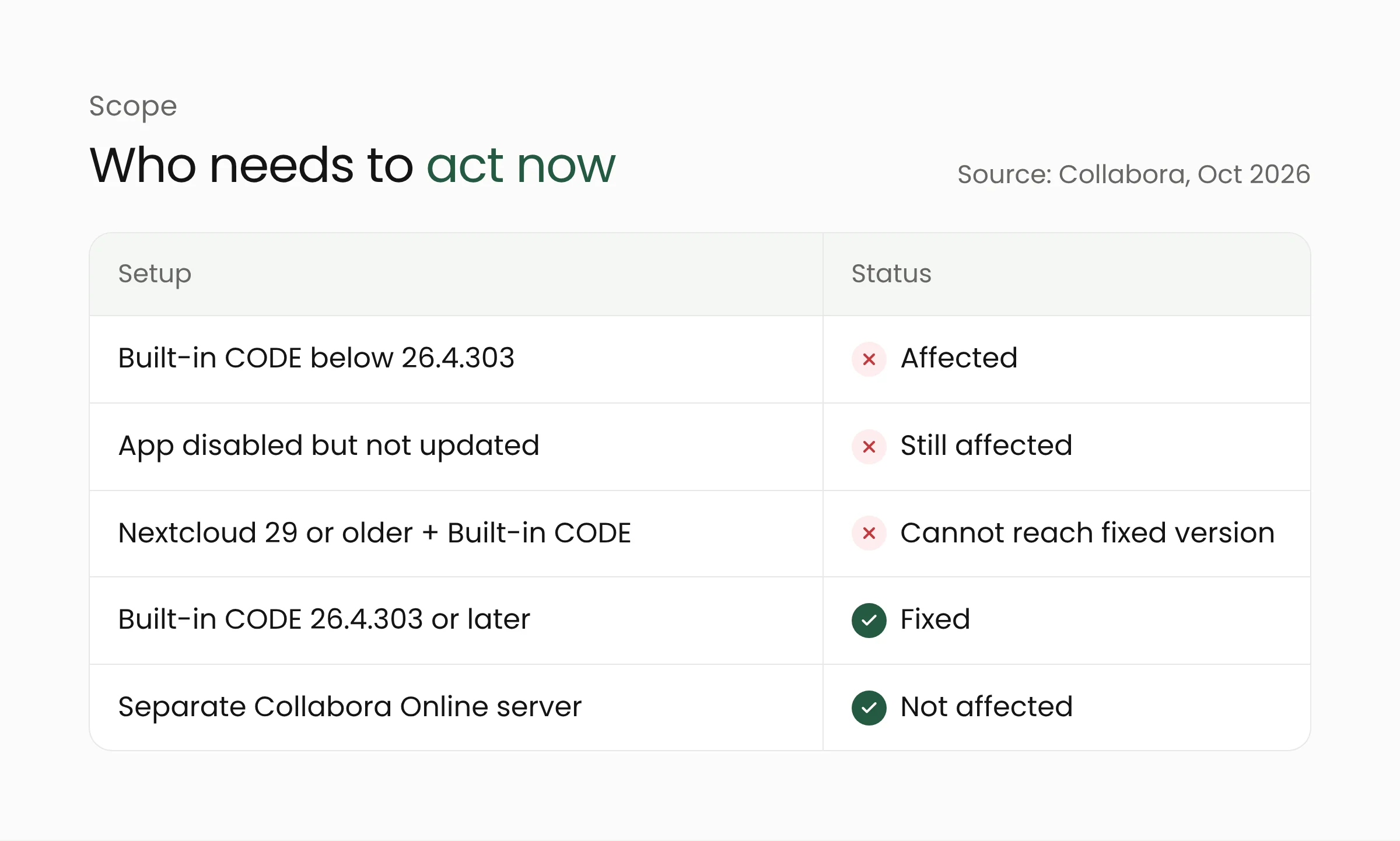
Every Built-in CODE release below 26.4.303 is affected. The fix actually shipped on September 11, 2026, a month before the advisory and CVE appeared. Its release notes at the time mentioned only an updated CODE build, so many administrators had no idea it closed a security hole.
Collabora’s advisory sets out three points administrators need to know:
- The app must be upgraded to 26.4.303 or later, or removed. In Collabora’s words, “It is not sufficient to disable the app to avoid the problem.” A disabled app can still be attacked as long as its files remain on disk.
- Version 26.4.303 requires Nextcloud 30 or later. Users of Nextcloud 29 or older, which is end-of-life, must upgrade Nextcloud or remove the app.
- Standalone Collabora Online servers are not affected.
In a blog post on October 15, Collabora added that its Docker images, RPM/DEB packages and Nextcloud All-in-One are also unaffected, and said no Collabora Online customers were hit. The fixed release also ships with Landlock, a Linux kernel feature that limits what a process can access, as an extra layer of protection.
One practical note concerns newer builds. The Hacker News reported that version 26.4.402, released September 24, rewrote how the document server starts, but some administrators saw startup and document-opening failures and went back to 26.4.303. If the latest release misbehaves on your server, 26.4.303 is the safe floor. Do not roll back any further.
Exploitation status
Attacks began before the flaw was disclosed. An administrator opened a GitHub report on September 11, 2026, after their server was compromised. The logs they shared show the earliest attack request on September 10, 2026, while the server ran version 26.4.302. Internet scanning firm Censys puts the first malicious request on September 16, so the sources disagree on the date.
The pattern repeated across servers. Attackers sent requests to /apps/richdocumentscode/proxy.php?status and wrote a one-line PHP web shell with a name such as shx5cf91.php into the app folder. A web shell is a small file that gives an attacker a standing way to run commands. On one server, the attacker searched for password manager databases and cryptocurrency wallet files. None of the reports show the attacker gaining root access.
Two other administrators reported similar intrusions. One noticed because Nextcloud’s integrity check flagged a new PHP file, and the other received emails about failed sudo attempts from the web server account.
On October 20, CERT Polska said the flaw is being actively exploited, including for ransomware attacks and server takeovers. Three days later, CISA added it to the Known Exploited Vulnerabilities catalog based on evidence of active exploitation. How many servers have been compromised is still unknown.
For a sense of scale, Censys detected the app on 19,454 internet-facing hosts on October 16. That figure includes 1,001 hosts running an ARM64 variant that has not been confirmed as affected, and it does not show how many have been patched.
What this means for university and school IT teams
Educational institutions often pick Nextcloud because they can host it themselves. A single server may hold teaching materials, administrative files, grades and staff records. When that server was set up quickly by one or two people, the Built-in CODE app is a likely addition because it needs no extra server. The same applies to local government offices, clinics and small businesses running Nextcloud.
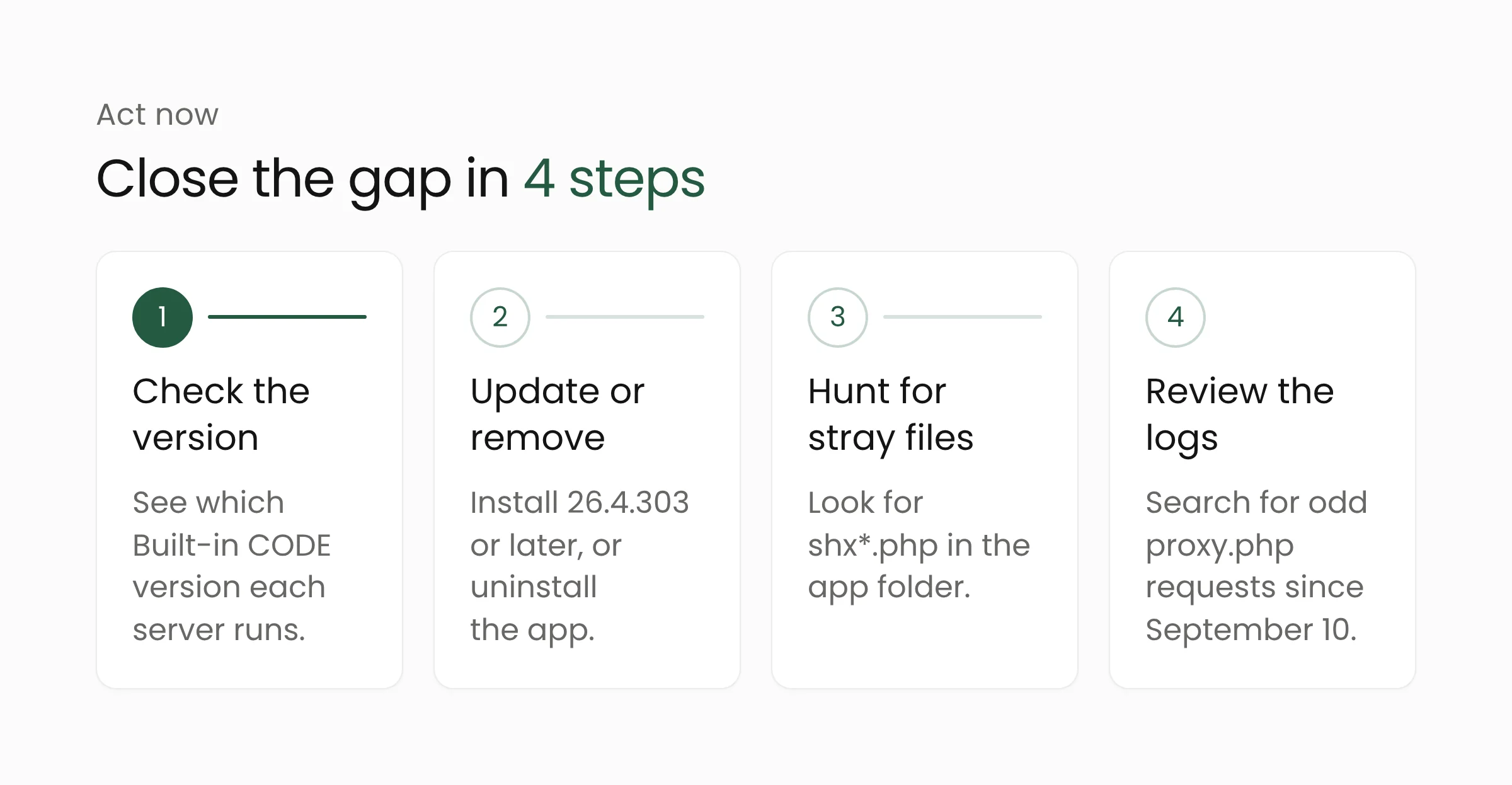
The following steps draw on the Collabora advisory, CERT Polska and reports from affected administrators:
- Check the version on every server. Run
occ app:listand look forrichdocumentscode, or open the Apps page in the admin panel. Include test servers and old machines nobody logs into anymore. - Update or remove. Install 26.4.303 or later with
occ app:update richdocumentscode. If nobody uses in-browser editing, remove the app. Servers on Nextcloud 29 or older first need an upgrade to Nextcloud 30 or later. - Look for stray files. Updating does not delete web shells already in place. Search for
shx*.phpfiles inapps/richdocumentscodeand run Nextcloud’s integrity check to find PHP files that should not be there. - Review access logs back to September 10. CERT Polska advises looking for
proxy.php?statusrequests containing directory traversal (%2e%2e),$(or${IFS}. Check forsudoattempts by the web server account as well.
If you find signs of compromise, treat everything the web server account could read as exposed. Isolate the server, preserve evidence, then rotate database passwords, email passwords, app passwords and application secrets from a clean machine. Report the incident according to your institution’s rules.
Over the longer term, run the document server separately from Nextcloud. A standalone Collabora Online server is not affected by this flaw and is easier to monitor. Institutions with many systems can start by listing every service exposed to the internet. Our cybersecurity services can help when that list does not exist yet, and our education technology solutions cover how schools and universities can organize their digital services. We covered a related case in PHP, the language Nextcloud is built on, in our article on the critical PHP2Shell flaws.
Frequently asked questions
Are all Nextcloud users affected?
No. The flaw exists only in the optional Collabora Online - Built-in CODE Server app. Nextcloud without that app, or Nextcloud Office connected to a separate Collabora Online server, is not affected according to Collabora and CERT Polska.
My server already runs 26.4.303. Am I safe?
The hole is closed, but a server attacked before the update may still hold a web shell. Look for shx*.php files, run the integrity check and review access logs back to September 10, 2026.
What if my server still runs Nextcloud 29?
The fixed version 26.4.303 needs Nextcloud 30 or later. Collabora advises users on Nextcloud 29 or older to upgrade Nextcloud or remove the app. Disabling it is not enough.
Closing thoughts
CVE-2026-110447 sits in an app that many administrators install for convenience, and it has been exploited since September. Start with a list of the Nextcloud servers you run, confirm each one is on 26.4.303 or later or has the app removed, then look for signs of intrusion. If your team needs support with server checks and hardening, Merakit is ready to talk.
Sources
- Collabora Online: Unauthenticated OS command injection in the richdocumentscode proxy (GHSA-g3vx-3m76-fghh) (October 14, 2026)
- Collabora: Stay Safe, Upgrade Everything Regularly (October 15, 2026)
- CISA: CISA Adds One Known Exploited Vulnerability to Catalog (October 23, 2026)
- CERT Polska: Critical vulnerability in Collabora Online for Nextcloud actively exploited (October 20, 2026)
- Censys: Collabora Online Built-in CODE Server OS Command Injection (October 16, 2026)
- The Hacker News: Hackers Backdoor Nextcloud Servers (October 14, 2026)
- GitHub richdocumentscode, issue #354 (opened September 11, 2026)