Blog Cybersecurity
Synology DSM Flaw CVE-2024-10441 Exploited: Update Your NAS
On this page· 7 sections
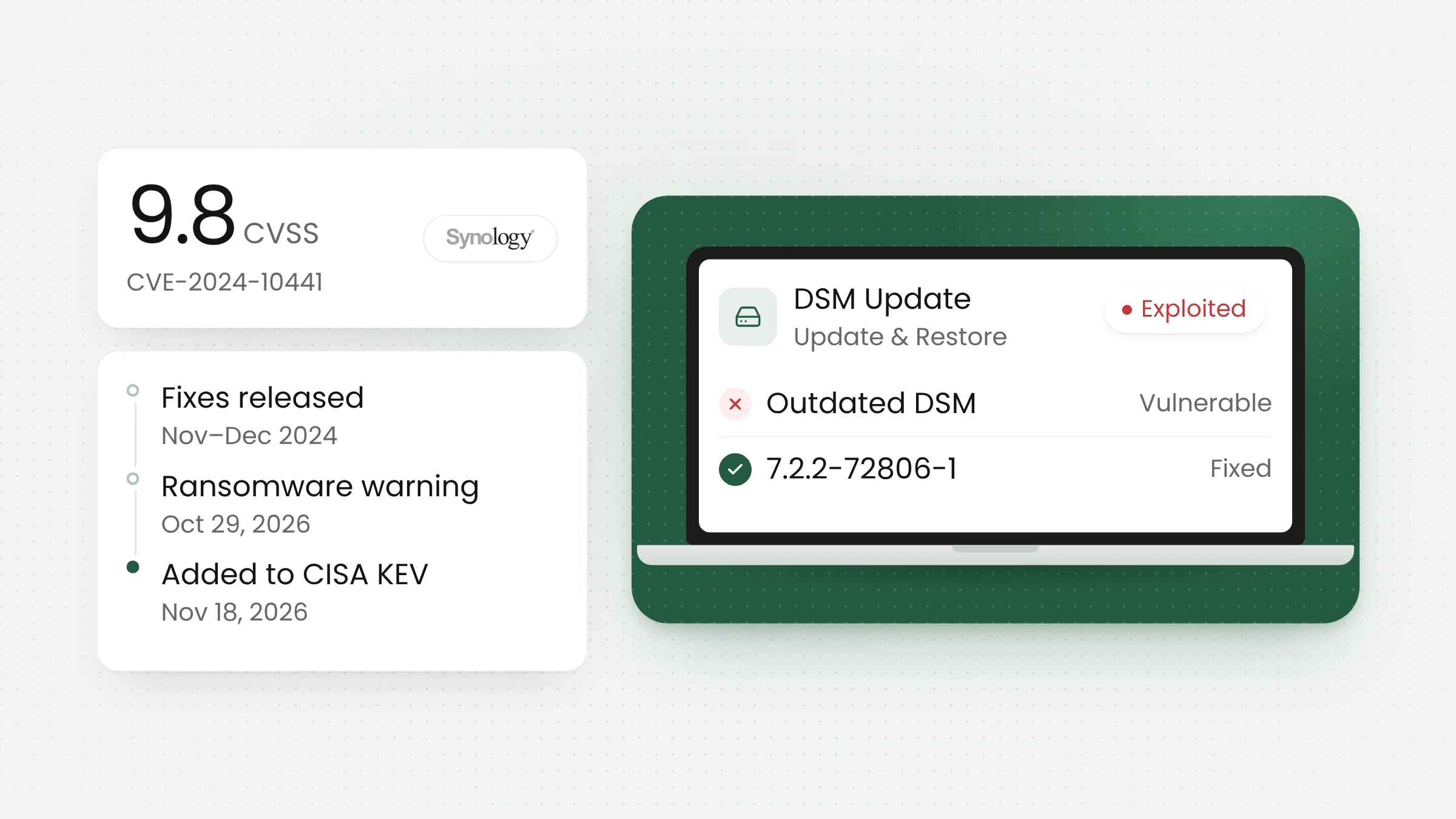
The Synology DSM flaw CVE-2024-10441 is now officially listed as exploited in the wild. On November 18, 2026, CISA added it to its Known Exploited Vulnerabilities (KEV) catalog. Rated 9.8 on CVSS, the bug lets an unauthenticated attacker run code on a Synology NAS. Fixes have existed since late 2024, but unpatched devices are now ransomware targets.
A two-year-old bug back in play
A NAS (network attached storage) is a storage appliance that sits on an office network. Across Indonesia, these boxes often hold an organization’s shared files: ledgers at an accounting firm, grade archives at a school, test results at a clinic, product photos at an online shop. Synology is one of the most common NAS brands, and its operating system is called DiskStation Manager (DSM).
CVE-2024-10441 sits in the system plugin daemon of DSM and BeeStation OS (BSM), the operating system for Synology’s BeeStation devices. According to Synology advisory SA-24:20, improper encoding or escaping of output allows a remote attacker to execute arbitrary code. Synology rates the flaw critical, with a CVSS 3.1 score of 9.8. The vector shows the attack works over the network, without credentials and without any action from a user.
The advisory was published on November 5, 2024, under the title “DSM (PWN2OWN 2024)”, because the bug was reported through the Pwn2Own hacking contest via the Zero Day Initiative. The CVE record credits Ryan Emmons as the finder. The same advisory covers two moderate flaws as well: CVE-2024-50629, which exposes certain files to reading, and CVE-2024-10445, which allows certain files to be written from an adjacent network.
Affected DSM versions and the fixed builds
Synology shipped the fixes in stages. The advisory’s revision history shows the DSM 7.2.1 update arriving on November 12, 2024, DSM 7.1 on November 26, 2024, and DSM 6.2 on December 5, 2024. In its latest statement, Synology describes the exploited flaw as patched in December 2024.
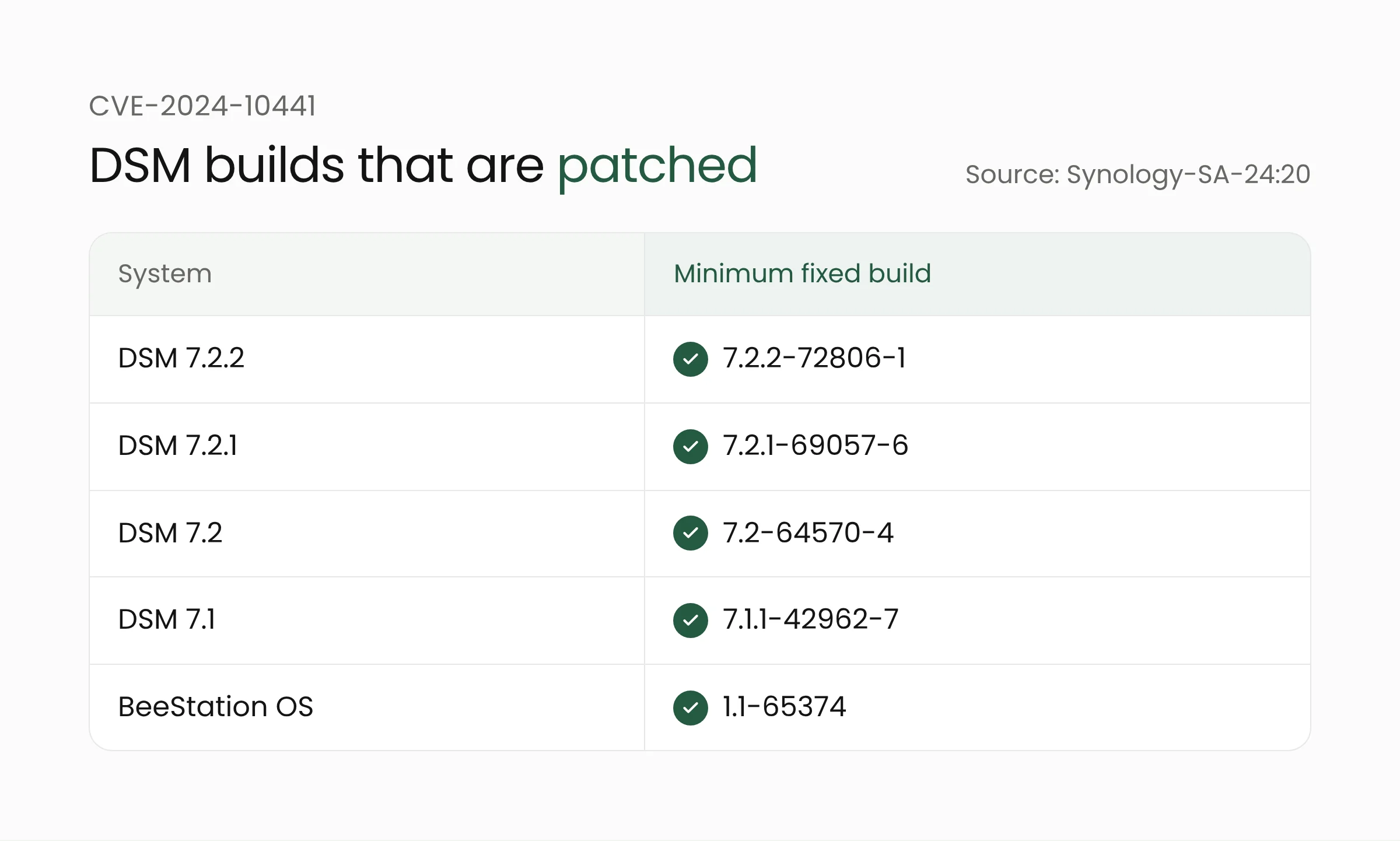
These are the minimum builds that close CVE-2024-10441, according to the Synology advisory:
- DSM 7.2.2: 7.2.2-72806-1 or later
- DSM 7.2.1: 7.2.1-69057-6 or later
- DSM 7.2: 7.2-64570-4 or later
- DSM 7.1: 7.1.1-42962-7 or later
- BeeStation OS: 1.1-65374 or later
DSM 6.2 is listed at moderate severity, with the fix in 6.2.4-25556-8. The advisory also mentions an update for DSM Unified Controller (DSMUC) 3.1.
One detail is easy to miss. Those minimum builds only close this particular flaw. In its statement on PHP2Shell, Synology lists DSM 7.4 and 7.3 as supported, while DSM 7.2, 7.1, 7.0, and 6.2 are end-of-life. Devices still on DSM 7.2 or older should move to the newest release their model supports.
Exploitation status and the ransomware link
On October 29, 2026, Synology announced that threat actors were exploiting a vulnerability patched in December 2024 to target devices running outdated versions of DSM, with the aim of encrypting data and extorting a ransom. “Synology strongly urges all users running vulnerable versions to update DSM immediately to protect their systems,” the company said, pointing customers to advisory SA-24:20 and recommending automatic updates.
That statement did not name a CVE. Security Affairs noted that SA-24:20 covers three flaws and that Synology had not confirmed which one attackers were using. BleepingComputer reported the campaign under the name C3RB3R ransomware on November 2, 2026, while Synology’s own statement does not name a ransomware family.
The picture became clearer on November 18. CISA added CVE-2024-10441 to the KEV catalog based on evidence of active exploitation, alongside flaws in Apache Axis, LiteLLM, and REDCap. US federal civilian agencies have until November 21, 2026, to patch or mitigate it and to check whether their devices were already compromised. The KEV entry lists known ransomware use as “Unknown”, so CISA has not formally tied this CVE to C3RB3R.
HKCERT, Hong Kong’s computer emergency response team, added an important caveat. Its bulletin says the attacks hit devices running end-of-life DSM versions, and that installing security updates will not decrypt files that ransomware has already encrypted.
What this means for offices, schools, and clinics running a NAS
A NAS is often installed once and left running for years. A box in a school server room or a clinic’s network cabinet may still run a 2023 DSM build simply because nobody owns the job of updating it. The stakes are high because a NAS usually holds the most important data, including backups of other computers. Security Affairs points out that recovery gets much harder when the encrypted NAS is also where the backups live.
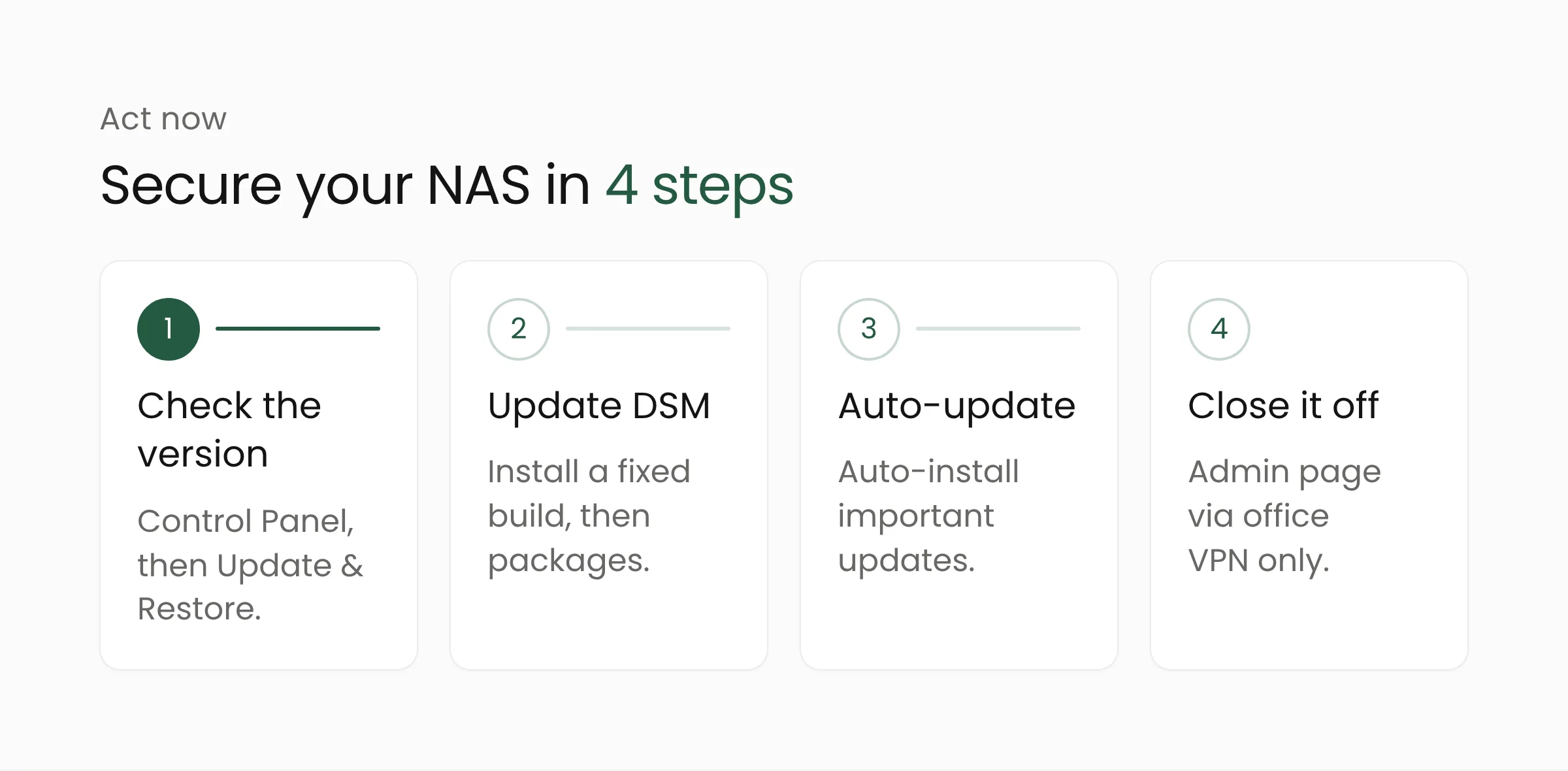
Check your DSM version now
Sign in to DSM with an administrator account and open Control Panel > Update & Restore. The Status section shows the installed version and any available update. Compare the full build string, including the trailing number, with the list of fixed builds above. Repeat this for every NAS, including backup units at branch offices.
Update DSM and its packages
Install the available update. If a device is far behind, Synology’s DSM update guide explains how to download the update file manually from the Synology Download Center. Synology warns that updates cannot be rolled back and strongly recommends making a backup first. Once DSM is current, open Package Center and update packages such as Web Station, WordPress, or phpMyAdmin if they are installed, since PHP-based packages were affected by the flaws covered in our piece on PHP2Shell and the safe PHP versions.
Turn on automatic updates
In the same menu, click Update Settings and choose “Automatically install important updates”. Synology says this option installs updates that fix security vulnerabilities on its own. For schools or small businesses without dedicated IT staff, this setting reduces the chance of a device falling months behind.
Keep the NAS off the open internet
HKCERT advises against exposing NAS management pages directly to the internet. Turn off services and port forwarding rules you do not need, and restrict remote access, for example to the office VPN only. If staff need files from outside the office, work out the safest access method with a cybersecurity team.
Keep backups somewhere else
HKCERT also recommends offline or immutable backups, with restores tested regularly. Backups stored only on the same NAS can be encrypted along with everything else. A second copy can live on a separate device or in cloud storage with tightly limited access.
If files are already encrypted
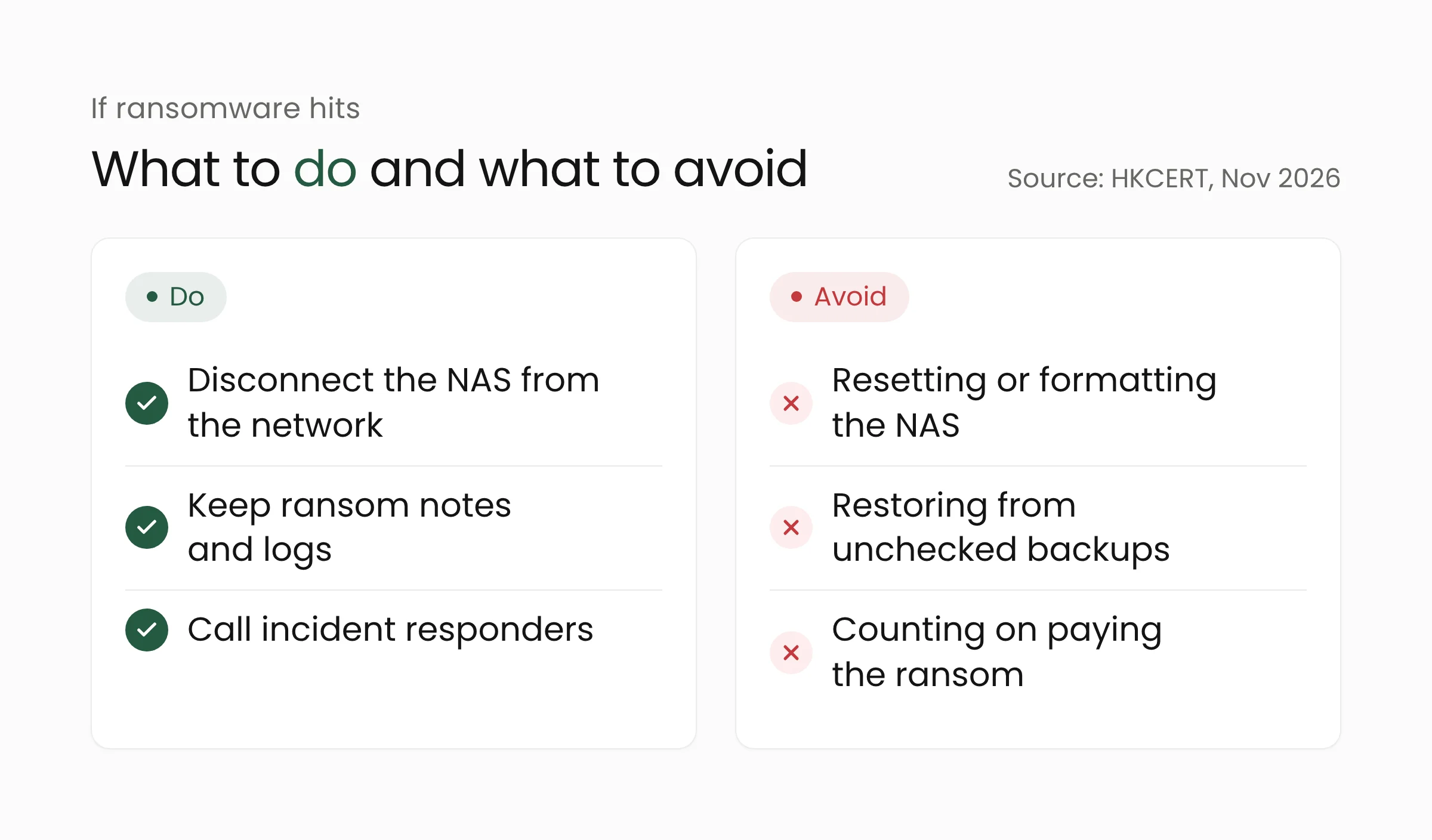
Disconnect the NAS from the network and pause any connected sync and backup jobs so other data is not affected. HKCERT asks victims to keep ransom notes, samples of encrypted files, and system logs as evidence, and advises against resetting or formatting the device. Restore data only from backups verified as clean, after the flaw is closed and passwords have been reset from a trusted machine. Paying the ransom does not guarantee the data comes back.
Frequently asked questions
Are NAS units running DSM 7.3 or 7.4 affected by CVE-2024-10441?
Synology’s advisory lists only builds before 7.2.2-72806-1, 7.2.1-69057-6, 7.2-64570-4, and 7.1.1-42962-7 as vulnerable. DSM 7.3 and 7.4 came out after those fixes. Still, make sure the latest update is installed, because new flaws keep turning up.
Is a NAS that is not connected to the internet safe?
The risk is lower but not zero. The flaw can be exploited over a network, so a compromised computer on the office LAN can become the way in. Updating is still necessary.
Will updating DSM recover encrypted files?
No. The update closes the hole so the attack cannot repeat, but files that are already encrypted can only be recovered from a clean backup.
Conclusion
This flaw is a reminder that the storage box in the corner deserves the same care as the main servers. Start today by checking the DSM version on every NAS, installing the update, and making sure a backup exists outside that device. If your organization wants a steadier patch schedule and backup plan, the Merakit team is ready to help design it.
Sources
- Synology-SA-24:20: DSM (PWN2OWN 2024) (published November 5, 2024; last revised March 28, 2025)
- Synology-SA-24:23: BeeStation (PWN2OWN 2024) (published November 5, 2024)
- Synology: Synology urges users to update DSM following ransomware attacks on outdated DSM versions (October 29, 2026)
- Synology: Statement on PHP2Shell Vulnerabilities (October 22, 2026, updated October 29, 2026)
- CISA: CISA Adds Four Known Exploited Vulnerabilities to Catalog (November 18, 2026)
- CISA: Known Exploited Vulnerabilities Catalog, CVE-2024-10441 entry (added November 18, 2026)
- HKCERT: Ransomware Attacks Targeting Synology NAS Devices (November 2, 2026)
- Security Affairs: Synology Warns of Ransomware Attacks Targeting NAS Devices Running Outdated DSM Versions (November 3, 2026)
- BleepingComputer: Synology warns customers of ongoing C3RB3R ransomware attacks (November 2, 2026)
- Synology Knowledge Center: DSM Update (accessed November 19, 2026)