Blog MacBook Pro
Touchscreen MacBook Pro: Getting Web Apps Ready for Touch
On this page· 7 sections
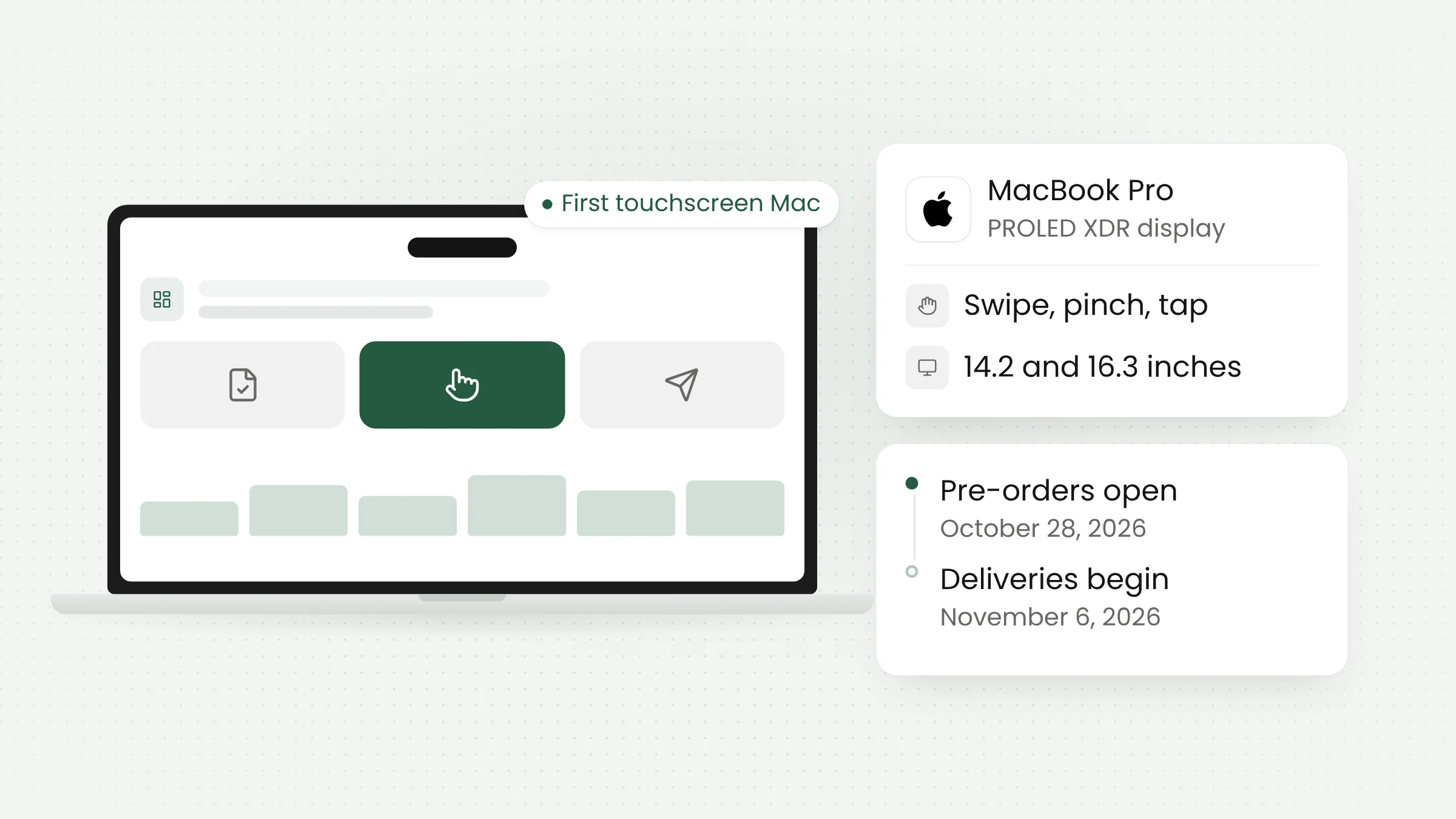
Apple unveiled its first touchscreen MacBook Pro on October 28, 2026. The 14-inch and 16-inch models use a new OLED panel called PROLED XDR and run macOS 27. For the first time, Mac users can scroll, zoom, and drag content with their fingers, which means apps and websites now have to handle touch on the Mac.
Specifications and availability
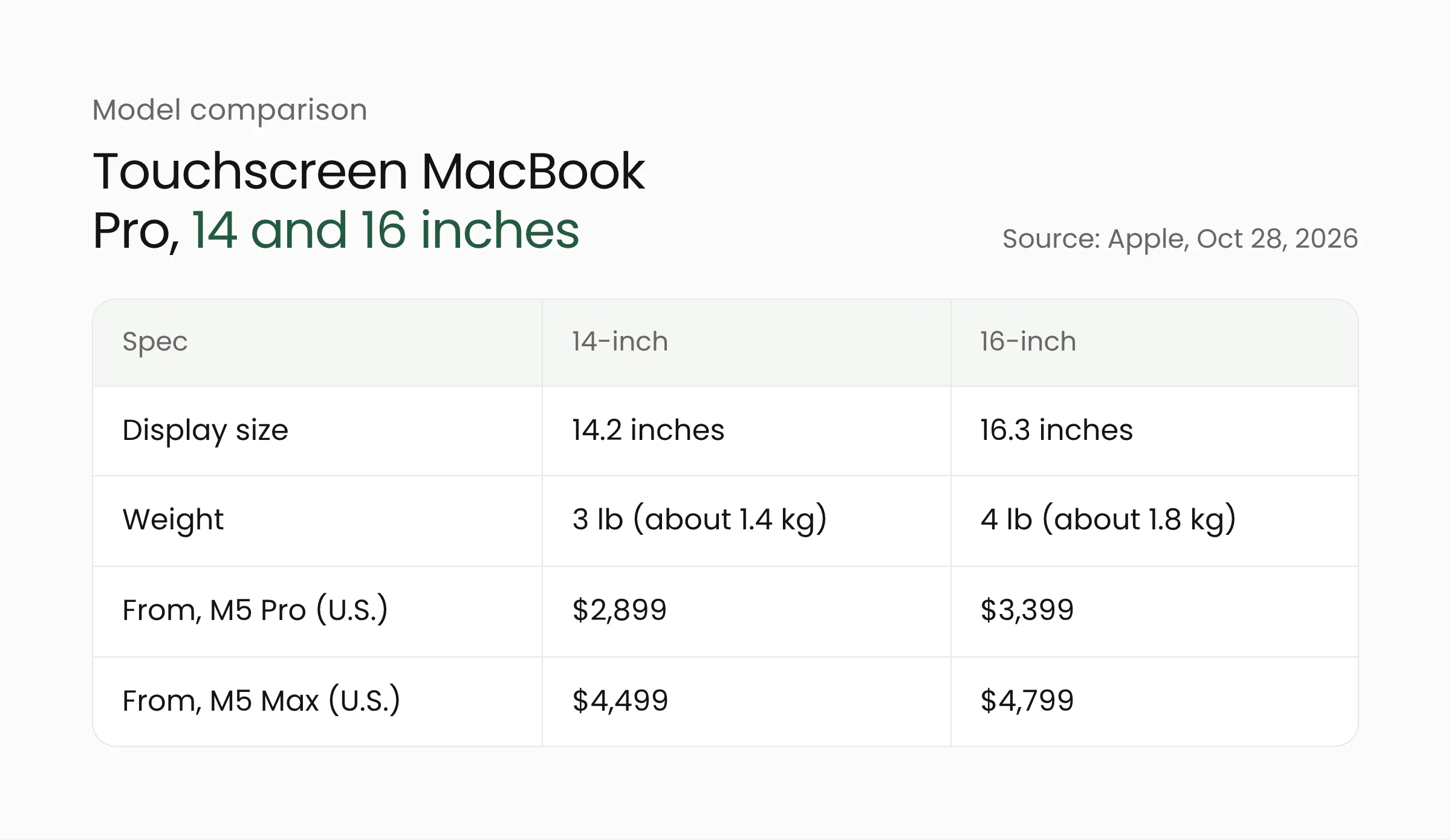
According to Apple’s press release, the display uses tandem OLED technology with up to 2,000 nits of peak brightness, a 10,000,000:1 contrast ratio, and an adaptive refresh rate of up to 120Hz. Thinner borders push the diagonal sizes to 14.2 and 16.3 inches.
Both models run on M5 Pro or M5 Max chips, with up to 128GB of unified memory and up to 16TB of storage. Apple claims up to 24 hours of battery life, based on its own testing. The 14-inch model now weighs 3 pounds (about 1.4 kg) and the 16-inch model 4 pounds (about 1.8 kg).
The camera notch is gone. In its place is the Dynamic Island, the small interactive area familiar to iPhone users, which on the Mac houses Spotlight, Live Activities, and Siri AI.
Pre-orders opened on October 28 in 30 countries and regions, including the United States, with deliveries starting Friday, November 6. U.S. pricing starts at $2,899 for the 14-inch model and $3,399 for the 16-inch model with M5 Pro. Apple has not said whether Indonesia is part of the first wave, and local pricing has not been announced.
MacRumors reports that the OLED models will sit alongside the existing mini-LED MacBook Pro lineup, including the 14-inch model with the M6 chip announced a day earlier. Buyers who do not want a touchscreen can still choose one without it.
Apple’s chief hardware officer, Johny Srouji, described the display in the press release: “PROLED XDR is the world’s best laptop display.” The claim has not yet been tested independently.
How touch works in macOS 27
Apple built the touch sensor directly into the display panel instead of adding a separate layer on top, which the company says reduces latency. A redesigned hinge keeps the screen steadier when touched, and automatic video stabilization smooths the camera feed during video calls.
The gestures Apple highlights include:
- swiping to scroll a web page;
- pinching to zoom in on a photo;
- dragging slides from one presentation to another;
- double-tapping a window to fill the screen, or flicking it into a tiled position.
The keyboard and trackpad work as before. Apple presents touch as an additional input method that works alongside keyboard shortcuts and trackpad gestures.
For developers, the key detail is how macOS treats existing software. Apple says many current apps work with touch right away because macOS automatically translates touches into clicks. Updated system gesture APIs let developers build experiences designed specifically for touch.
Supported apps and developer resources
Apple named a group of third-party apps that will take advantage of touch, some of them arriving later this year. The list includes Notion, Canva, Zoom, Microsoft Word, Excel, PowerPoint, and Outlook, along with Adobe Lightroom and DaVinci Resolve for photo and video work, Blender and Shapr3D for 3D modeling, and djay Pro for music.
On the same day, Apple launched a Touch on Mac page for developers. It offers three tech talks, “Design for Touch on Mac,” “Bring Touch to your Mac app,” and “Bring Live Activities to Mac,” plus online group labs with Apple engineers and designers on November 18 and 19. The Xcode 27.3 beta is listed as coming soon.
The description of the design session lists topics such as sizing controls and touch targets while keeping an app comfortable to use with a pointer and keyboard, and adapting hover interactions. Both issues apply just as much to teams building web applications.
The challenge for web apps and websites
Until now, every Mac has been used with a precise trackpad or mouse, and many internal web apps were designed around that assumption. They rely on small buttons, tightly packed icons in tables, menus that open on hover, and tooltips that only appear when the cursor rests on an element.
A touchscreen breaks those assumptions. A finger cannot hover, and a fingertip is far larger than a cursor tip. Menus that open only on hover can become hard to reach, and buttons placed too close together invite mistaken taps.
The Apple materials we reviewed do not yet explain how Safari on the new MacBook Pro handles touch on web pages. Web standards, however, have long offered tools for mixed input, since touchscreen Windows laptops and tablets have been on the market for years.
One of them is the any-pointer media query. According to MDN’s documentation, it checks whether a device has a precise pointer (fine, such as a mouse) or a less precise one (coarse, such as a touchscreen), and both can match at once. That suits a laptop with a trackpad and a touchscreen.
Another is Pointer Events, a single event model for mouse, pen, and touch input. Developers can write one set of handlers for every input type and use the pointerType property only when a device needs special treatment.
What this means for app development teams
Given the price, the number of touchscreen MacBook Pro users will probably start small. Macs are common among design, engineering, and management teams, though, and those are the people who spend their days in dashboards and internal tools. Several steps can start now, before the hardware arrives.
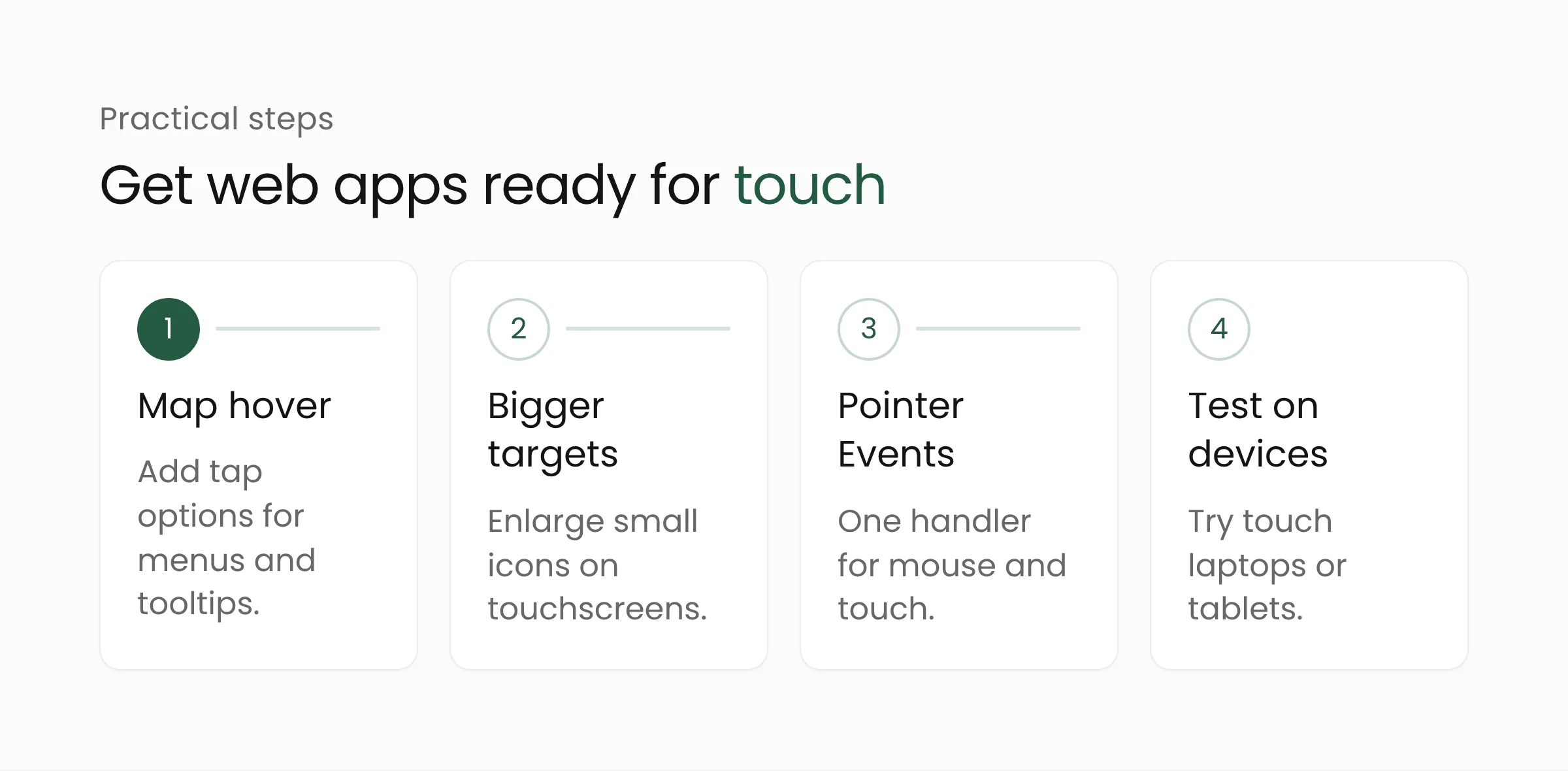
First, map every element that depends on hover. Nested navigation menus, action buttons that appear only when the cursor passes over a table row, and tooltips that carry important information all need a tappable alternative. On a public service dashboard at a local government office, for example, “approve” and “reject” buttons hidden behind hover should stay visible.
Second, enlarge touch targets in the busiest parts of the interface. Small icons in data tables, checkboxes, and close buttons on modal windows are common sources of mistaken taps. The any-pointer: coarse media query lets teams enlarge them only on devices with a touchscreen.
Third, review event handling in the front-end code. Components that listen only to mouse events, such as drag-and-drop task boards or signature fields on forms, need to be tested again. Pointer Events let a single handler cover both mouse and touch.
Fourth, test on touch devices that already exist. Touchscreen Windows laptops and tablets can reveal most problems before the new MacBook Pro becomes widespread. Mac app developers can also use the tech talks and group labs on Apple’s Touch on Mac page.
For banks and financial companies with internal portals for approving transactions, this also touches on process safety. Buttons packed too tightly on an approval screen can lead to mistaken taps with real consequences.
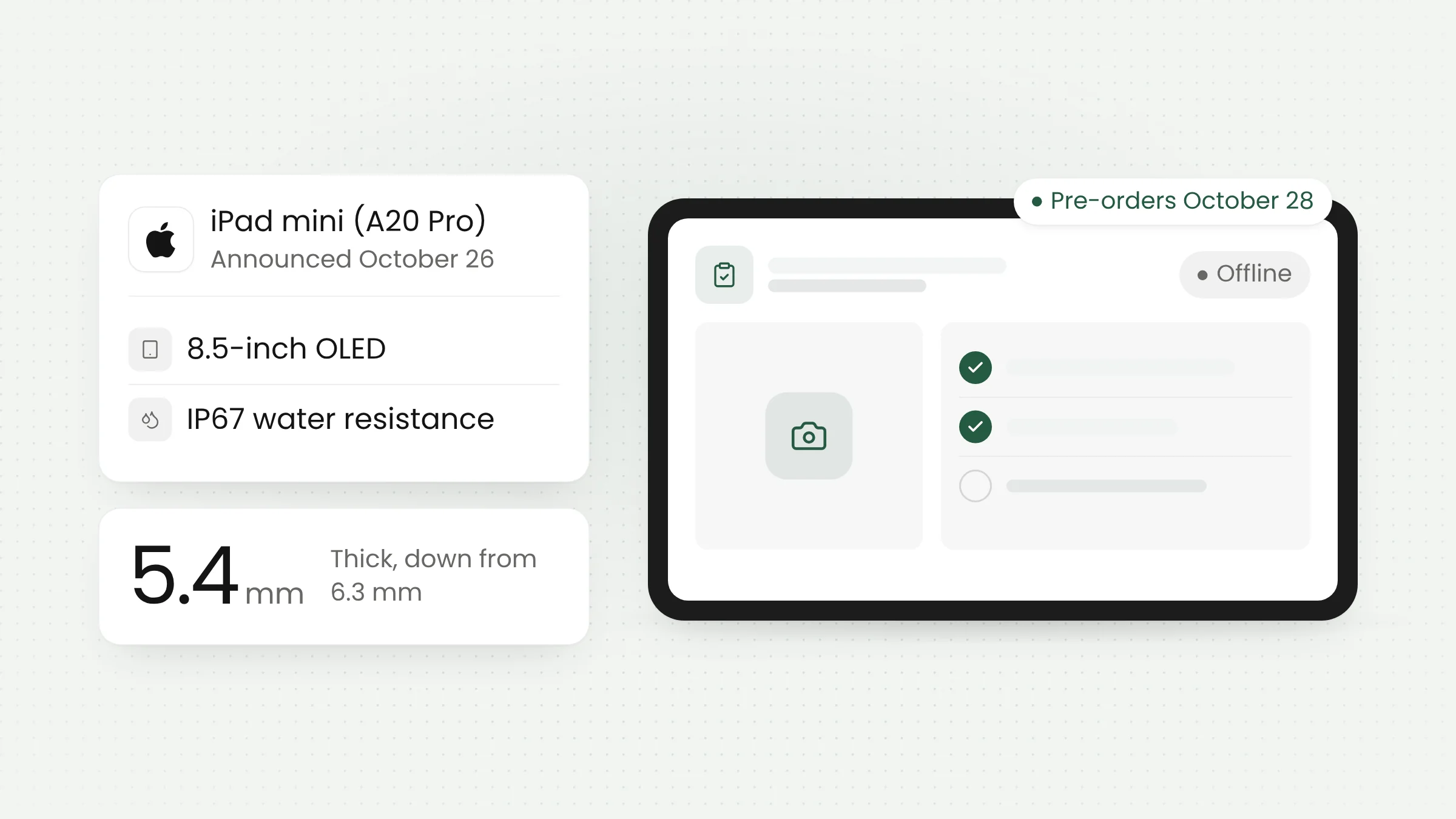
Teams that build web applications and mobile apps already have plenty of touch design practice from phones and tablets. The challenge is applying it to dense desktop interfaces without making them worse for trackpad users. Apple’s other launch this week, the OLED iPad mini for field work, adds one more reason to design interfaces that work well under a finger at every screen size.
Frequently asked questions
Do existing Mac apps work with touch?
Many of them do. Apple says many existing apps work right away because macOS translates touches into clicks. Specialized gestures, such as pinching on a drawing canvas, require updates from each app’s developer.
When will the touchscreen MacBook Pro reach Indonesia, and how much will it cost?
That has not been announced. Apple has only confirmed pre-orders in 30 countries and regions, including the United States, with a starting price of $2,899 for the 14-inch model. Indonesian pricing and timing will depend on Apple’s official announcement.
Does the touchscreen MacBook Pro support Apple Pencil?
Apple’s press release does not mention Apple Pencil support. It only says designers can draw across the entire display with touch, so pen support will have to wait for official word.
Conclusion
Touch on the MacBook Pro adds another kind of device that teams need to consider when they design apps and websites. Most of the required changes are simple, such as larger targets and menus that do not depend on hover, and they also help people using tablets and Windows laptops. If you would like to review how ready your organization’s web apps are, the Merakit team is ready to help.
Sources
- Apple Newsroom: Apple unveils groundbreaking MacBook Pro with PROLED XDR Display and Touch for the first time on Mac (October 28, 2026)
- Apple Developer: Get ready for Touch on Mac (October 28, 2026)
- Apple Developer: Design for Touch on Mac (October 28, 2026)
- MacRumors: Apple Announces OLED MacBook Pro With Touch Display (October 28, 2026)
- MDN Web Docs: any-pointer
- MDN Web Docs: Pointer events