Participant Data
Manage accounts, groups, rooms, and participant tags so exam assignments stay organized.
Prepare questions, set schedules, supervise participants, review results, and print exam documents from one place. Your exam committee stays organized without juggling tools.
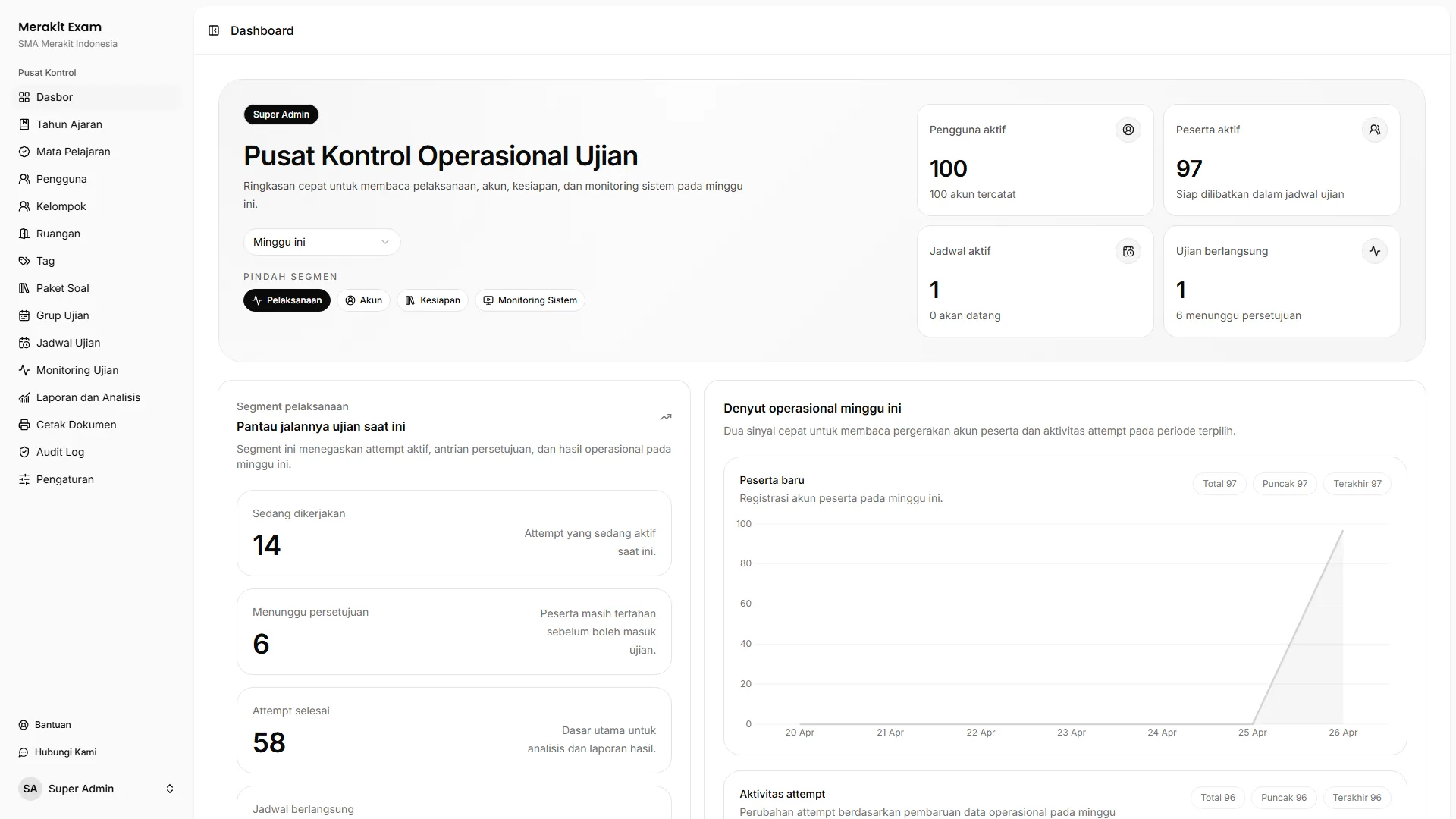
One Workspace
Participant data, question banks, exam delivery, results, and committee documents stay in one connected workflow.
Manage accounts, groups, rooms, and participant tags so exam assignments stay organized.
Build question banks by subject and reuse them for upcoming exam schedules.
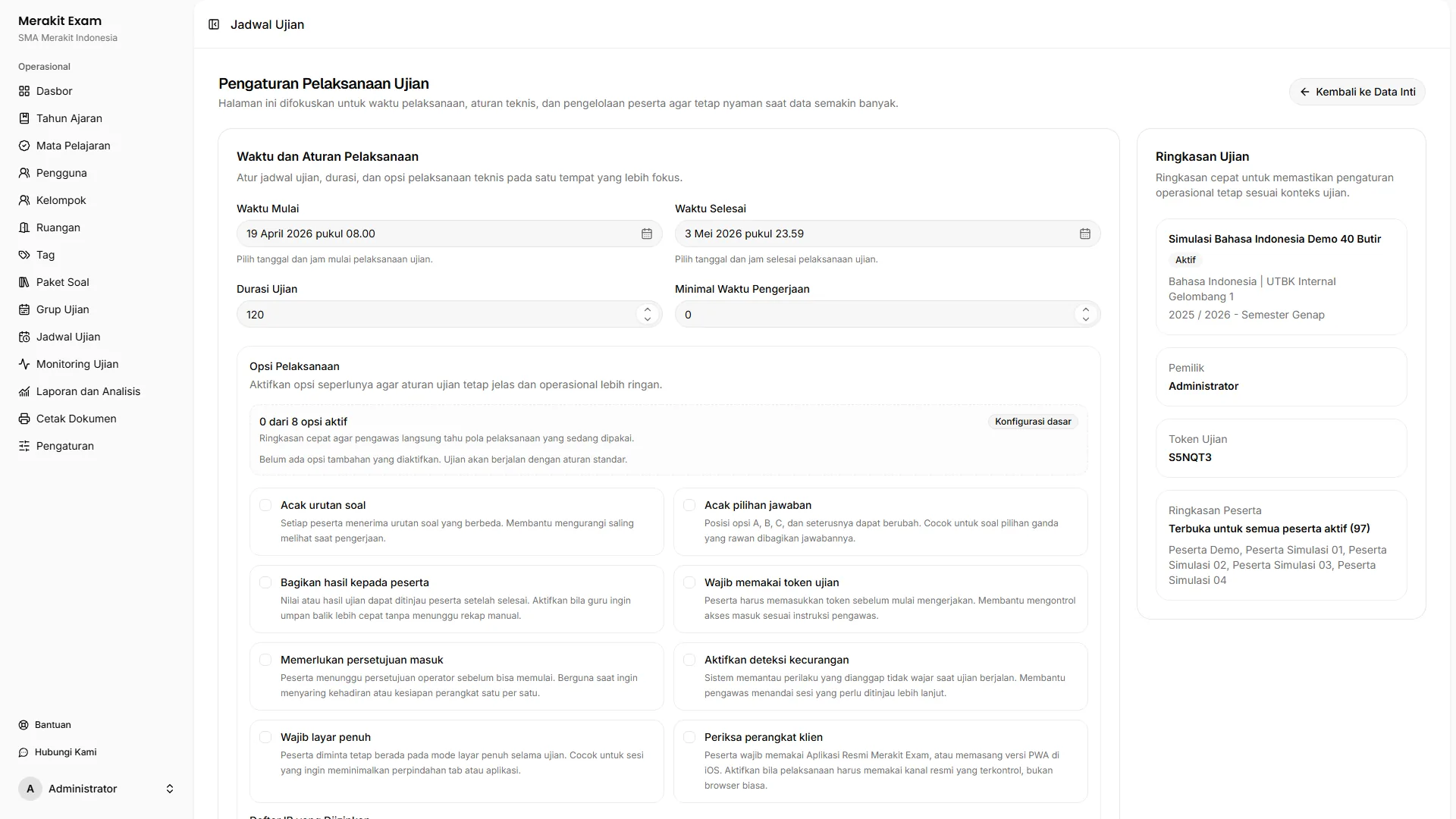
Set schedules, durations, tokens, and entry approvals, then monitor participants while the exam runs.
View scores, analyze questions, export reports, and print committee materials from the same data.
Committee Workflow
Merakit Exam follows how school exam committees actually work: prepare everything up front, support the exam while it runs, then wrap up results and documents afterward.
Before the Exam
The committee prepares participants, rooms, subjects, question banks, and exam schedules in a clean, structured flow.
During the Exam
Once the exam starts, the committee can see each participant's status and step in when someone can't sign in or a session stops.
After the Exam
When the exam is over, teachers can review scores, see question analysis, export reports, and print committee documents.
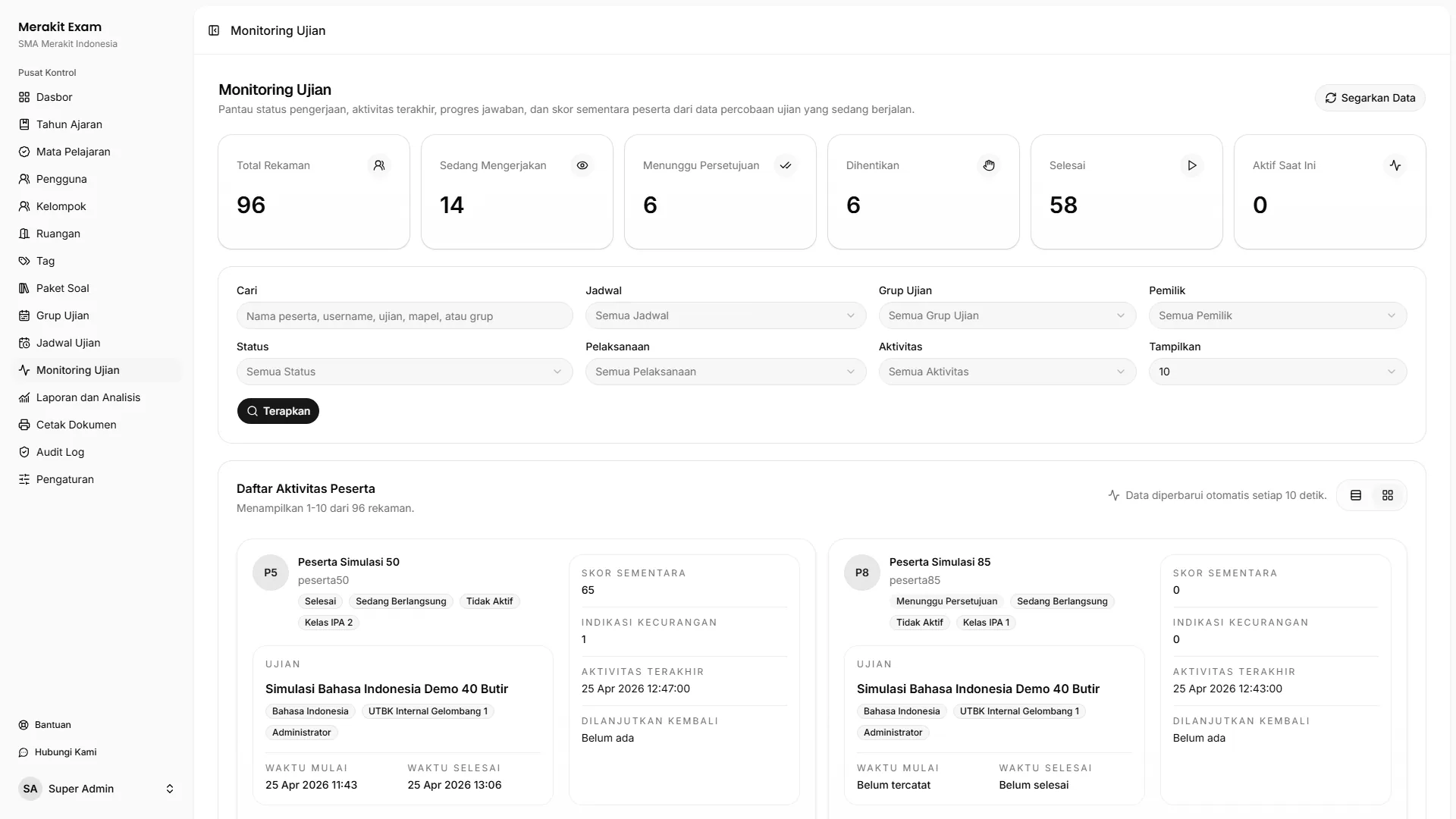
Exam Monitoring
The committee can see who hasn't started, who is working, who is waiting for approval, and who has finished or been stopped. When something goes wrong, participant details are easy to find and act on.
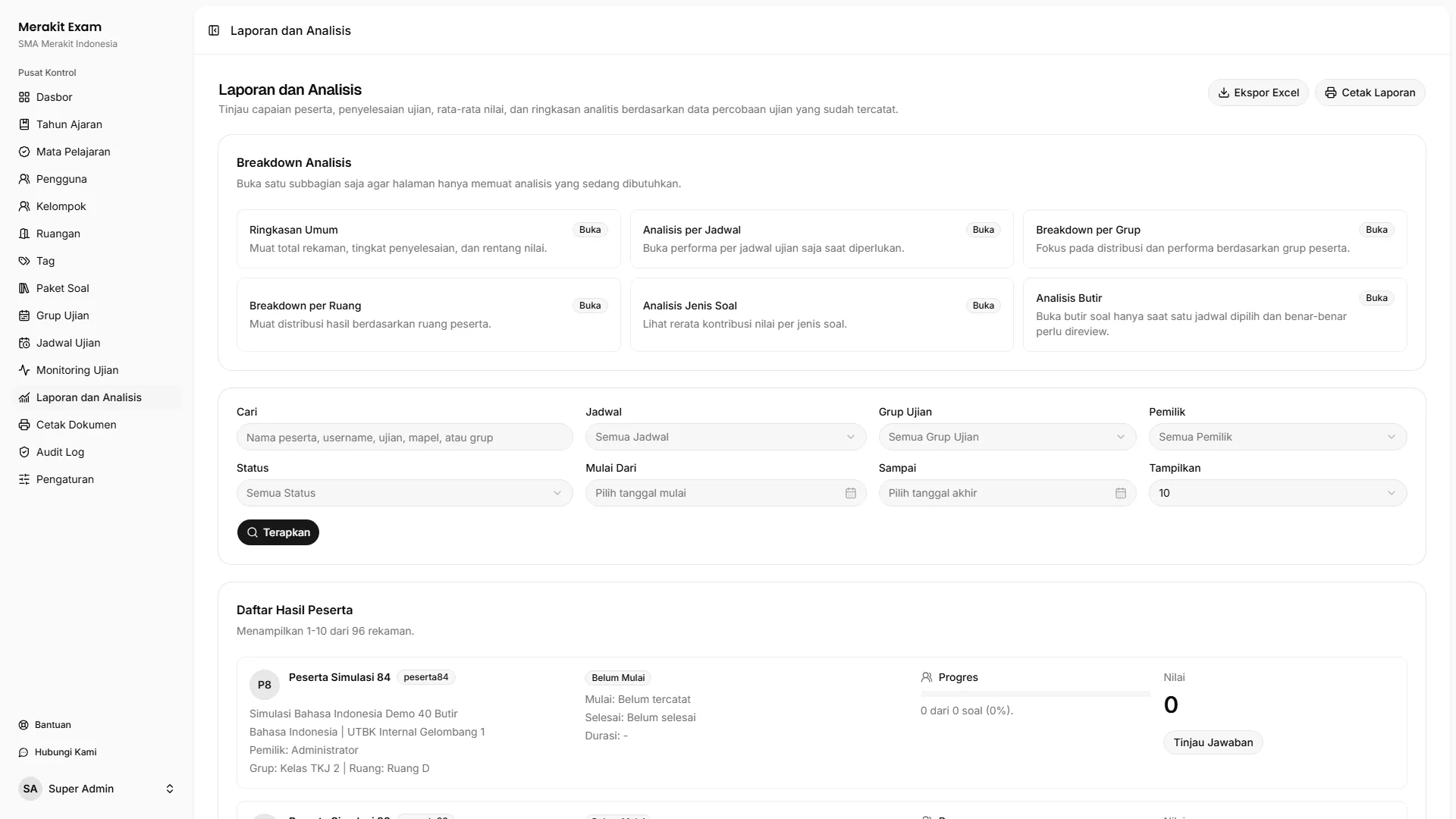
Reports and Analysis
Teachers see more than final scores: they can also spot which questions need improving. Results are easier to read before they're shared or processed further.
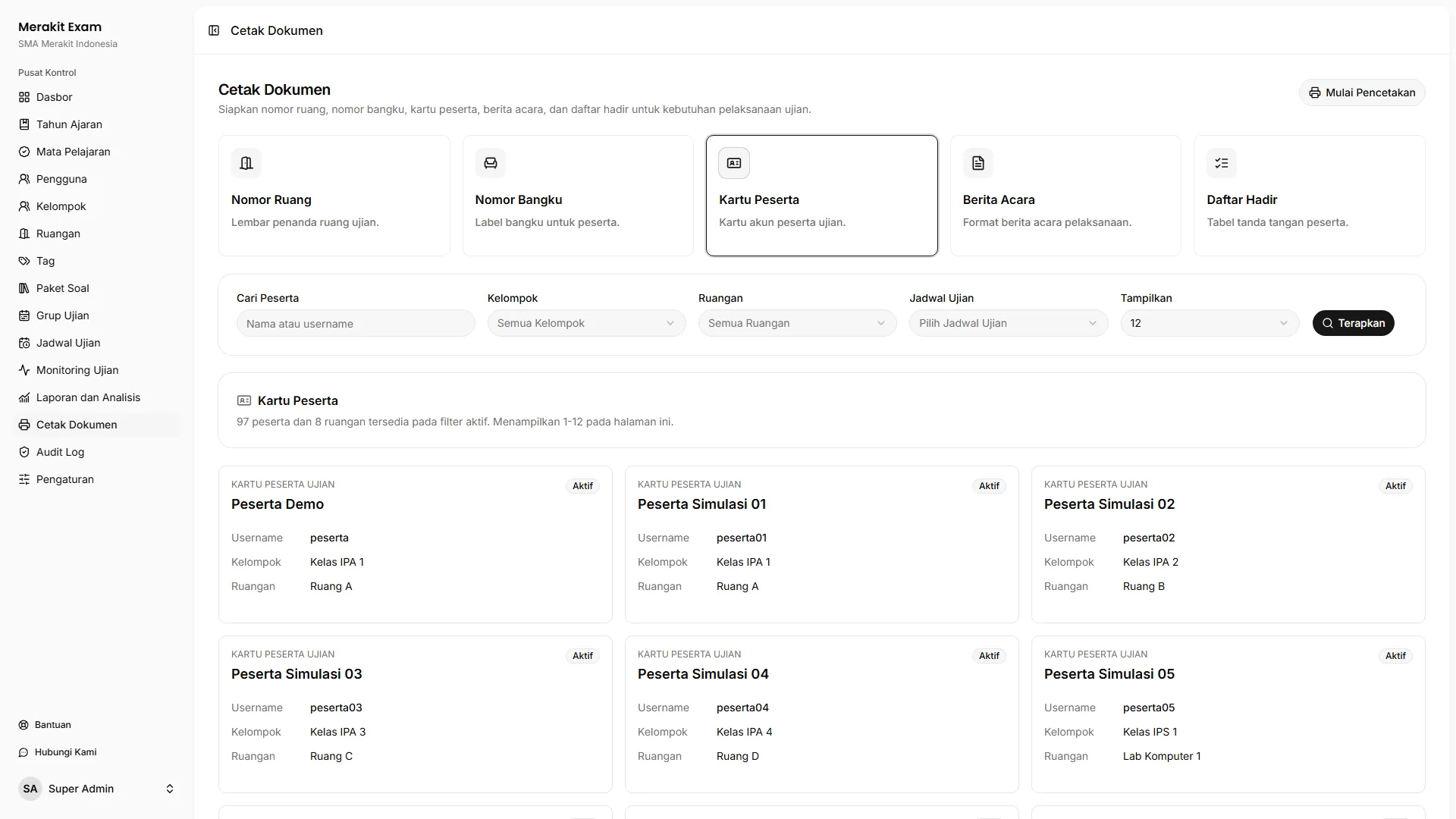
Exam Documents
Prepared data doesn't stop at the screen. The committee can print everything the exam needs without rebuilding documents from scratch.
Exam Rules
Every school runs exams its own way. Merakit Exam helps the committee manage participant access, protect exam sessions, and act quickly when issues come up, without making the process complicated.
Device Access
Getting access shouldn't be confusing. For now, schools can sign in on the web or Android, while iOS support is planned for a later stage.
Browser
Runs right in the browser for day-to-day committee work on school laptops or computers.
Android
The official Merakit Exam listing is available for Android devices.
iPhone and iPad
iOS support is in the works, bringing Merakit Exam to Apple devices once that version is ready for release.
Start From Your Current Workflow
Tell us how your school runs exams. Our team will help you plan the setup and rollout of Merakit Exam.