Blog Smart Home
Apple HomeView: A Personal Siri for the Smart Home
On this page· 7 sections
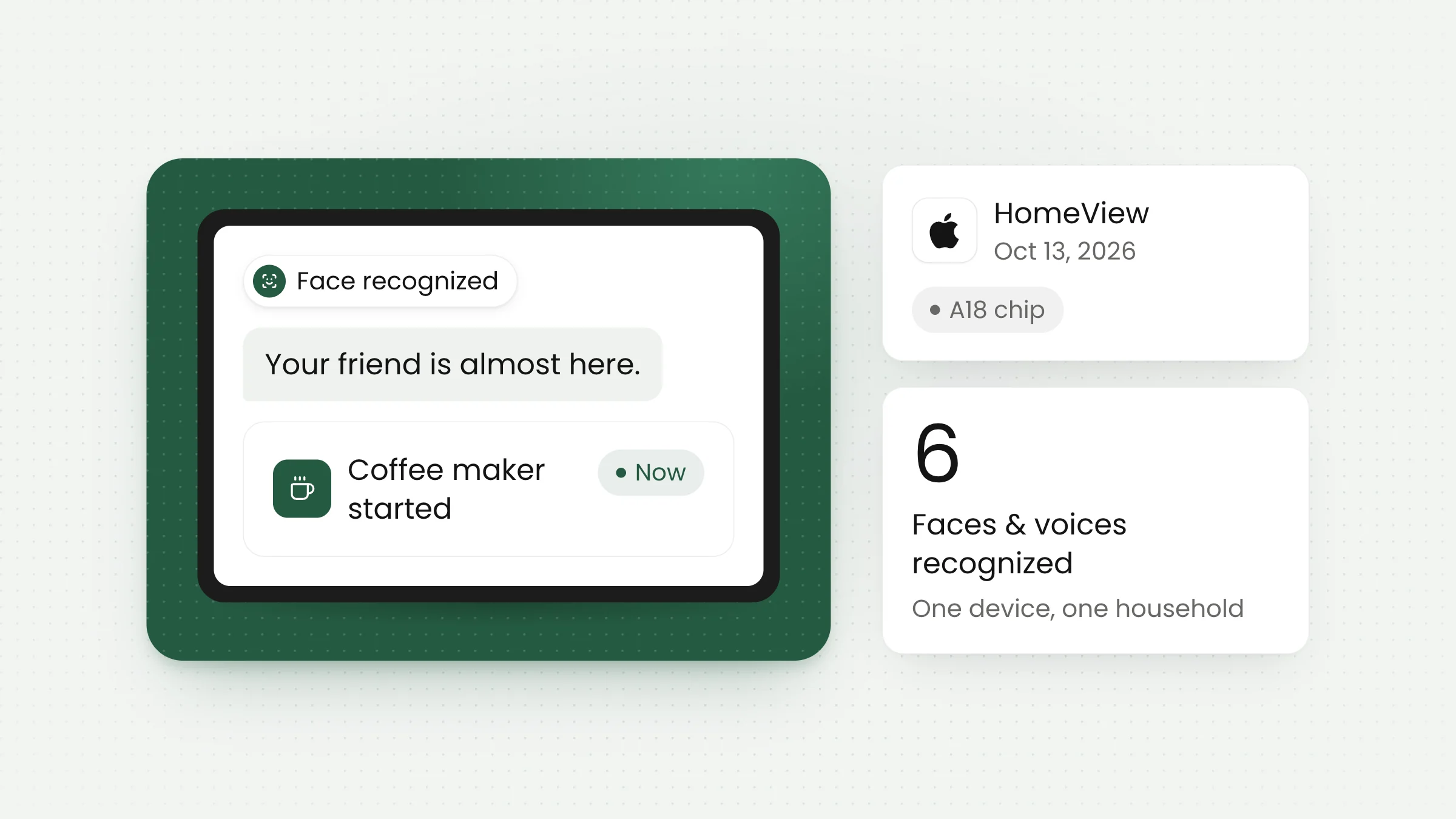
On October 13, 2026, in New York, Apple introduced HomeView, a smart home hub that makes Siri far more personal. The device recognizes the faces of people in the home, pulls context from each person’s iPhone, and then acts on it. The example everyone is talking about: starting the coffee maker a few minutes before a guest arrives.
What HomeView is
HomeView is a smart display that looks like an iPad and can be mounted on a wall or placed on a table. According to Reuters, as published by RTÉ, it runs its own operating system and uses Apple’s A18 chip, processing encrypted user data in a walled-off part of the chip.
What sets it apart is the AI version of Siri inside. Siri on HomeView does more than answer commands like “turn on the lights”; it uses personal data from the iPhone to handle more involved tasks. In Apple’s demo, Siri pulled a recipe from a text message, found a nearby farmers’ market for missing ingredients, and updated the shopping list.
Price and sale date were not included in the post-event coverage we read. Bloomberg reported before the event that buyers might have to wait until around mid-November, but Apple has not confirmed that schedule.
Apple’s push to catch Amazon and Google
HomeView takes Apple into a smart home hub market where Amazon and Google got there first. Reuters describes the device as an important test of Apple’s AI strategy as the company tries to close the gap with both rivals. Apple also deliberately made Siri stop ending every answer with a follow-up question. Lilian Rincon, Apple’s vice president of product marketing for AI, said the choice was intentional, because Apple is not trying to keep users talking for many turns.
How it works: from a face to a cup of coffee
The key is the iPhone. This fits Apple’s recent direction: at last month’s iPhone launch, Apple’s new CEO, John Ternus, described the iPhone as an intelligent personal hub. HomeView is the first home device to really lean on that role. Instead of storing everything on the home device, Apple treats each resident’s iPhone as the source of context, and HomeView simply borrows it when needed.
HomeView uses a personal search index stored on each user’s iPhone. It holds pieces of context from messages, calendars, and other apps that help Siri understand what its owner needs. Kaiann Drance, Apple’s vice president of product marketing for home products, explained that drawing on the iPhone makes Siri’s answers more relevant and timely.
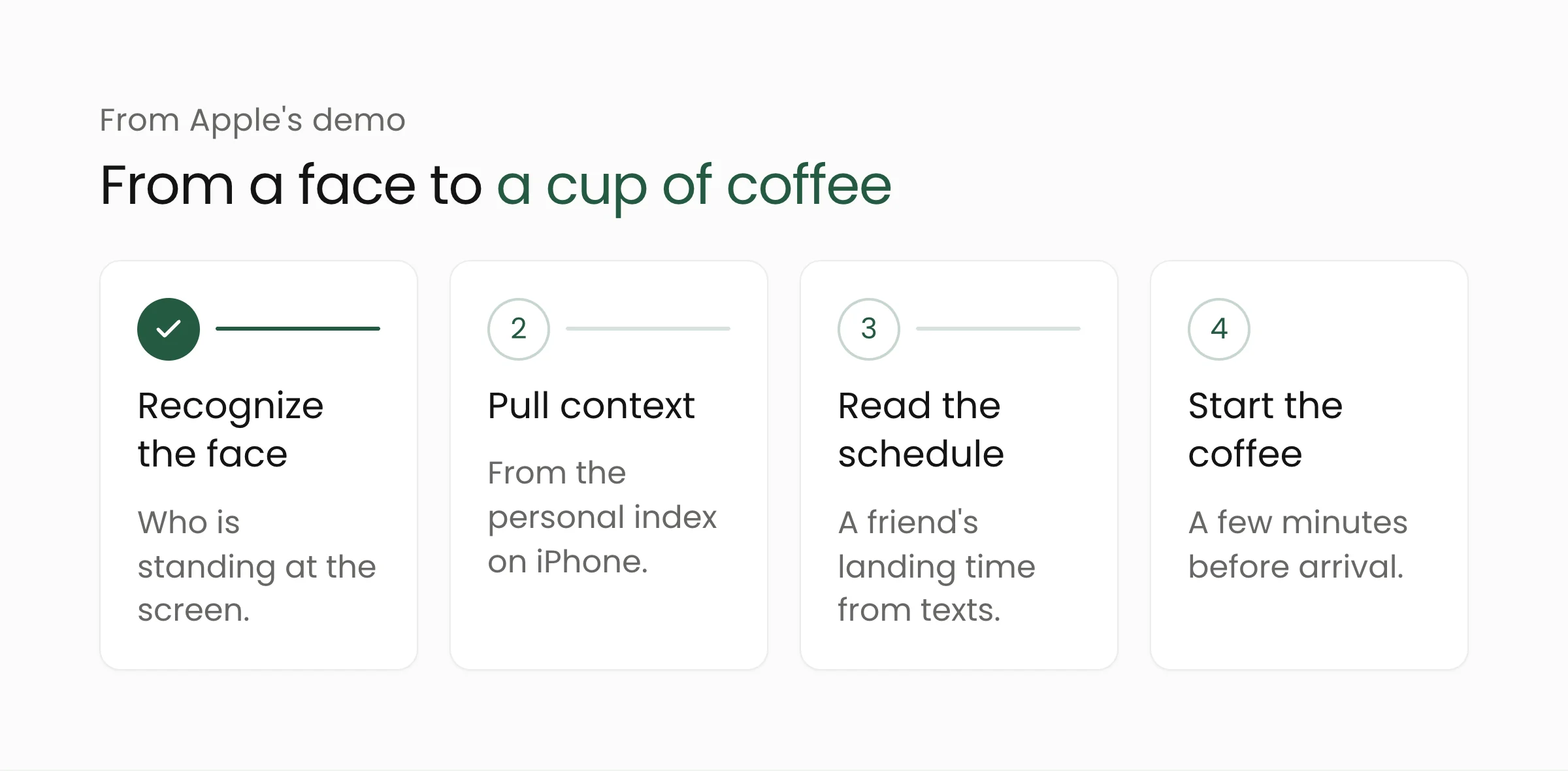
The coffee example works like this. When a household member steps up, HomeView recognizes their face and switches to their data. From text messages, Siri finds a friend’s early-morning flight, estimates how long the trip home will take, and starts a connected coffee maker a few minutes before the friend arrives.
One device, six residents
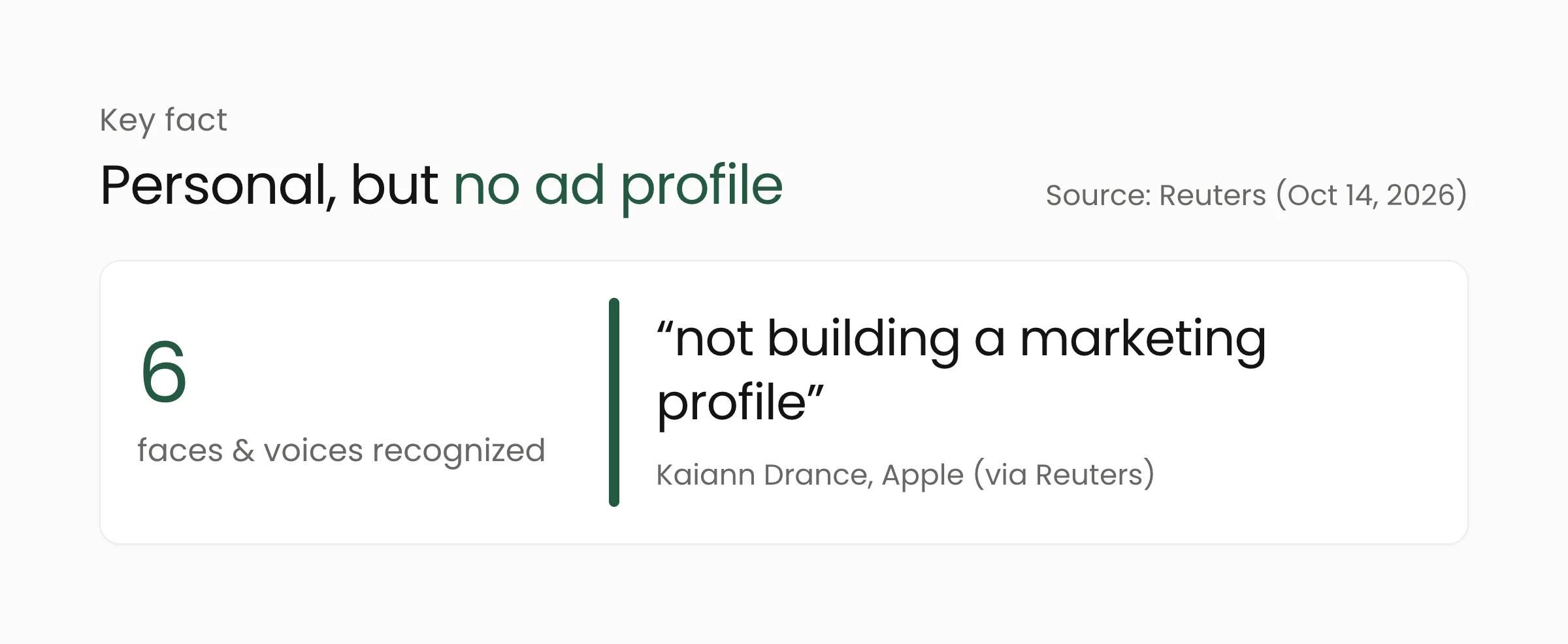
Homes usually have more than one person, and HomeView is built for that. According to Reuters and CNA Indonesia, it can recognize up to six voices and faces. When several people are nearby, HomeView decides whose data to prioritize based on who last touched the device and other factors. General features such as weather and thermostat controls are available to anyone.
Privacy: Apple’s promises and the open questions
A device that recognizes faces and reads messages naturally raises privacy questions. Apple answers them with several promises. Personal data can only be accessed when the owner’s iPhone is on the same home network as HomeView. No personal data is stored on the HomeView device itself. Apple also says the data is not used for marketing, including Apple’s own advertising.
Kaiann Drance put it plainly, saying Apple is “not building a marketing profile.”
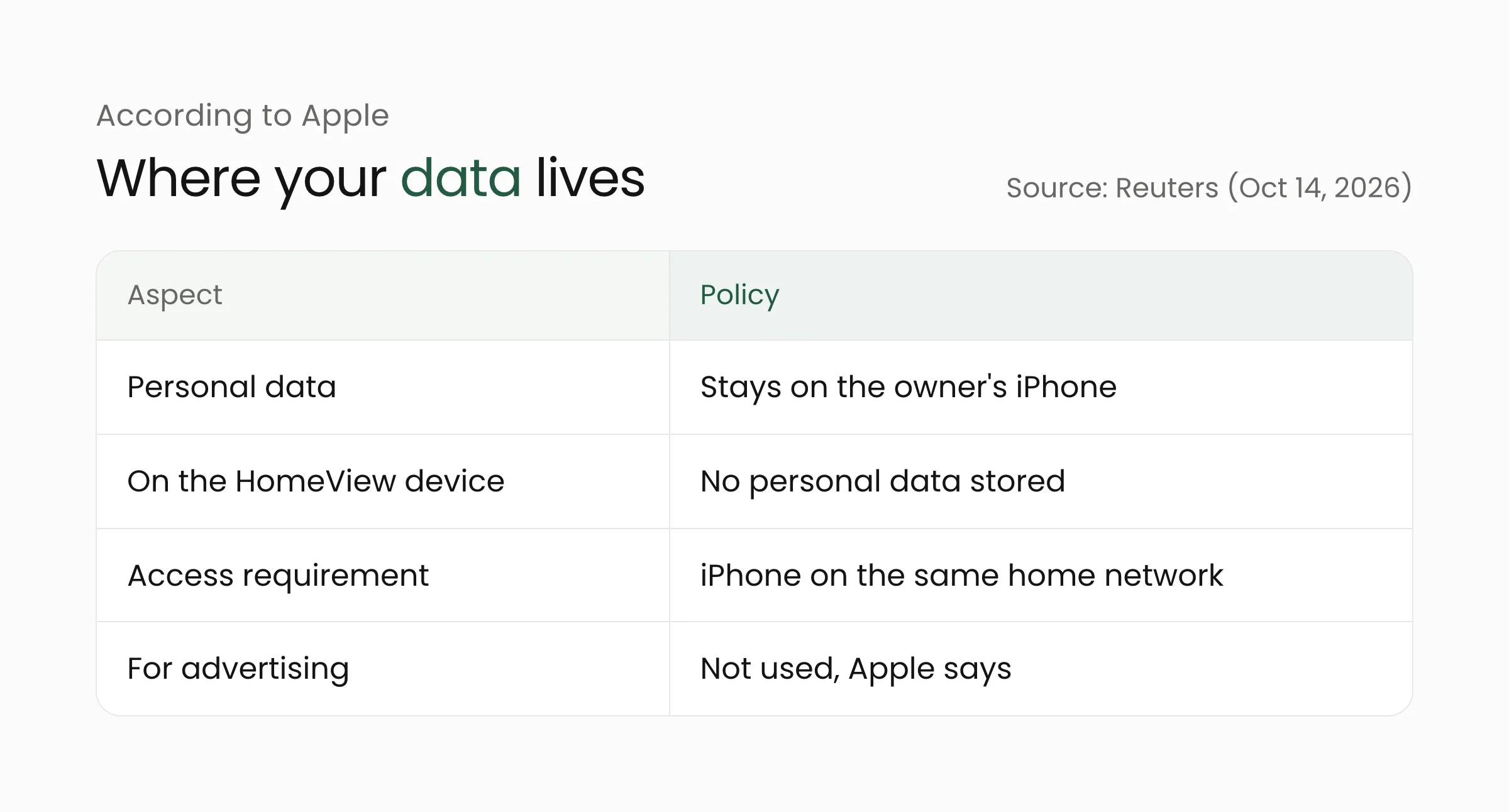
The promise makes sense by design, because the data stays on the iPhone. But some questions can only be answered once the device is in wide use. How accurately can face recognition tell apart family members who look alike? What happens when a guest or housekeeper stands in front of the screen? What appears on screen when Siri mentions the contents of someone’s messages in a shared room? Details like these usually surface only after independent reviews are published. In the meantime, the most practical step for would-be buyers is to review app permissions and privacy settings on their iPhone, since that is where all the context HomeView uses comes from.
The same trend shows up on other devices: AI increasingly runs on the device itself rather than on a server, as we discussed in local AI on laptops. The difference is that HomeView is a shared device used by many people at once.
What this means for your organization
For users in Indonesia, HomeView may not be available right away, since the coverage we read does not name launch countries. But the direction Apple is signaling is worth watching, including for organizations.
Shared devices now recognize faces. This has been happening in offices and schools for a while: face-based attendance machines, visitor kiosks, and meeting-room screens. Face data is sensitive personal data, so handling it must follow Indonesia’s Undang-Undang Pelindungan Data Pribadi (Personal Data Protection Law). The questions asked of HomeView apply to the devices in your office too: where face data is stored, who can access it, and what it is used for.
AI assistants increasingly act, not just answer. Starting a coffee maker based on a flight schedule is a small example of an AI agent making decisions from personal data. At work, similar patterns are appearing through AI agents that read email or calendars, as we covered in Personal Agent Protocol. The more that happens automatically, the more important clear rules about which data may be used become.
Privacy is a selling point. Apple has made “data is not used for ads” part of its core message. For digital service providers in Indonesia, it is a reminder that users increasingly care where their data goes.
If your organization uses face recognition, for example for attendance, make sure the data is managed securely and transparently. Merakit Presence and our team are ready to help you set up the process.
Frequently asked questions
Can I buy HomeView in Indonesia?
There is no information yet. The post-event coverage we read does not list price, sale date, or launch countries. Pre-event reports pointed to shipping around mid-November, but Apple has not confirmed it.
Does HomeView store my face and messages?
According to Apple, no personal data is stored on HomeView. The data stays on the iPhone and can only be accessed when the iPhone is on the same home network as HomeView.
How many people can use one HomeView?
HomeView can recognize up to six faces and voices. Whose data comes first depends on who last touched the device and other factors, while general features such as weather are available to everyone.
Closing thoughts
HomeView shows where digital assistants are heading: more personal, more proactive, and more dependent on personal data. Apple’s privacy promises sound strong, but the real test is everyday use. We will keep following how it develops. If you would like to talk about smart devices or personal data in your organization, feel free to get in touch.
Sources
- RTÉ / Reuters, “Apple’s HomeView brings personalised Siri to smart home, takes on Amazon and Google” (October 14, 2026)
- CNA Indonesia, “Apple rilis HomeView, kini Siri bisa siapkan kopi sebelum tamu tiba di rumah” (October 14, 2026)
- The Star, “Apple’s HomeView brings personalized Siri to smart home, takes on Amazon and Google” (October 14, 2026)