Blog Exchange Server
October Windows Server Update Unsettles Exchange Servers
On this page· 7 sections
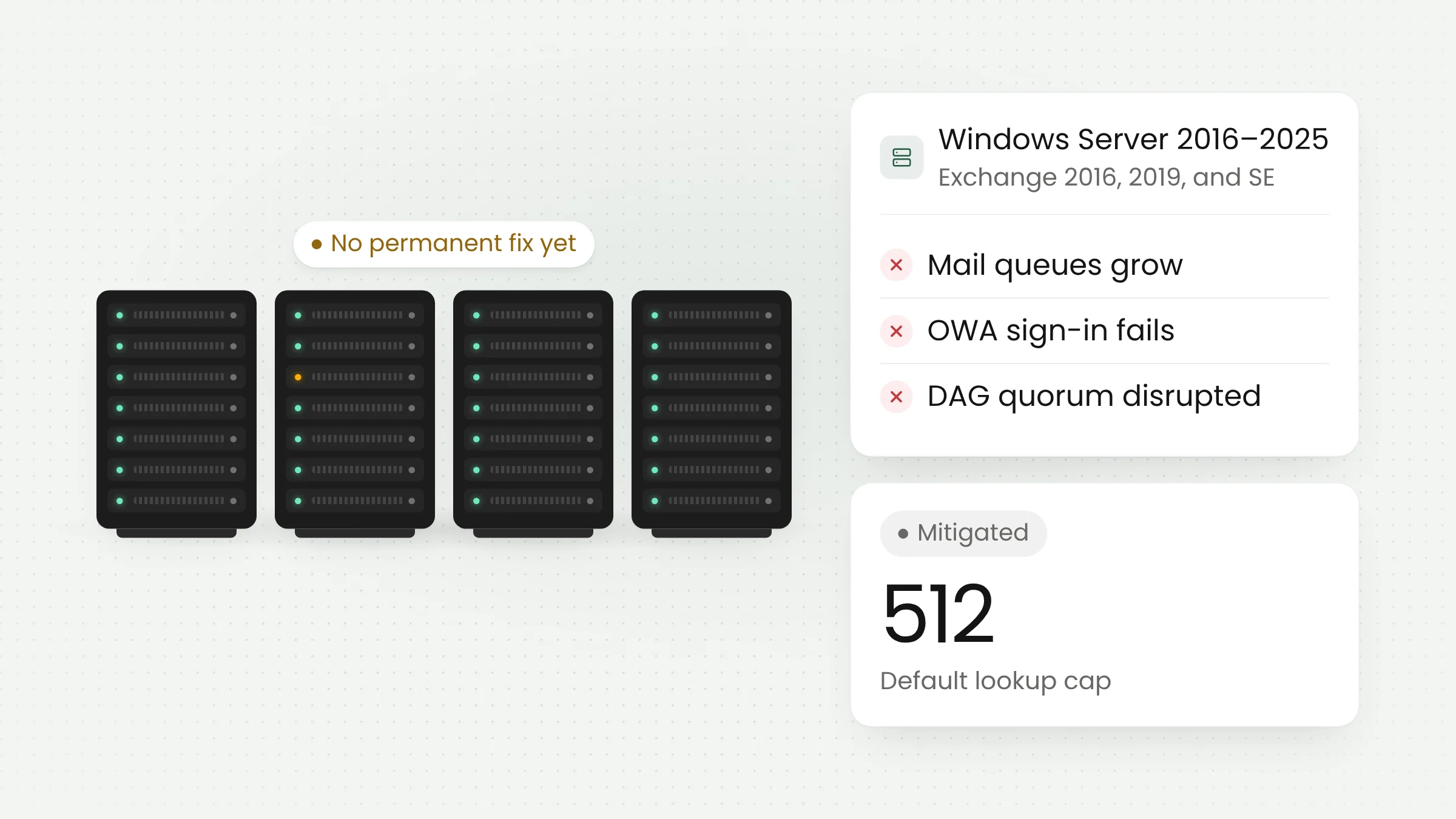
Microsoft has acknowledged that its October 2026 Windows Server security update can leave on-premises Exchange servers unstable. Mail queues grow, sign-in to Outlook on the web (OWA) fails, and DAG members struggle to reach quorum. Microsoft lists the problem as mitigated through a registry setting, while a permanent fix is still under investigation.
What happened to Exchange servers
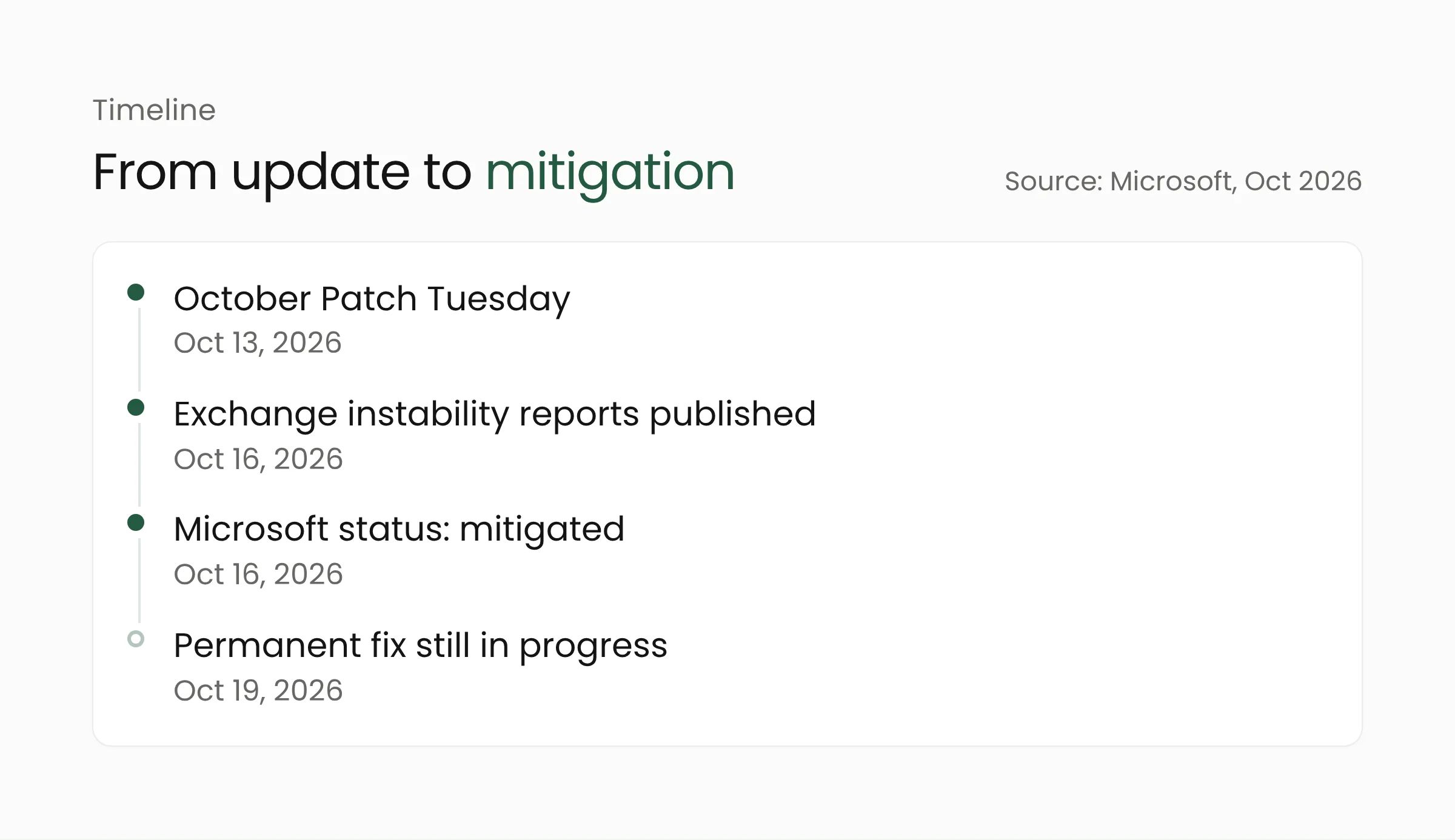
Microsoft’s monthly Patch Tuesday release arrived on October 13, 2026. Three days later, on October 16, the Exchange team published a post on the Exchange Team Blog describing customer reports of Exchange servers becoming unstable after a set of October updates was installed. The same day, the Windows Server release health page on Microsoft Learn opened a new known issue with the status “Mitigated.”
On October 19, BleepingComputer reported that Microsoft had confirmed the disruption and that a permanent fix was still in progress. Our article on October 2026 Patch Tuesday and its record 1,413 CVEs covered what the month’s updates contain. This one covers what followed: a side effect of a Windows update on mail servers.
Symptoms and cause
The Exchange Team Blog lists a range of symptoms. They include OWA failing with the error MapiExceptionMdbOffline (hr=0x80004005, ec=1142) and Event ID 1006 in the application log, mail queues that grow through the day until delivery nearly stops, and DAG members that cannot reach quorum. A DAG (database availability group) is a set of Exchange servers holding copies of the same mailboxes so that service continues if one server fails. Quorum means enough members can still see each other. Restarting a server may relieve the problem temporarily.
The Microsoft Learn status page adds two more symptoms: messages sent from Outlook can sit in the Outbox, and Exchange can have trouble accessing mailboxes during mailbox replication.
According to Microsoft Learn, the October update introduced a default limit on the memory the Endpoint Mapper uses when handling Endpoint Lookup calls. The Endpoint Mapper is a Windows component that helps programs find the target service in RPC communication. The new default is 512 simultaneous Endpoint Lookup calls, which may not be enough for workloads such as Exchange under heavy load.
Exchange typically handles many RPC conversations at once, from Outlook clients to replication between DAG members, so it is plausible that heavy load reaches that limit sooner. Microsoft itself says only that 512 may be insufficient under heavy load, and it has not said how heavy the load must be to trigger the problem.
The impact is uneven. Microsoft states, “Not all Exchange servers will be impacted by installation of those updates equally.” Severity and speed depend on server load, and some servers may never see a problem.
Affected versions and the mitigation
The Exchange Team Blog says Exchange Server 2016, 2019, and Subscription Edition (SE) can be affected. The trigger is one of the following Windows Server updates, and the October 2026 Exchange security updates are not needed for the problem to occur.
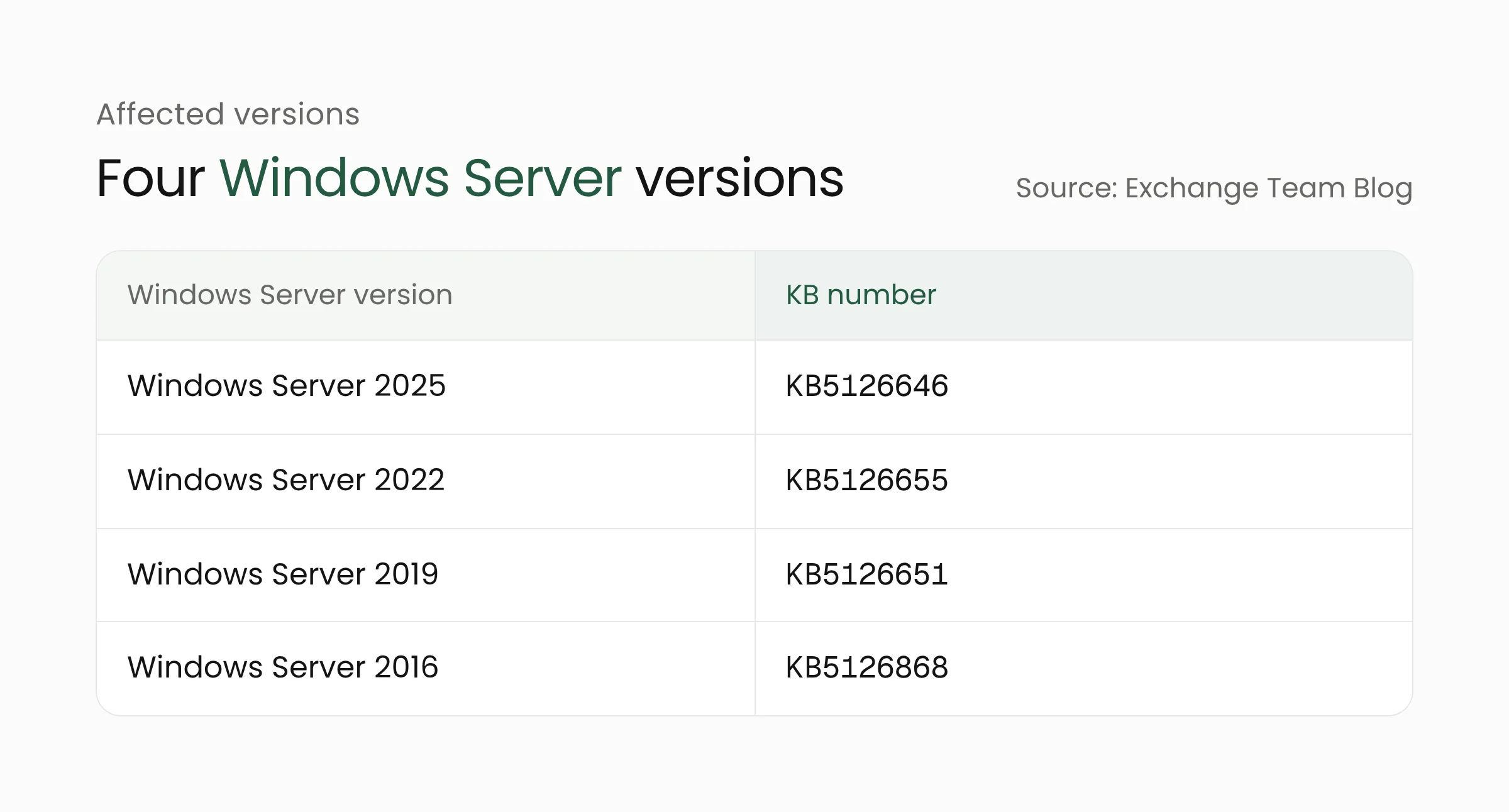
The sources differ slightly. Microsoft Learn and the Exchange Team Blog list Windows Server 2016 through 2025, while BleepingComputer writes Windows Server 2019 and later. The safest reading follows Microsoft’s own list of four versions. Microsoft Learn also says no Windows client versions are affected.
Microsoft makes two recommendations. First, do not uninstall the October Windows Server updates. Second, raise the Endpoint Lookup limit through the registry. From an elevated Command Prompt on the Exchange server, Microsoft suggests the following command, followed by a restart:
reg add "HKLM\SOFTWARE\Microsoft\Rpc" /v EpmapSavedContextCap /t REG_DWORD /d 65536 /f
Administrators are then asked to monitor the environment and confirm the symptoms do not return. If they do, the limit can be raised further. Microsoft says this approach has solved the problem in the customer cases it has assisted. Microsoft Learn also notes an additional mitigation available through Microsoft Support for organizations that need it.
What this means for agencies and companies running Exchange
Self-managed mail servers are common in government agencies, hospitals, and mid-sized companies that keep email inside their own network. IT teams in such places often install monthly updates on a fixed schedule. The following steps can start today.
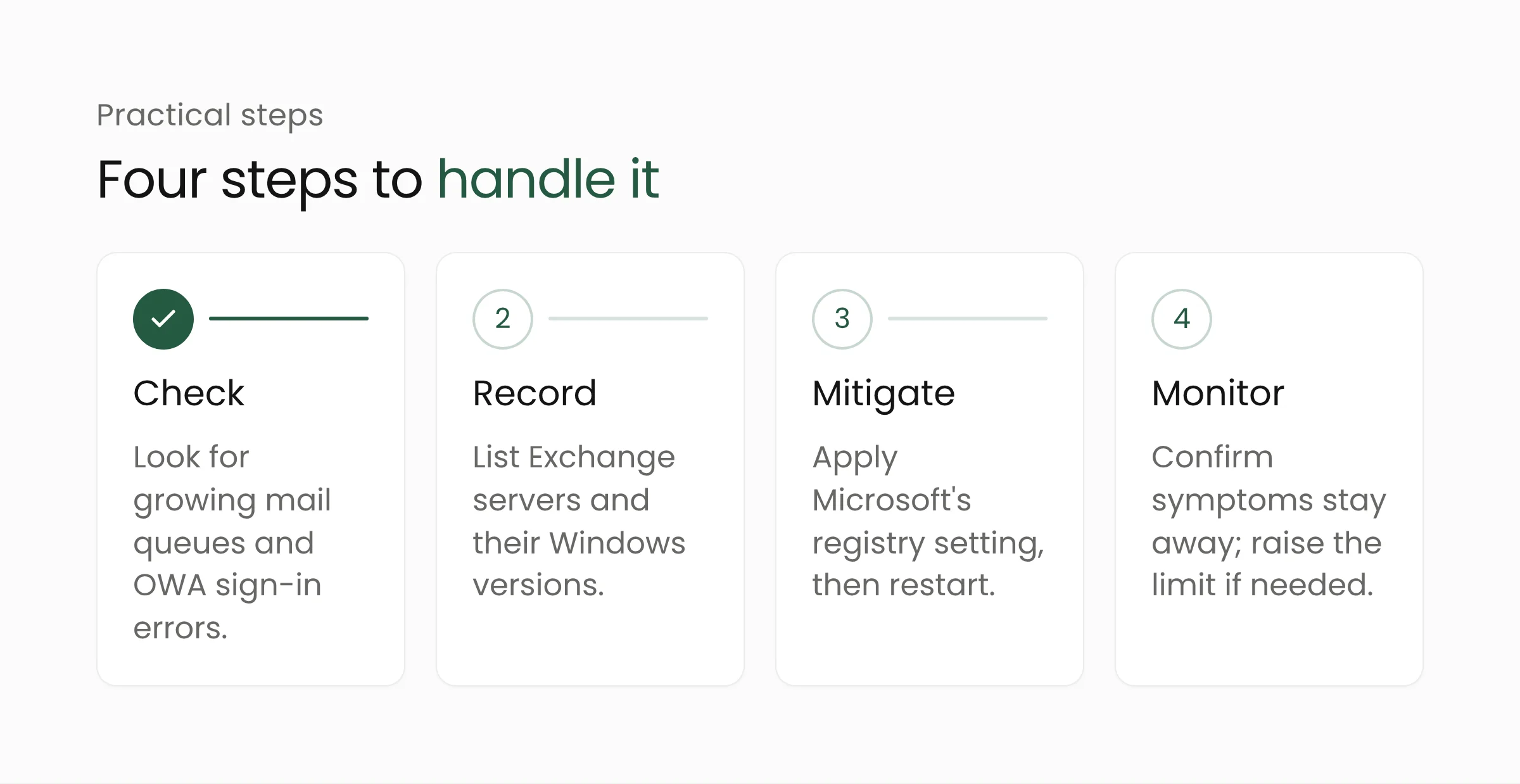
- Check servers that have installed the October updates. Look for mail queues that keep growing, OWA sign-in errors, and Event ID 1006 in the application log.
- List every Exchange server with its Windows Server version and installed KB number, and compare it with the table above.
- Do not uninstall the Windows updates. Microsoft advises against it, and the updates carry security fixes that are still needed.
- Apply the registry setting through the organization’s formal change process, at a time when a restart is safe, and keep a record.
- Watch mail queue length and OWA sign-in success for several days. Automated monitoring helps catch problems before users report them.
- Tell users and the internal help desk that mail delays this week have a known cause, so reports do not scatter across many teams.
While a permanent fix is pending, also record the version and install date on each server. Microsoft Learn says it is still investigating and will share more information, so the status of this issue may change. Check the status page before installing the next update, and read the Exchange release notes that accompany it.
The case also carries a planning lesson. Security updates should be installed quickly, but critical servers deserve a trial run first in a test environment with load close to the real thing. Because this problem appears on busy servers, a test without load can miss it. Running a few test users while simulating replication and heavy mail flow makes this kind of symptom easier to see before it reaches production.
BleepingComputer also notes that extended security updates (ESU) for Exchange 2016 and 2019 end this month. Organizations still running them need a plan to move to Exchange SE or a cloud-based mail service. For agencies shaping digital government services, where mail runs should be weighed together with cloud computing and cybersecurity.
Frequently asked questions
Did the October 2026 Exchange security update cause this?
No. Microsoft states the issues are not related to installing the October 2026 Exchange Server security updates and are not a known issue of those updates. Any Exchange version running on an affected Windows Server version could be hit.
Should the Windows Server update be uninstalled?
No. Microsoft advises against uninstalling the October updates. The recommended mitigation is to raise the Endpoint Lookup limit through the registry, restart the server, and monitor.
Will every Exchange server have problems?
No. Microsoft says the impact depends on server load. Some servers may never see a problem, while busier servers are more likely to be affected.
Conclusion
The case shows that an update carries risk in the flaws it patches and in the behavior changes that come with it. Teams with a server inventory, mail queue monitoring, and a clear change process can respond calmly and with measure. Teams that learn of the problem from user complaints usually lose valuable time finding the cause. If your organization wants to assess the readiness of its mail infrastructure and monitoring, the Merakit team is ready to talk. In the meantime, watch Microsoft’s status page for news of a permanent fix.
Sources
- Microsoft Learn: Windows Server 2025 known issues and notifications, updated October 19, 2026
- Exchange Team Blog: Exchange servers may become unstable after installation of October 2026 Windows updates, October 16, 2026
- BleepingComputer: Microsoft: October Windows Server updates cause Exchange issues, October 19, 2026