Exam Reports (“Laporan Ujian”) help operators review exam results and question quality.
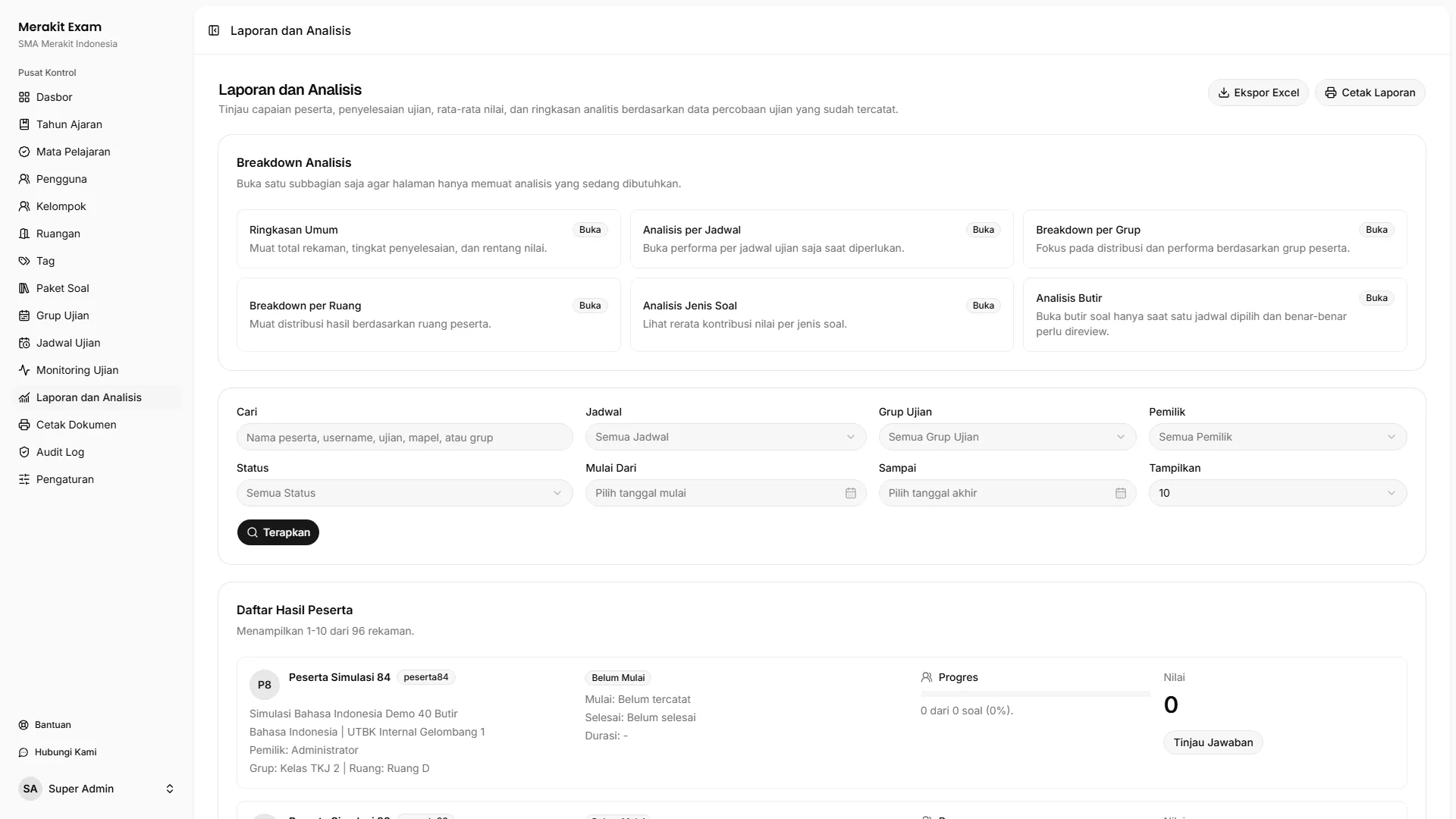
Report Summary
The report shows a summary that includes:
- Total participants.
- Attempt status.
- Completion rate.
- Average score.
- Highest score.
- Lowest score.
Use the summary to get an overall picture of how the exam went.
Report Filters
Report filters help operators narrow down the data.
Commonly used filters:
- Schedule.
- Exam group.
- Owner or teacher.
- Participant status.
- Participant name.
- Date range.
Use the schedule filter to review the results of a single exam in detail.
Item Analysis
When a single schedule is selected, Item analysis (“Analisis butir soal”) helps you assess the quality of each question.
Data worth reviewing:
- Difficulty level.
- Discrimination index.
- Blank answers.
- Incorrect answers.
- Follow-up recommendations.
This analysis helps teachers evaluate whether a question is too easy, too difficult, confusing, or needs to be revised.
Spreadsheet Export
Use spreadsheet export for further processing.
Example needs:
- Score archives.
- Internal recaps.
- Additional analysis by teachers.
- Reporting to school management.
Check your filters before exporting so the exported data matches what you need.
Print Layout
Open the print layout for operational archives or manual reporting.
Before printing:
- Make sure the correct schedule is selected.
- Check participants’ attempt status.
- Make sure results are final if they will be used for score archives.
When Reports Can Be Used
Reports can be opened both during and after the exam. The most complete score analysis is available once participants have finished their attempts and their answers have been saved.