Exam Monitoring (“Monitoring Ujian”) is used by administrators and teachers to supervise exams in real time.
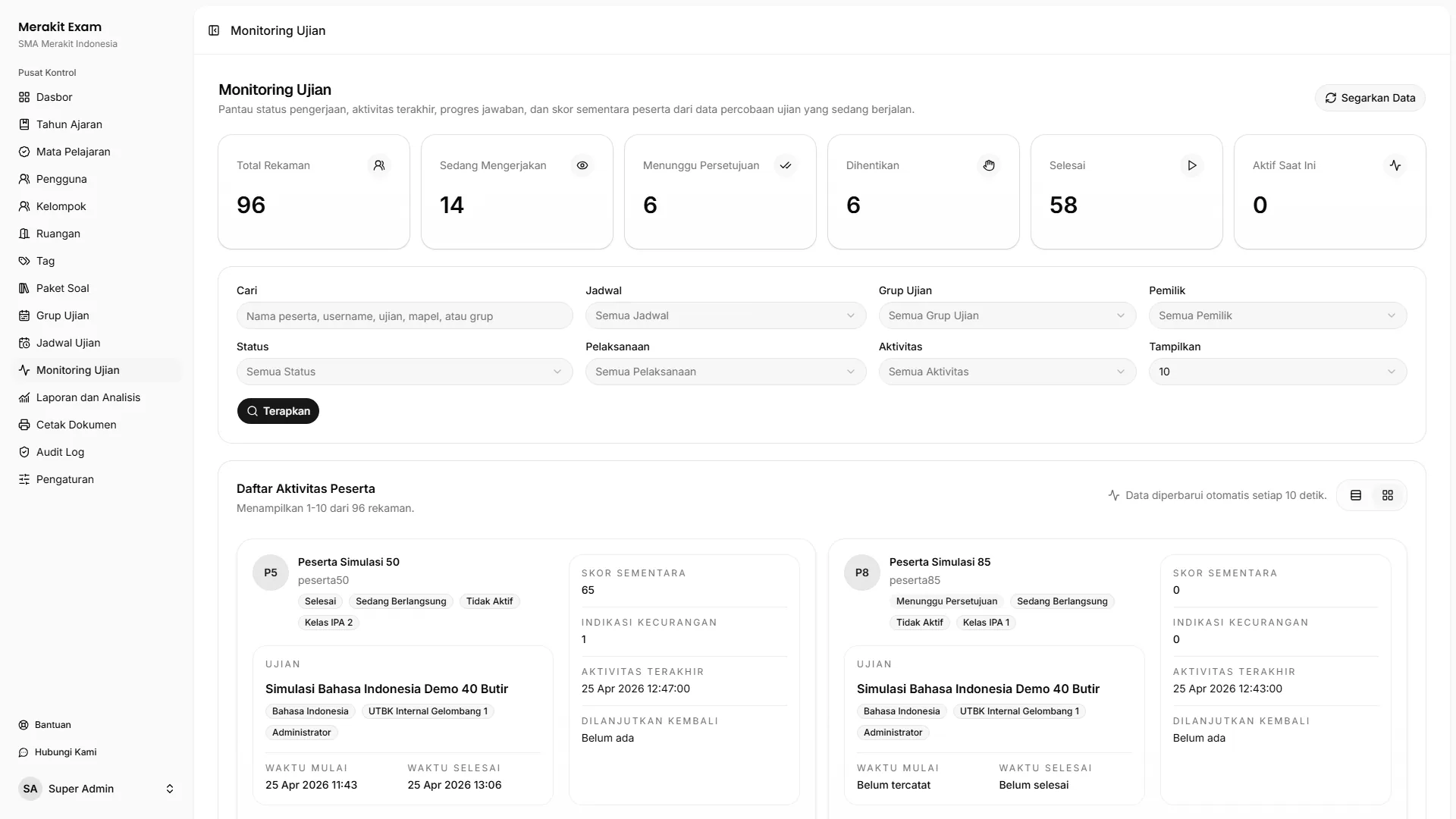
Participant Status
Monitoring helps operators see each participant’s status, such as:
- Not started.
- Awaiting approval.
- In progress.
- Finished.
- Stopped.
Use these statuses to decide what follow-up is needed while the exam is running.
Monitoring Filters
Use filters so operators can quickly find a specific participant or schedule.
Commonly used filters:
- Participant.
- Schedule.
- Exam group.
- Owner or teacher.
- Attempt status.
- Time.
- Activity.
- Rows per page.
Participant Approval
If the schedule requires entry approval, participants will appear as awaiting approval.
Administrators or teachers can approve participants directly from monitoring. Make sure operators verify each participant’s identity before granting approval.
Stopping and Resuming Attempts
Operators can stop a participant’s attempt or resume an attempt that has been stopped.
Use this feature in situations such as:
- The participant is experiencing technical problems.
- The participant is detected breaking exam rules.
- The participant needs to switch to a different device.
- The participant’s session needs to be reviewed by an invigilator.
Activity Indicators
Pay attention to the following indicators while monitoring:
- Answer progress.
- Time remaining.
- Last activity.
- Checkpoint status.
- Reason for stopping.
These indicators help operators tell the difference between a technical problem, a participant who has not started yet, and a potential rule violation.
Handling Disruptions
If a participant runs into a problem during the exam:
- Find the participant in monitoring.
- Review their status and last activity.
- Check whether the participant is held at a checkpoint, has been stopped, or is still active.
- Compare this with the report from the room invigilator.
- Take action in line with your exam policy.